

Atomic Off Canvas
A panel that slides in from any edge, with its own content.
 Elementor 4 · Editor V4 · Atomic Elements
Animation Addons adds 40 atomic elements to Elementor 4 (Editor V4): navigation, posts and loop grids, sliders, forms, media and interactive elements that the core editor does not include. Each one is a native atomic element, styled in Elementor's Style tab with your Classes and Variables, and 30 of them are free.
Elementor 4 still has no nav menu, slider, search or countdown. These fill the gaps. See what's missing
The basics
Atomic elements are the building blocks of Elementor's Editor V4. Elementor describes them as "a new generation of high-performance, flexible building blocks": each element renders as a single wrapper instead of nested divs, is styled from one Style tab, and can use global Classes, Variables and States.
As of Elementor 4.3, the core editor ships sixteen of them, fourteen free and two in Pro. Animation Addons adds 40 more, built on the same atomic base, so they appear in the same panel and style the same way.
Every Animation Addons element accepts your Classes, Variables and States. Templates import with theirs.
40 elements · 30 free
Each card shows what the element does. Search by name or pick a category. Free elements are in the plugin on WordPress.org; Pro elements come with any Pro plan. Open any card for live demos.
Only what you use loads. Switch off any element you don't need, and each element's scripts load only on pages that use it.
A panel that slides in from any edge, with its own content.
Multi-field forms with validation, styled from the Style tab.
Design one loop item, repeat it across any query.
Full navbar with dropdowns and a mobile drawer.
Your loop item as a slider, with arrows, dots and autoplay.
Build each slide with any widgets, then slide the whole thing.
Cards that pin and stack on top of each other as you scroll.
Any SVG path draws itself in as it scrolls into view.
Rich inline styling on any tag from H1 to span.
Buttons with icons, hover effects and animated states.
Drag the handle to reveal before and after.
Pins on an image that open a tooltip or lightbox, on hover or click.
A project grid with a section title and ready-made layouts.
Numbers that count up, or down, when they scroll into view.
The post's content, rendered inside your own template.
A short excerpt, cut by words, characters or lines.
The featured image, with an aspect-ratio control.
Previous and next post links, with keyboard and swipe.
The current post's title, for single-post templates.
Recent posts in a grid with a staggered reveal.
Ajax search inline, in a dropdown or full screen.
Shows what was searched, for search-results templates.
Any WordPress menu, styled in the V4 Style tab.
Collapsible panels with smooth open and close effects.
Feature lists with an icon beside every line.
Share buttons for seven networks that share the page they sit on.
Days, hours, minutes and seconds to any date.
Line, circle or dot progress that fills on scroll.
Events along a line, each date and marker styled.
Switch between two blocks of content.
A card that flips to reveal what's on the back.
Your site logo with a link, for headers and footers.
An MP4 that plays inside one of five shapes, then opens to full frame.
YouTube, Vimeo, Dailymotion, VideoPress or your own file, in one branded player.
A button you can fill with an icon, text or any element.
Text rotating around a circle, with an icon inside.
An embedded map placed by address, with zoom.
Lottie animations that play on scroll, hover, click or with the cursor.
Jump links built from the page's own headings.
AJAX filters for the Loop Grid: terms, price, rating, fields, date and sort.
Nothing matches that search.
As of Elementor 4.3
As of Elementor 4.3 (released September 2026), the core editor ships sixteen atomic elements. Everything else on a typical site still has to come from somewhere. Here is the full picture.
| Element | Elementor 4 core | Animation Addons |
|---|---|---|
| Div Block, Flexbox, Grid | Free | Use Elementor's |
| Heading, Paragraph | FreePlain text only | Advanced Heading adds bold, italic, links and spans inside the heading; Icon List adds the bullet list Paragraph lacks |
| Image, SVG | Free | Image Compare, Image Hotspot, Curved Text |
| Button | Free | Button, and Button Pro with 8 GSAP hover styles |
| Divider | Free | Use Elementor's |
| Video, YouTube, Background Video | Free | Video with custom controls, Video Mask |
| Tabs, Accordion | Free | Accordion with GSAP effects, Toggle Switcher, Flip Box |
| Form | Pro only | Form, free |
| Loop | Pro only | Loop Grid and Loop Grid Slider, free; Posts Grid; Advanced Portfolio |
| Carousel / slider | Not yetOn Elementor's roadmap | Nested Slider, Loop Grid Slider |
| Navigation menu, mega menu, off-canvas | Not available | Nav, WP Menu, Site Logo |
| Search | Not available | Search Form, Search Query |
| Post title, content, excerpt, image, pagination | Not availableNo atomic version yet; the classic Theme Builder widgets need Elementor Pro | All five, free |
| Countdown, Counter, Progress Bar, Timeline | Not available | All four |
| Social Share, Google Maps | Not available | Both |
| Icon library | Not yetOn Elementor's roadmap | Icon List with custom icons |
Elementor's own elements and Animation Addons' elements sit in the same panel and on the same page. When Elementor adds a native version of something, yours keeps working; use whichever fits the project.
Core inventory from Elementor's 4.0 to 4.3 release notes and the Elementor roadmap; last verified Oct 13, 2026. Elementor's V4 FAQ page still lists Grid and Loop as "in development"; both shipped in 4.2.
Built natively
Most add-ons that say "Elementor 4 compatible" mean their classic widgets still run inside the new editor, with their own style panels and their own wrappers. Animation Addons V4 elements are built on Elementor's atomic element base, so they behave like Elementor's own.
They appear in the Elementor 4 elements panel in their own groups, AAE General, AAE Form and AAE Post, placed at the top of the panel next to Elementor's Div Block, Heading and Image.
Layout, spacing, size, typography, background, border and effects are set in Elementor's unified Style tab. No second settings panel.
Apply a global class to a Nav Menu item or a Loop Grid card and it updates everywhere the class is used. Variables and States work the same way.
Use them next to Elementor's core atomic elements and your existing V3 widgets on the same page. Nothing to migrate.
GSAP motion
Every element here works with Animation Addons' GSAP motion extensions: split text, sticky and pin, horizontal scroll, smooth scroll, parallax, image reveal, cursor effects and tilt, all set from the same panel. Elementor's own Interactions cover simple fade, slide and scale motion.
The motion extensions come with any Pro plan. See all V4 extensions
Best and only Elementor Addon for GSAP animations I knowwebitems, WordPress.org
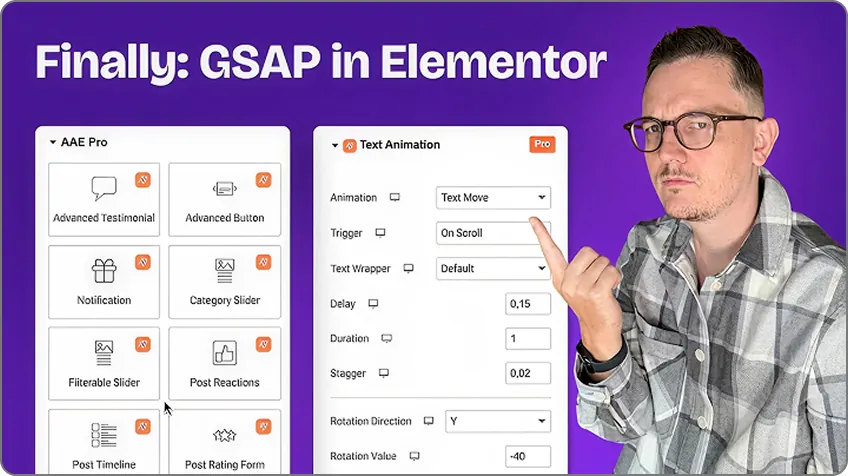
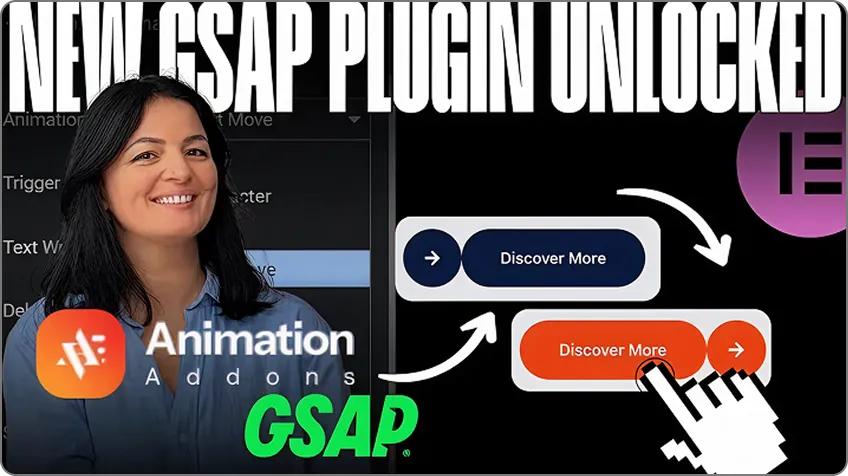
Independent creators building with Animation Addons on YouTube.
Atomic elements are the building blocks of Elementor's Editor V4. Each one renders as a single wrapper, is styled from one Style tab, and can use global Classes, Variables and States. Elementor 4.3 ships sixteen of them; Animation Addons adds 40 more built the same way.
Yes, in the inventory table above. As of Elementor 4.3: Div Block, Flexbox, Grid, Heading, Paragraph, Image, SVG, Button, Divider, Video, YouTube, Background Video, Tabs and Accordion are free; Form and Loop need Elementor Pro. A carousel and an icon library are on Elementor's roadmap.
Elementor's core atomic elements, Classes and Variables are free. Form, Loop, Components and advanced Interactions need Elementor Pro. Animation Addons' atomic elements work with free Elementor, and most of them are in the free plugin; the Pro elements are marked on this page.
Not in the free editor. Elementor 4 has no navigation menu, off-canvas, search, countdown, counter, timeline or social share element; Loop and Form are Pro only; a carousel is planned. Animation Addons adds a nav menu, search, countdown, counter, timeline, social share, loop grids and sliders as atomic elements.
Yes. Every element on this page works with free Elementor. Elementor Pro is not required, and the two run side by side if you have it.
Yes. Elementor lets V3 widgets and atomic elements sit on the same page, and Animation Addons elements are atomic elements, so all three mix freely. Existing pages are not changed.
Yes. They accept global Classes, Variables and States exactly like Elementor's core elements, and V4 templates import with their Classes and Variables.
Yes. Every style setting can differ per breakpoint in the Style tab, the same way Elementor's own elements work.
Yes. Disable any element or extension from the Animation Addons dashboard so it never loads.
Install Animation Addons, open a page in Elementor 4, and the elements appear in the elements panel in their own groups: AAE General, AAE Form and AAE Post. Drag one onto the canvas and style it from the Style tab.
Both. Elementor's entrance Interactions apply to any element. Animation Addons' GSAP extensions add split text, pinning, horizontal and smooth scroll, parallax, image reveal and cursor effects on top.
Yours keeps working. Elementor's version and Animation Addons' version sit side by side in the panel, and you use whichever fits the project.
The free plugin costs nothing. Pro starts at $49 a year for one site, or $24.50 during the Black Friday deal until 5 December; lifetime plans start at $51 once. See pricing for every plan.
Yes. Every license includes the Elementor 4 atomic elements and the classic library for Elementor 3 sites: 102 widgets, 25+ extensions and 300+ starter templates.
No. Switch off any element you don't use from the Animation Addons dashboard, and each element's scripts and styles load only on pages that use it.
Didn't find your answer? Documentation · Contact us
Animation Addons Pro · Elementor 4
40+ elements, 29 motion extensions, 330+ website templates (30+ native to Elementor 4) and 10,000+ sections, in one plugin.
Black Friday dealup to 50% off every Pro planEnds 5 Dec