
 Login
Login

Elementor websites are getting more powerful, but building a polished, interactive site still often means juggling multiple elements, extensions, styling controls, and custom code.
Animation Addons V4 is designed to simplify that process by bringing more creative tools, better organization, and greater flexibility into one addon ecosystem.
With 40+ atomic elements, 25+ extensions, 30+ starter templates, nested features, image overlays, background videos, and a more consistent styling approach, V4 gives Elementor users more control without making the website-building experience unnecessarily complicated.
This release note works as the complete Animation Addons V4 changelog for Elementor and the full Animation Addons for Elementor V4 patch notes. It walks through exactly what shipped, what changed from V3, how to upgrade, and whether you should update today.
Animation Addons V4 is a major upgrade focused on expanding Elementor’s creative and functional capabilities while making features easier to discover and use.
It introduces 40+ atomic elements, 25+ extensions, 30+ starter templates, nested features, image overlays, background video support, and a more organized styling system.
Key Takeaways: Top Improvements in Animation Addons V4 for Elementor
- 40+ atomic elements give Elementor users more creative building blocks, including a Slider widget.
- 25+ extensions add practical functionality beyond standard Elementor features.
- 30+ starter templates help users launch websites faster instead of starting from scratch.
- A consistent styling system makes settings easier to find and reduces the confusion of scattered controls.
- New capabilities such as nested features, image overlays, and background videos make it easier to create richer layouts and interactive experiences.
What’s New in Animation Addons for Elementor V4? (Full New Features List)
Animation Addons V4 isn’t simply about adding more features to the existing toolkit. The update focuses on giving users more building options while making those options easier to work with.
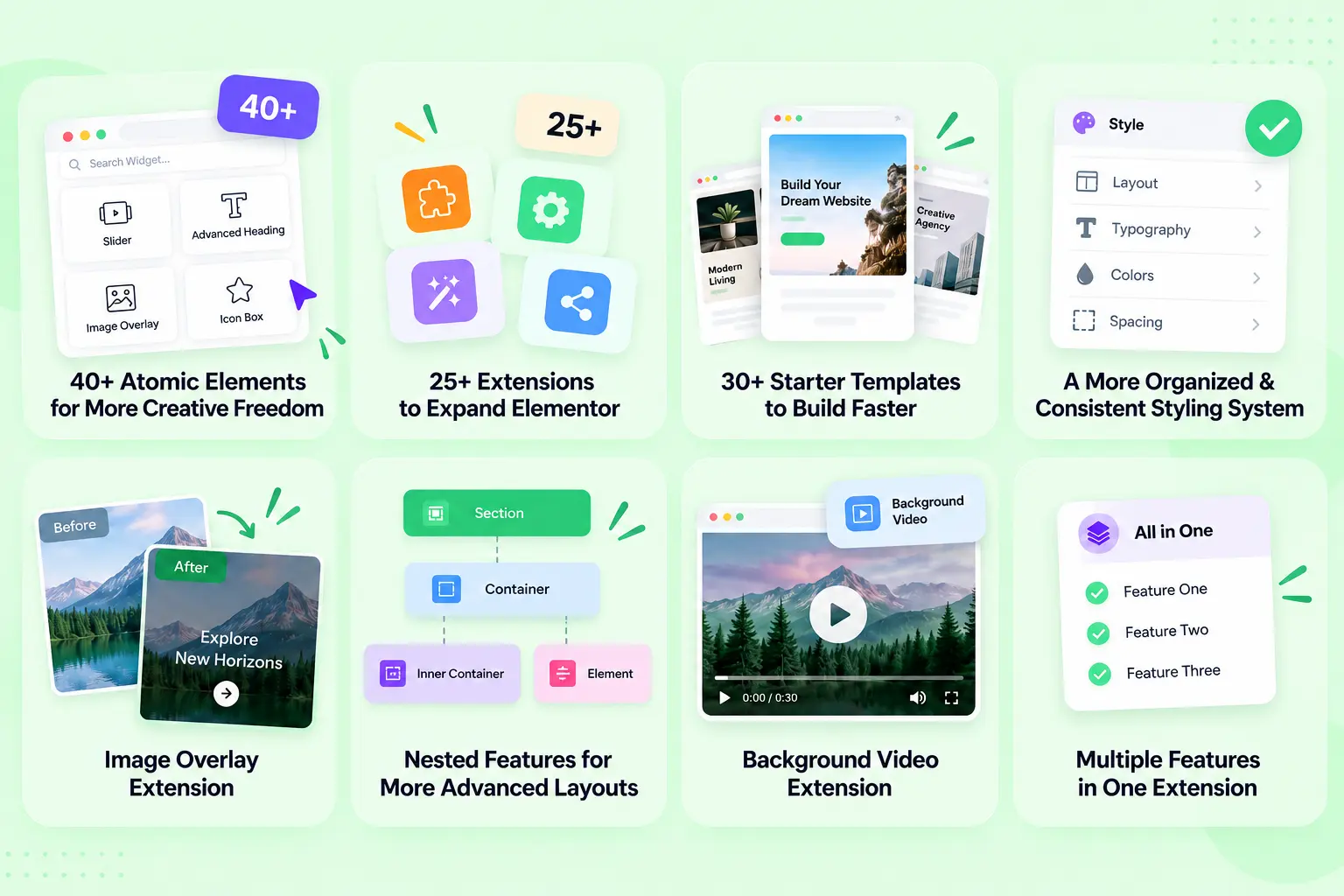
Here’s the full Animation Addons V4 new features list, with a closer look at each major improvement.
1. 40+ Atomic Elements for More Creative Freedom
The biggest attraction of Animation Addons V4 is its growing atomic elements collection.
With 40+ Atomic Elements, users can access additional building blocks for creating everything from engaging landing pages to dynamic business websites.
One notable addition is the Slider element, giving users another way to present products, services, portfolios, testimonials, or other visual content.
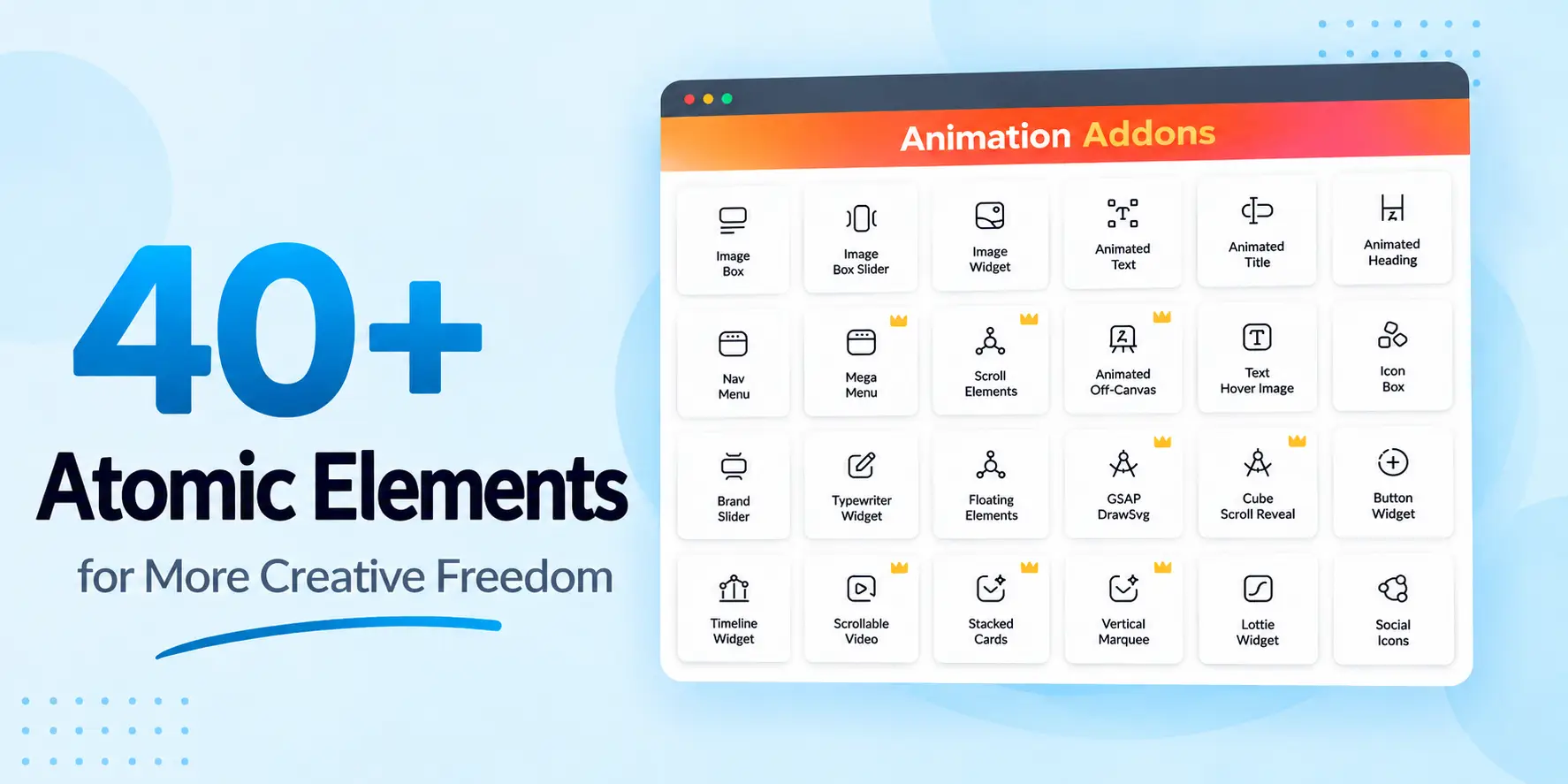
More importantly, the atomic elements collection includes capabilities that Elementor itself hasn’t yet added, allowing users to expand what’s possible inside the Elementor editor.
Why Does This Matter?
Without additional atomic elements, users may need to:
- Install multiple addon plugins.
- Search for third-party solutions.
- Add custom CSS or JavaScript.
- Build complex layouts manually.
- Compromise on the design they originally envisioned.
Animation Addons V4 aims to reduce that friction by putting more useful functionality directly into the Elementor workflow.
2. 25+ Animated Extensions to Expand Elementor
Atomic Elements aren’t the only way Animation Addons V4 extends Elementor.
The update includes 25+ extensions, giving users additional functionality that can be applied to their websites without relying heavily on custom development.
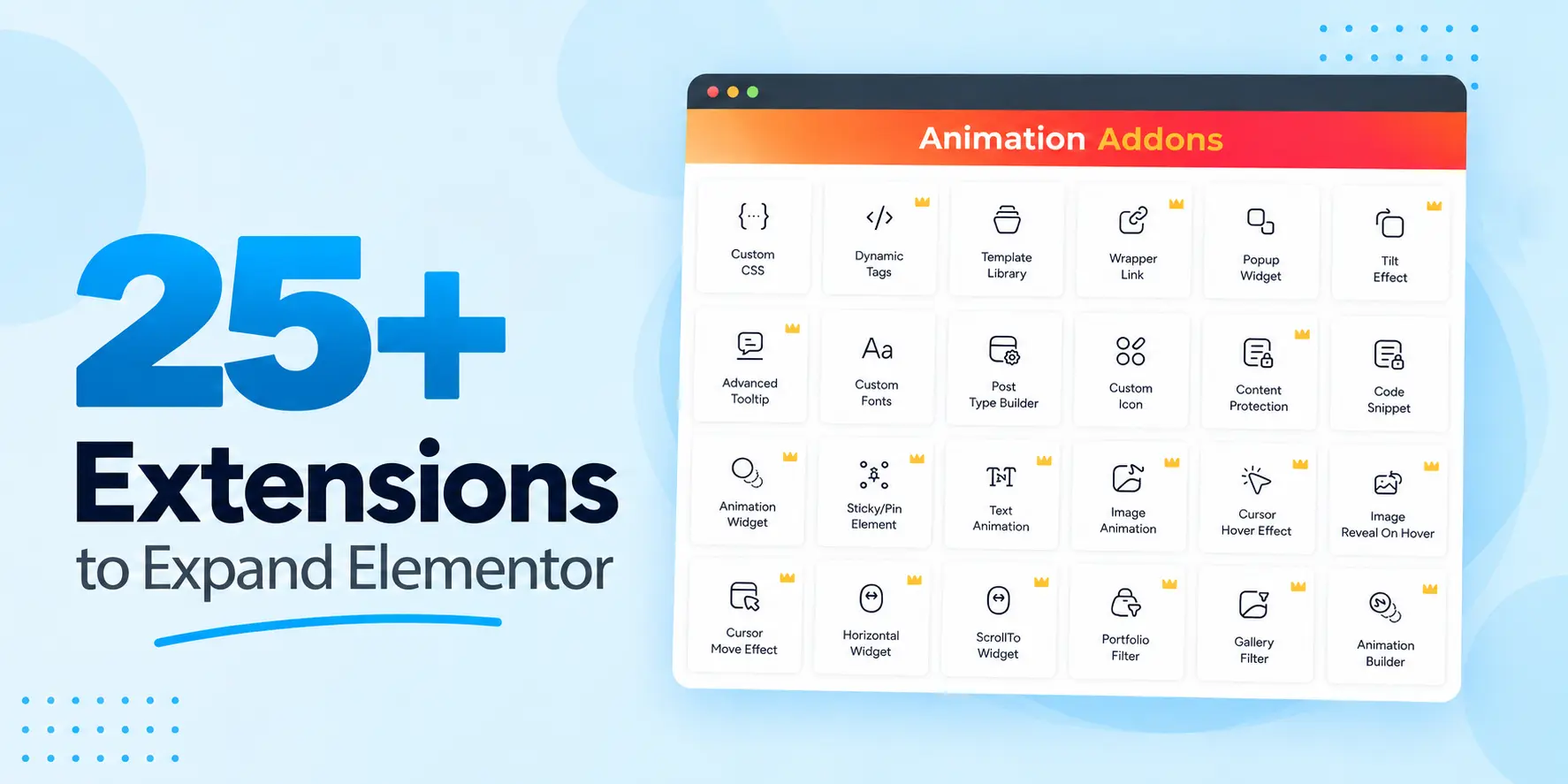
Instead of thinking of extensions as individual gimmicks, consider them as website-building utilities that can improve what Elementor elements are capable of doing.
For example, extensions can help with visual effects, backgrounds, layouts, and other functionality that would otherwise require additional tools or code.
A More Flexible Toolkit
This makes Animation Addons particularly useful for users who want to create advanced websites while maintaining a no-code or low-code workflow.
3. 30+ Starter Templates to Build Faster
Starting a website from a blank canvas can be surprisingly time-consuming. Animation Addons V4 includes 30+ starter templates designed to give users a head start.
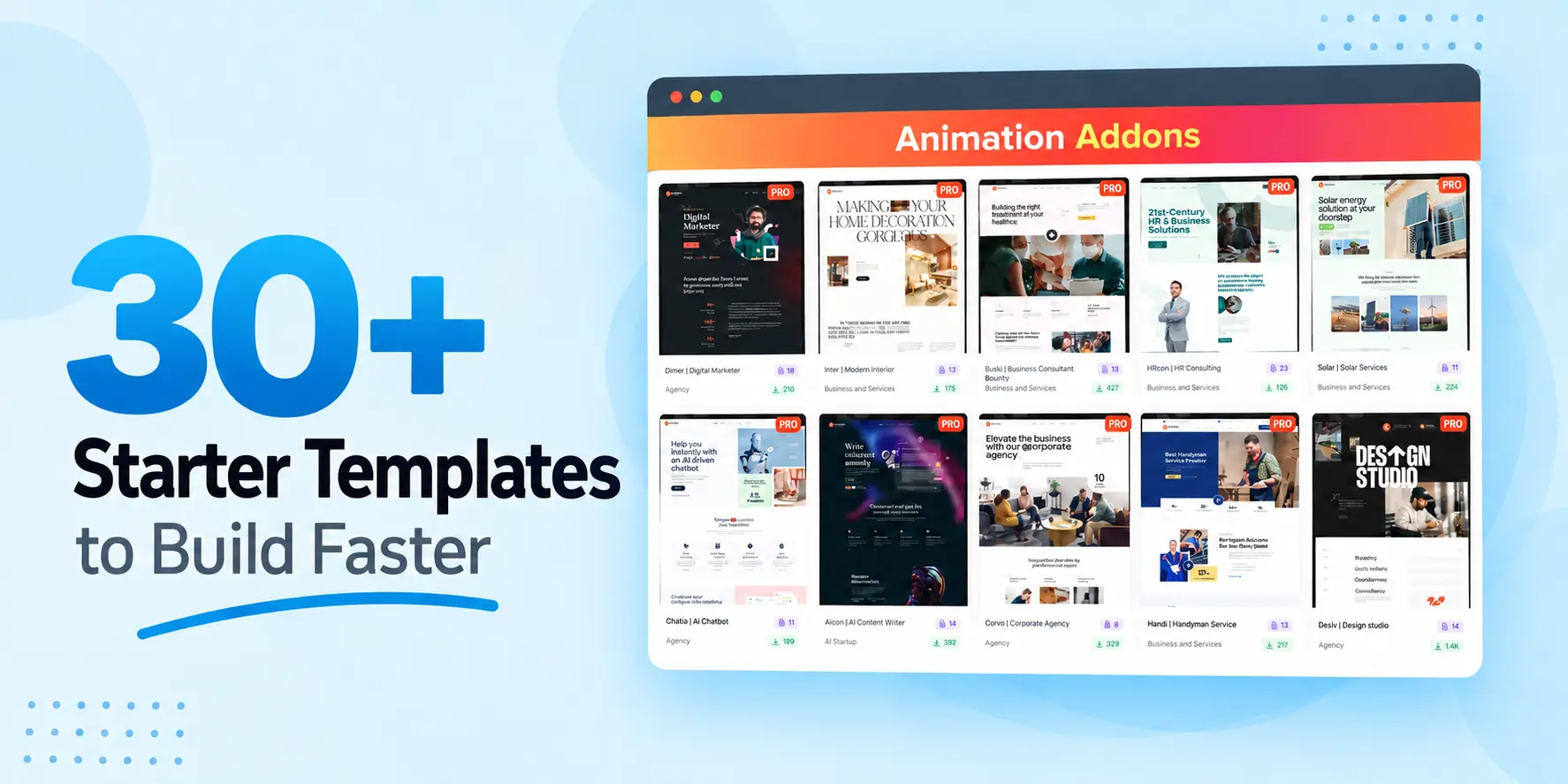
Instead of designing every section individually, you can start with a professionally structured foundation and customize it around your brand, content, and goals.
Who Will Benefit Most?
Starter templates can be particularly useful for:
- Freelancers deliver websites quickly.
- Agencies working on multiple client projects.
- Beginners who don’t want to design everything from scratch.
- Business owners launching a new website.
- Designers looking for inspiration.
The real benefit isn’t simply saving clicks. It’s reducing the time between having an idea and turning that idea into a working website.
4. A More Organized & Consistent Styling System
One of the more important changes in V4 isn’t a flashy visual effect, it’s how styling options are organized.
In V3, styling controls could sometimes feel scattered. Similar settings might appear in different locations depending on the atomic elements or feature you’re working with. V4 moves toward a more consistent structure.
Similar controls are placed in similar locations across the system, making it easier to predict where a setting should be.
Why Is Consistency Important?
Imagine using several atomic elements and needing to hunt through different panels to find the same type of control.
That creates unnecessary friction. A more consistent system means:
Find the control → adjust it → move on.
This is especially valuable for users who work with Animation Addons frequently or manage multiple websites.
Animation Addons V4 Follows the Same Direction
As Elementor moves toward a more structured design and styling experience, Animation Addons V4 follows the same philosophy.
The result is a workflow that should feel more familiar and predictable rather than adding another completely different interface on top of Elementor.
5. Image Overlay Extension
Want to make images more interactive without writing custom CSS?
The Image Overlay Extension makes it easier to add overlay effects to images directly within Elementor. This can be useful for portfolio cards, service sections, product displays, team members, galleries, and other visual components.
Instead of creating a separate overlay implementation manually, users can apply the effect through the extension.
Where Can You Use Image Overlays?
Consider using them for:
- Portfolio projects
- Product cards
- Service boxes
- Image galleries
- Team member cards
- Blog or content cards
6. Nested Features for More Advanced Layouts
Modern websites rarely consist of simple one-level layouts.
Designers increasingly need to place elements inside elements, create structured content blocks, and build more sophisticated compositions. Animation Addons V4 introduces nested features to provide greater flexibility for these types of layouts.
This gives users more control over how content is structured within their designs.
Why Nested Features Matter
Nested structures can be useful when creating:
- Advanced cards
- Interactive sections
- Complex content layouts
- Multi-part components
- More flexible responsive designs
For experienced Elementor users, this can open up more possibilities without requiring custom development for every complex layout.
7. Background Video Extension
Video can transform an otherwise static hero section into a more engaging visual experience.
Animation Addons V4 adds a Background Video Extension, allowing users to introduce video backgrounds to sections and elements more easily.
This can be particularly effective for:
- Hero sections
- Product showcases
- Creative portfolios
- Agency websites
- Event pages
- Promotional landing pages
Keep Performance in Mind
Background video can improve visual impact, but it should be used carefully.
Large video files can increase page weight and affect loading performance, especially on mobile devices. Use compressed videos, avoid unnecessary autoplay, and provide appropriate fallback behavior where needed.
8. Multiple Features in One Extension
Another useful improvement in V4 is the ability for one extension to contain multiple related features.
Rather than treating every small capability as a completely separate extension, related functionality can be grouped.
Why This Is Useful
For users, this can mean:
- Fewer individual tools to manage.
- More functionality from each extension.
- A cleaner overall workflow.
- Greater flexibility when building websites.
It’s a small structural change that can make a difference when you’re working with many websites or a large Elementor project.
What changed from Animation Addons V3 to V4
If you are already on V3, here is the short version of what is difference between V3 and V4.
| Area | Animation Addons V3 | Animation Addons V4 |
| Elementor target | Built for the older Elementor structure | Built for Elementor 4’s atomic, CSS-first structure |
| Atomic Elements | Core atomic elements set | 40+ atomic elements |
| Extensions | Fewer, single-feature | 25+ extensions, some bundling multiple features |
| Starter templates | Limited | 30 + ready-to-use templates |
| Styling controls | Could feel scattered across sections | Consistent placement across the plugin |
| Image overlays | Often needed custom CSS | Image Overlay extension, no code |
| Background video | Manual setup | Background Video extension |
Who Should Use Animation Addons V4?
Elementor Beginners: If you’re new to Elementor, the atomic elements and starter templates can help you build websites without starting every project from a blank page.
Freelancers: Freelancers can benefit from reusable templates, atomic elements and extensions when working under tight project deadlines.
WordPress Agencies: Agencies managing multiple client websites can use a broader elements and extension toolkit to standardize their workflow.
Designers: Designers who want more visual control can take advantage of nested layouts, image effects, sliders, and background video functionality.
Advanced Elementor Users: Experienced users can combine atomic elements and extensions to create more sophisticated layouts without relying on custom code for every interaction.
How to Get Started With Animation Addons V4
If you’re already using Animation Addons, getting the most from V4 starts with understanding what’s changed rather than immediately enabling every feature.
Step 1: Review the New Atomic Elements
Explore the 40+ atomic elements and identify which ones can replace tools you’re currently using.
Step 2: Check the Extensions
Review the 25+ extensions and enable only the functionality your website actually needs.
Step 3: Explore the Starter Templates
If you’re beginning a new website, check the 30+ starter templates before building every section manually.
Step 4: Revisit Your Styling Workflow
Take some time to familiarize yourself with the new organization of styling controls. Once you understand the pattern, finding similar settings should become much easier.
Step 5: Experiment With Advanced Features
Try nested layouts, image overlays, and background videos on a staging site before introducing them to a production website.
New to Animation Addons V4?
If you’re discovering Animation Addons V4 for the first time, you don’t need to learn everything at once. V4 brings together atomic elements, extensions, templates, and advanced features, so the easiest approach is to start with the tools that solve your immediate design needs.
1. Explore the atomic elements
Start with the 40+ atomic elements and see what’s available for your website. Try familiar elements such as sliders, animated text, image effects, and other interactive components.
2. Browse the Starter Templates
Don’t want to build from scratch? Explore the 30+ starter templates, choose a layout close to your project, and customize the content, colors, typography, and branding.
3. Discover the Extensions
Explore 25+ extensions. Start with practical features such as image overlays, background videos, animation effects, or other functionality your website actually needs.
4. Try Advanced Features Gradually
When you’re ready to create more sophisticated layouts, experiment with nested features and extensions that combine multiple related capabilities. You can gradually expand your workflow without having to master every feature immediately.
5. Keep Your Website Lightweight
More features don’t mean you should activate everything. Enable only the atomic elements and extensions you need for each project to keep your Elementor dashboard organized and your website performance in check.
The Best Part?
You don’t need to be an animation expert to use Animation Addons V4. Start with a template or a single atomic element, get familiar with the workflow, and gradually explore the more advanced creative tools as your website demands grow.
- Quick tip: If you’re completely new, start with Starter Templates → Atomic elements → Extensions → Advanced Features. This gives you a natural learning path without overwhelming you with V4’s entire toolkit at once.
Should You Upgrade to Animation Addons V4?
If you want more Elementor functionality without constantly reaching for custom code or multiple plugins, V4 is worth exploring.
The update is especially compelling if your workflow involves interactive layouts, visual effects, reusable website components, or rapid website development.
However, you don’t need to use every feature simply because it’s available. The best approach is to enable the tools that solve an actual problem in your workflow and keep the rest available when you need them.
How to Upgrade to Animation Addons for Elementor V4
The update path is the standard Elementor addon flow. Use this Animation Addons V4 installation guide for Elementor when moving your site from V3 to V4.
- Back up your site before any major plugin update. This is basic hygiene for any release.
- Make sure you are running Elementor 4, since V4 is built for it.
- Update Animation Addons to V4 from your plugin dashboard.
- Open a page in the Elementor editor and confirm your existing atomic elements render correctly.
- Explore the new atomic elements, extensions, and starter templates.
Final Thoughts
Animation Addons V4 is more than a bigger feature list, it’s a step toward a more complete and organized Elementor-building experience.
The biggest improvement may ultimately be the combination of power and usability: more capabilities when you need them, and a more predictable workflow when you’re simply trying to get a website built.
If you’re an Elementor user who wants to move beyond basic layouts and build more engaging websites with less friction, Animation Addons V4 is built to give you more room to create.
FAQs
This article serves as the full Animation Addons V4 changelog and patch notes. It covers every major addition, the V3 to V4 differences, and the upgrade steps.
Animation Addons V4 includes 40+ atomic elements. The collection adds capabilities that aren’t currently available as native Elementor features.
V4 includes 25+ extensions designed to add additional functionality to Elementor websites. These extensions cover capabilities beyond standard Elementor functionality.
Yes, Animation Addons V4 provides 30+ starter templates to help users begin websites faster. Users can customize the templates instead of creating every section from scratch.
The Image Overlay Extension lets users add image overlay effects without writing custom code. It’s useful for portfolios, galleries, cards, products, and other image-focused sections.
Nested features provide greater flexibility for creating structured and advanced layouts. They allow users to build more sophisticated content arrangements within Elementor.
Yes, V4 includes a Background Video Extension for adding video backgrounds to sections and elements. For better performance, users should optimize video files and avoid unnecessary video backgrounds.
V4 follows a more consistent approach to organizing styling controls, so similar settings are easier to locate across different features. This reduces the need to search through different panels for familiar options.
Yes, beginners can benefit from its starter templates, ready-made atomic elements, and extensions. These tools can reduce the amount of custom design and coding required to build a website.
Freelancers, agencies, designers, developers, and Elementor beginners can all benefit from V4. Its combination of ready-made resources and advanced functionality makes it suitable for both simple and more sophisticated websites.