
 Login
Login


Looking for Elementor V4 compatible addons? Not every Elementor addon automatically takes advantage of Elementor V4’s new Atomic Editor, Global Classes, Variables, and cleaner markup. Some addons may continue working while still adding unnecessary wrappers, overriding styles, or loading scripts that undermine V4’s performance gains.
In this guide, you’ll learn how to check whether an Elementor addon is truly V4-ready, what compatibility problems to watch for, and how to choose addons that support clean DOM output, reusable styling, and better performance.
Quick Answer
Elementor V4 addons are plugins built for Elementor’s Atomic Editor and CSS-first architecture. Many older Elementor 3 addons still activate on V4 but inject extra DOM, override Global Classes, and slow the editor. A V4-ready addon uses Atomic Widgets, respects Global Classes and Variables, and outputs clean, lightweight markup. Always test addon compatibility before upgrading a live website.
Key Takeaways
- Elementor V4’s Atomic Editor and CSS-first architecture changed how addons interact with your site, so an Elementor 3 addon can activate cleanly and still break styling, bloat the DOM, or slow the page.
- Elementor V4 compatible” is not the same as V4-ready. True readiness means Atomic Widgets, respect for Global Classes and Variables, and clean markup output.
- Use the 5-point test before trusting any addon: check DOM output, whether controls still work, Global Classes and Variables support, conflicts with other addons, and editor or front-end speed.
- Never upgrade a live site first. Test addon compatibility on a staging copy, and drop addons that are unmaintained or duplicate another plugin’s job.
- Animation is where the V4 shift bites hardest, because motion depends on clean markup and predictable styling.
What Are Elementor V4 Compatible Addons?
Elementor V4 compatible addons are third-party plugins and widget libraries built to work smoothly with Elementor V4’s newer Atomic Editor, Global Classes, and Variables. But true compatibility means more than simply “working” after an update, it means the addon fits into V4’s architecture without adding unnecessary wrappers, overriding styles, or creating performance issues.
For users, the difference is simple: a V4-ready addon should give you more functionality without undoing Elementor V4’s cleaner foundation. Look for addons that generate lightweight markup, respect Global Classes and Variables, keep controls functional, and avoid unnecessary CSS or JavaScript.
- Quick Tip
- Don’t trust a “V4 compatible” label alone. Test the addon on a staging site and check its DOM output, styling behavior, controls, conflicts, and front-end performance before adding it to a live website.
Elementor V4 vs Elementor 3: The Addon Compatibility Changes You Need to Know
While Elementor 3 relied heavily on widget-level styling and wrapper-based layouts, Elementor V4 introduces a more modern architecture centered around the Atomic Editor, Global Classes, and Variables. To know which addons survive the move, you first need to know what moved.
The Problem with the Old Model
In Elementor 3, styling was largely baked into each element and widgets rendered into a predictable, wrapper-heavy structure. Addons could safely assume that foundation, so a plugin written years ago kept working through updates.
Why Elementor V4 Breaks the Assumption
Elementor V4’s Atomic Editor moves styling into reusable Global Classes and Variables, a CSS-first approach where markup is leaner and the styling cascade is more predictable. The editor also exposes new controls that older addons simply don’t recognize.
What this Means for your Stack
An addon that injects extra wrapper divs or hard-codes inline styles now actively works against the upgrade. It can render correctly while making pages heavier and harder to restyle.
The Benefit of Getting it Right
Choosing addons built for V4 means leaner pages, reusable styling across your whole site, and far less override CSS to maintain later.
| Aspect | Elementor 3 addons | Elementor V4-ready addons |
| Styling Approach | Per-widget styling | Global Classes & Variables |
| Code Output | Often wrapper-heavy | Clean, lightweight DOM |
| Widget Architecture | Legacy widgets | Atomic Widgets |
| Design Changes | Manual and repetitive | Reusable and scalable |
| Performance | Can create bloat | Optimized for speed |
| Future Compatibility | Higher upgrade risk | Built for long-term support |
What Makes an Addon Truly Ready for Elementor V4
Not every “Elementor V4 compatible” claim means the same thing. It helps to think in four levels.
Level 1: It loads: The plugin activates and the editor opens. This is the floor, not the goal, plenty of V3-era addons clear it while still causing problems.
Level 2: Controls still work: Settings panels, buttons, and widget outputs behave as expected in the Atomic Editor, with no missing controls.
Level 3: It respects the Atomic Editor: The addon works with Global Classes and Variables instead of overriding them with inline styles, so your styling stays reusable.
Level 4: It’s built for V4: The addon ships Atomic Widgets, outputs clean DOM, and is designed around the new architecture rather than retrofitted onto it.
When people search for elementor V4 compatible addons, they almost always want Level 3 or 4, not an addon that merely survives activation. Use these levels as your benchmark for the rest of this guide.
How we evaluated compatibility: the criteria here are based on publicly available Elementor documentation for the Atomic Editor, Global Classes, and Variables, plus hands-on testing of addon DOM output and styling behavior on staging sites. We avoid definitive claims about specific third-party plugins because their status changes with each release, always confirm against the plugin’s own changelog.
5 Points Test on How to Check Addon Compatibility
Before trusting any addon or any list of “best Elementor V4 addons”, run this check on a staging copy of your site. It takes a few minutes per addon and saves hours of cleanup.
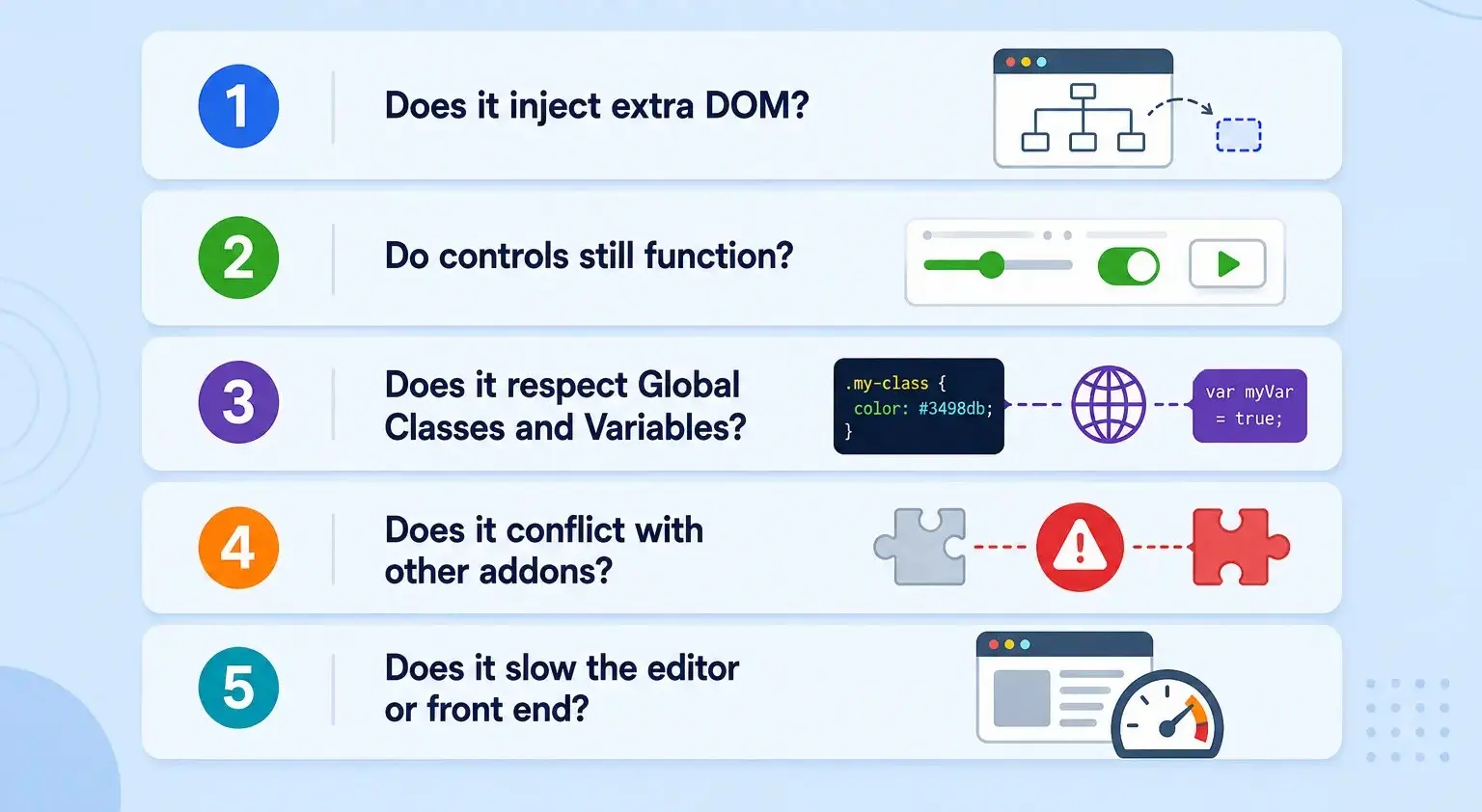
1. Does it inject extra DOM?
Open your browser’s element inspector on a page using the addon and count the wrappers around a simple component. If one button sits inside several nested divs the addon added, that’s bloat working against V4’s clean-markup goal.
Fix: prefer addons with Atomic Widgets that output minimal markup.
2. Do controls still function?
Confirm the addon’s widgets edit correctly in the Atomic Editor. Missing or broken style panels signal a reliance on deprecated V3 internals.
Fix: replace addons whose controls don’t fully render in V4.
3. Does it respect Global Classes and Variables?
Apply a Global Class or a brand-color Variable to an element the addon created. If the styling doesn’t take, the addon is hard-coding styles.
Fix: choose addons that defer to the cascade instead of overriding it.
4. Does it conflict with other addons?
Activate your addons together, not one at a time, JavaScript errors and style clashes often only appear on shared pages.
Fix: consolidate onto fewer, well-built V4 addons.
5. Does it slow the editor or front end?
Run a quick speed test before and after.
Fix: drop addons that cause a clear regression in favor of performance-conscious ones.
Elementor V4 Addon Compatibility Checklist
Before installing an addon, ask:
☐ Does it add unnecessary wrappers?
☐ Do all widget controls work in the Atomic Editor?
☐ Does it respect Global Classes?
☐ Does it work with Global Variables?
☐ Does it conflict with other addons?
☐ Does it slow down the editor?
☐ Does it increase front-end scripts?
☐ Is the addon actively maintained?
Common Compatibility Issues and Fixes
Even good addons hit predictable snags during the transition. Here are the most common, with a practical fix for each.
| Issue | Why it happens | Fix |
| Styling won’t apply | Addon hard-codes inline styles that beat your classes | Use addons that respect Global Classes; move shared styles to Variables |
| Bloated, slow pages | Extra wrapper elements in the DOM | Switch to Atomic Widget-based addons with clean output |
| Broken control panels | Addon depends on deprecated V3 widget internals | Replace with actively-maintained V4 addons |
| Animations stop working | Motion scripts tied to old markup structure | Use GSAP-based addons built for the V4 DOM |
| Conflicts between plugins | Overlapping scripts/styles loading together | Reduce overlap; standardize your stack |
- The throughline: most issues trace back to either hard-coded styling or markup the addon assumed but V4 changed. Addons built around the CSS-first model avoid both.
How to Choose the Right Elementor V4 Addons
Once you have audited what you have, here’s how to evaluate the best Elementor V4 addons. Rather than a ranked list of brands, use this checklist on how V4 actually works.
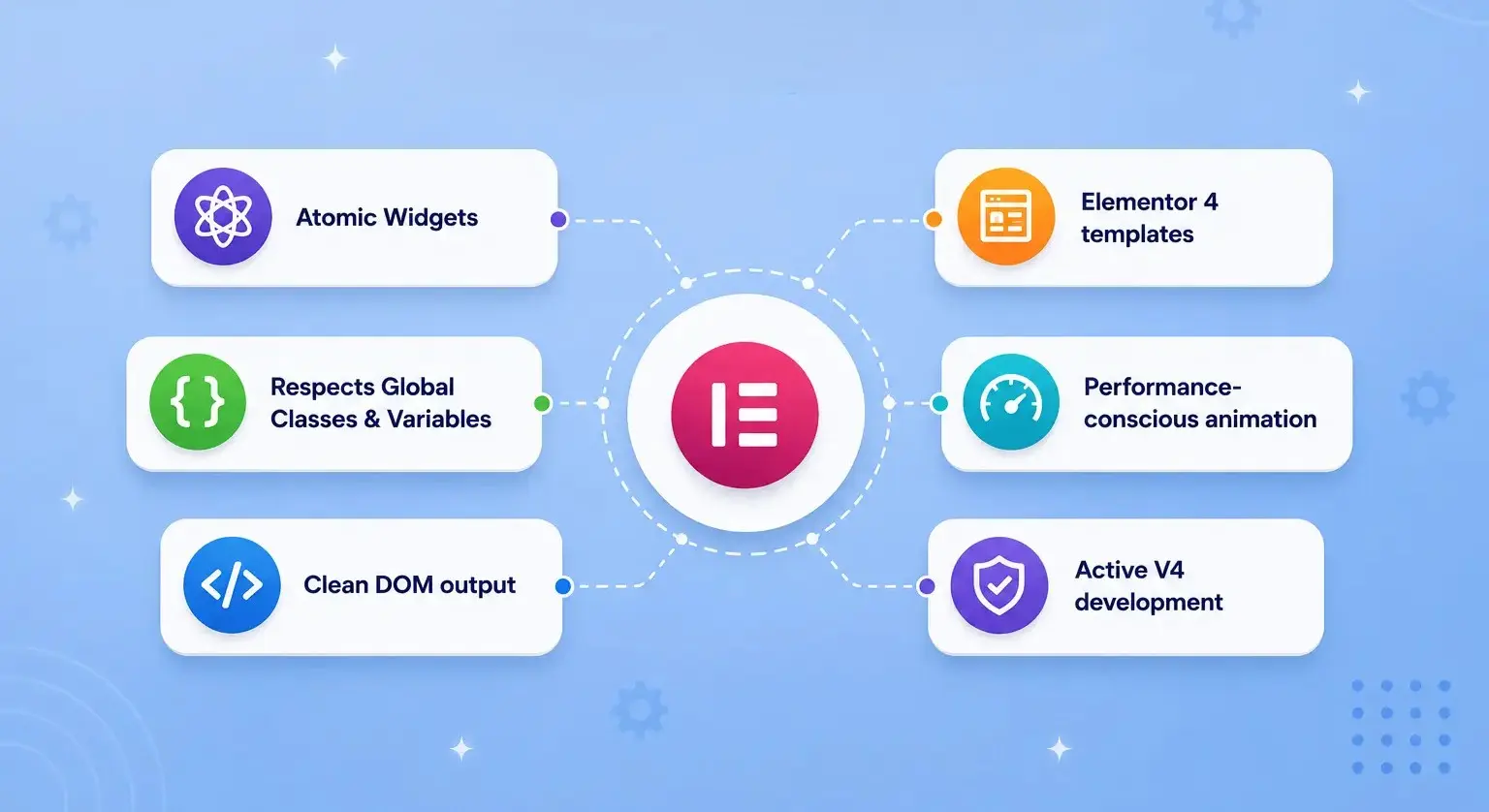
- Atomic Widgets: built for the editor, not V3 widgets in a wrapper
- Respects Global Classes & Variables: reusable, scalable styling
- Clean DOM output: minimal wrappers, better performance
- Elementor V4 templates: kits designed for the new architecture
- Performance-conscious animation: GSAP-powered motion, not heavy legacy scripts
- Active V4 development: a changelog showing real work, not a single “compatible” line
| Category | V4 readiness consideration | What to verify |
| Widget libraries | High risk if built on heavy V3 widgets | Atomic Widget support, clean DOM |
| Animation | Depends how scripts load | GSAP-based, performance-conscious delivery |
| Template Libraries | May reference deprecated structures | Templates rebuilt for the Atomic Editor |
| Form and dynamic content | Often works but may need restyle support | Support for Global Classes and Variables |
| Optimization tools | Usually low risk, complementary | Compatibility with Elementor V4 assets and scripts |
Animation and widget-heavy addons need the most scrutiny, because they touch both markup and styling, the two areas Elementor V4 reworked most.
Solving the Animation Problem in Elementor V4
Animation is where the features of V4 shift bites hardest, because motion depends on both clean markup and predictable styling, exactly what changed.
The problem: Many animation addons tie their effects to specific DOM structures or load heavy scripts. On Elementor V4, that means effects can break, or you trade your performance gains for motion.
Why it matters: Animation is often the difference between a flat page and a high-converting one, but not if it slows the site or fights the Atomic Editor.
The solution: Use animation addons built around the V4 architecture and powered by GSAP, which is performance-focused and widely used for production motion. This is the gap Animation Addons for Elementor is designed to fill, not as a bolt-on, but as a V4-ready ecosystem.
In practice, that means:
- Atomic Widgets that slot into the Elementor V4 workflow and accept Global Classes and Variables.
- GSAP-powered animation like scroll, text reveal, hover, and page-load effects, delivered in a performance-conscious way.
- Elementor V4 templates and extensions can start from clean, animated layouts instead of rebuilding from scratch.
- No-code motion design, so designers can create advanced effects without a developer.
- The benefit – You get sophisticated, on-brand motion that respects the clean DOM and CSS-first model, advanced animation without the bloat.
Common Mistakes and How to Avoid Them
Even with a solid upgrade plan, a few common mistakes can create compatibility issues, performance problems, and unnecessary troubleshooting. Here are the ones we see most often –
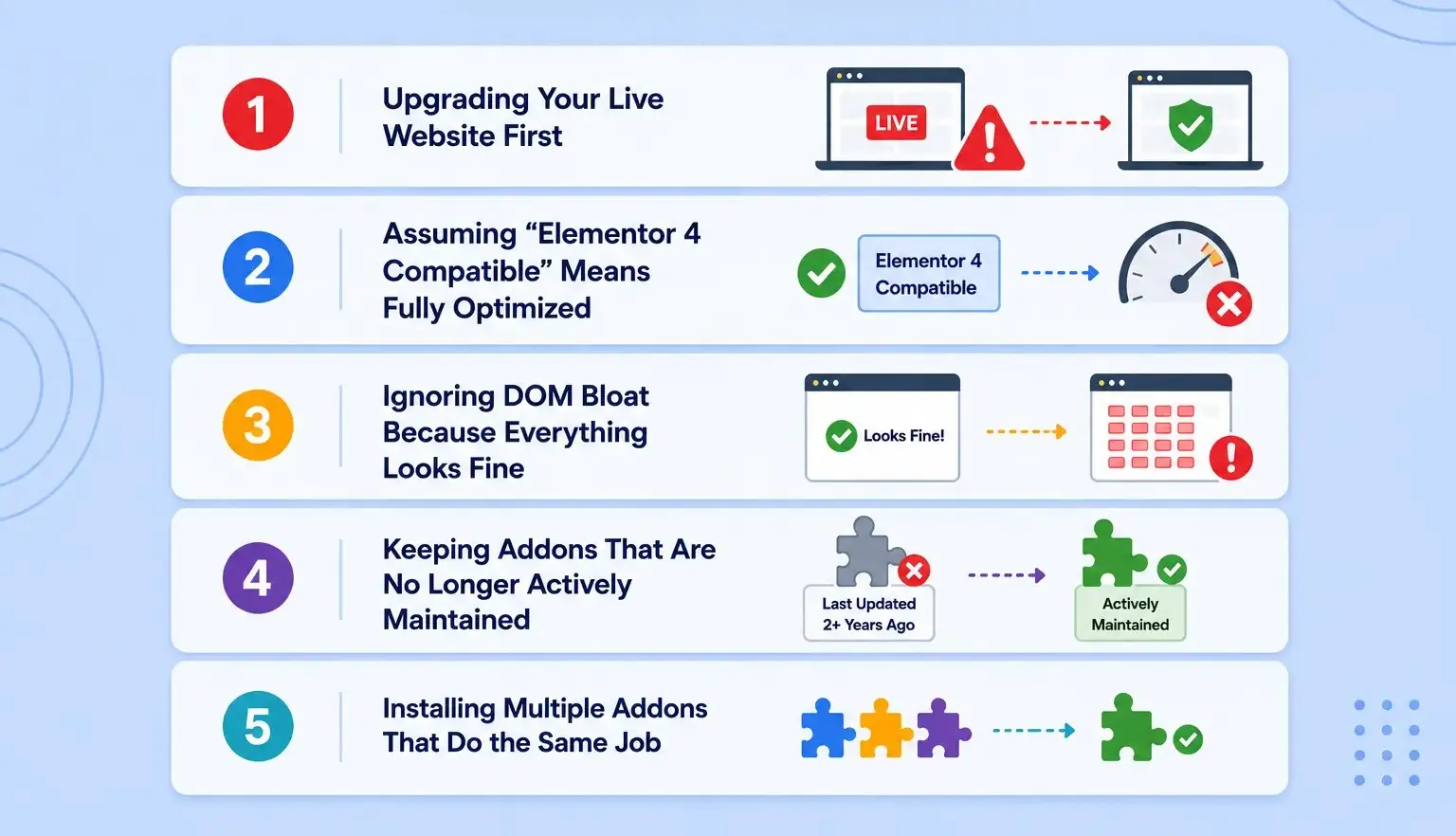
Upgrading Your Live Website First
Many users update Elementor and their addons directly on a production site, assuming everything will work as expected. The problem is that compatibility issues often don’t appear until you start editing pages, testing templates, or combining multiple plugins.
How to avoid it: Always test Elementor V4 and your addon stack on a staging site first. Once everything passes your compatibility checks, deploy the changes to production.
Assuming “Elementor V4 Compatible” Means Fully Optimized
Compatibility badges and changelog entries can be helpful, but they don’t always tell the full story. Some addons simply load without errors, while others are fully rebuilt to support Global Classes, Variables, and Atomic Widgets. The difference can have a major impact on performance and maintainability.
How to avoid it: Verify compatibility yourself using the 5-point compatibility test instead of relying solely on marketing claims.
Ignoring DOM Bloat Because Everything Looks Fine
A page can appear perfectly normal while generating excessive markup behind the scenes. Extra wrapper elements increase page complexity, make styling more difficult, and can reduce the performance benefits Elementor V4 is designed to provide.
How to avoid it: Inspect the page structure and prioritize addons that generate clean, lightweight DOM output with minimal wrappers.
Keeping Addons That Are No Longer Actively Maintained
An addon that hasn’t received meaningful updates in months or years, may become a liability after major Elementor releases. Even if it works today, future updates can introduce common conflicts, broken controls, or security concerns.
How to avoid it: Review, update history and changelogs regularly. Replace abandoned plugins before they become a problem.
Installing Multiple Addons That Do the Same Job
It’s common to accumulate several widget packs, animation plugins, and template libraries over time.The downside is increased script loading, duplicate functionality, styling conflicts, and a more complex maintenance process.
How to avoid it: Consolidate your toolkit whenever possible. A smaller stack of well-maintained Elementor V4 addons is usually faster, more stable, and easier to manage than several overlapping plugins.
Final Thoughts
Elementor V4 raised the bar. With the Atomic Editor, CSS-first architecture, Global Classes, and Variables, the elementor V4 addons worth keeping are the ones that embrace that direction clean DOM, Atomic Widgets, reusable styling, and active development, not older plugins patched to survive.
The playbook is simple: audit your stack on staging, run the 5-point compatibility test, fix or replace what fails, and choose Elementor V4 compatible addons built for where Elementor is heading. Do that, and the upgrade makes your sites faster and easier to maintain instead of more fragile.
Want Elementor V4-ready animations without the bloat?
Animation Addons for Elementor is designed around modern animation workflows, GSAP-powered effects, and Elementor V4 compatibility.
Explore Animation Addons →FAQs
Elementor V4 compatible addons are plugins or widget libraries designed to work correctly with Elementor’s Atomic Editor, Global Classes, Variables, and newer CSS-first architecture. They should provide functional controls while producing clean, lightweight markup without unnecessarily overriding Elementor’s styling system.
Some Elementor 3 addons may continue to function after upgrading to Elementor V4, but compatibility does not necessarily mean they take advantage of V4’s newer architecture. Addons built around legacy widgets, heavy wrappers, or deprecated internals may cause styling, performance, or editor issues.
Test the addon on a staging site and check whether its controls work correctly, its widgets produce clean DOM output, and its styles respect Global Classes and Variables. You should also check for plugin conflicts and any noticeable slowdown in the Elementor editor or front end.
A V4-ready addon should be built around Elementor’s newer architecture rather than simply relying on legacy V3 structures. It should support Atomic Widgets, work with Global Classes and Variables, and avoid unnecessary wrappers, hard-coded styles, or outdated dependencies.
A V4-ready addon can contribute to better performance when it generates lightweight markup, avoids unnecessary wrappers, and loads only the resources it needs. However, Elementor V4 compatibility alone does not guarantee that an addon will make a website faster.
Yes, addons can affect Core Web Vitals when they add excessive DOM elements, CSS, JavaScript, or other resources that increase browser workload and page weight. The actual impact depends on how the addon is built, what features are used, and how those resources are loaded.
Yes, addons can create DOM bloat when widgets rely on multiple unnecessary wrapper and container elements to render their content. Excessive markup can make pages more complex and may reduce some of the performance benefits of Elementor V4’s cleaner architecture.
The better choice is an addon that uses Atomic Widgets, generates minimal markup, respects Global Classes and Variables, and avoids unnecessary scripts and styles. You should evaluate these characteristics rather than choosing an addon based only on the number of widgets or features it offers.
Test the addon on a staging copy of your website and inspect its DOM structure, editor controls, Global Classes, Variables, plugin compatibility, and front-end performance. Compare the site before and after enabling the addon to identify extra markup, styling problems, console errors, or performance regressions.
Yes, V4-ready addons can be designed to work with Elementor’s Global Classes and Variables instead of overriding them with hard-coded styles. Respecting these systems helps maintain reusable styling and makes the addon better aligned with Elementor V4’s CSS-first architecture.


Leave a Reply