
 Login
Login


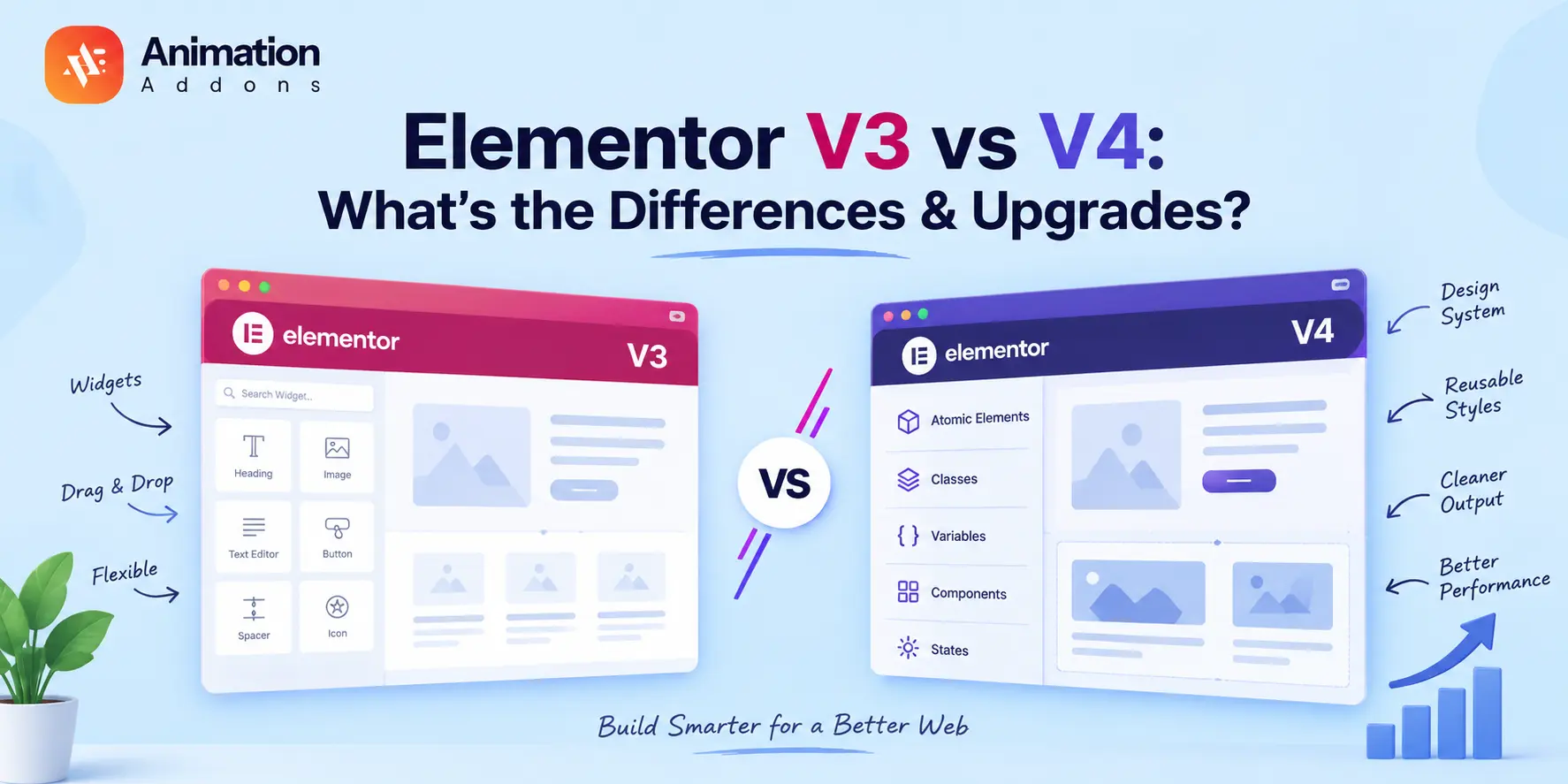
Elementor has long been one of the most popular WordPress page builders, helping designers and developers create stunning websites without touching much code.
But with the arrival of Elementor V4, the platform is going through one of its biggest transformaElementor V4 is more than a visual update, it changes how websites are built and styled.
Elementor V3 relies heavily on sections, containers, widgets, and individual styling, while V4 introduces a more system-based approach built around Atomic Elements, Classes, Variables, and Components.
But does that mean every Elementor V3 website should upgrade? Not necessarily. V4 is particularly valuable for new websites, large projects, agencies, and performance-focused builds, while existing V3 sites may benefit from a gradual migration rather than an immediate rebuild.
V3 is better if: You have an existing site, depend heavily on legacy widgets, or want the familiar Elementor workflow.
V4 is better if: You’re building a new site, managing large websites, working with reusable design systems, or prioritizing scalability and cleaner output.
Should you upgrade? For most new projects, yes start with V4. For existing V3 websites, upgrade gradually after testing compatibility.
What Is Elementor V3?
Elementor V3 is the traditional Elementor website-building workflow that gives WordPress users a visual, drag-and-drop way to design pages without writing code. It is built around familiar elements such as sections, columns/containers, widgets, templates, and individual styling controls, making it straightforward to create and customize pages visually.
For many users, V3 remains a practical choice because it offers a familiar interface, extensive widget options, and a large ecosystem of third-party addons.
However, as websites become larger and require more consistent styling, managing individual elements across multiple pages can become repetitive, which is one of the problems Elementor V4 aims to address with its more system-based approach.
What Is Elementor V4?
Elementor V4 is the next-generation evolution of Elementor, introducing a more structured, scalable, and system-based approach to WordPress website building. Instead of relying primarily on styling individual widgets, V4 introduces concepts such as Atomic Elements, Classes, Variables, Components, and States to help you create consistent designs and reuse styles across your website.
For you as a website creator, the biggest change is how you build and manage a website. Rather than repeatedly styling similar elements, you can establish reusable design rules and components, making websites easier to maintain, scale, and update.
V4 also focuses on cleaner output and a more efficient structure, making it particularly useful for new websites, larger projects, agencies, and performance-conscious users.
Elementor V3 vs V4: Key Differences at a Glance
Elementor V4 represents a major transformation compared to Elementor V3. While V3 focused on making website design easy through a drag-and-drop editor, V4 is designed to deliver a more scalable, performance-oriented, and professional workflow.
Here is a quick comparison between Elementor V3 and Elementor V4:
| Feature | Elementor V3 | Elementor V4 |
|---|---|---|
| Building model | Sections/Containers + Widgets | Atomic Elements |
| Styling | Widget-based | Classes + Variables |
| Design system | Global Colors/Fonts | Classes + Variables + Design System |
| Components | Limited reusable patterns | Reusable Components |
| States | Widget-specific controls | Class-based States |
| Responsive styling | Control-dependent | More unified responsive controls |
| DOM structure | More wrapper-heavy | Leaner Atomic markup |
| CSS workflow | More element-specific | CSS-first/class-based |
| Reusability | Moderate | High |
| Large websites | More repetitive | More scalable |
| Migration | Existing workflow | Gradual adoption |
| Legacy widgets | Native | Still usable alongside V4 |
| Grid | Existing V3 workflow | Atomic Grid available |
| Dynamic loops | Existing Loop Builder | Atomic Loops available |
Overall, Elementor V3 remains a solid and user-friendly page builder, especially for simple websites and beginners. For designers and agencies building complex or high-performance websites, V4 offers significant long-term advantages.
The New Atomic Elements in Elementor V4
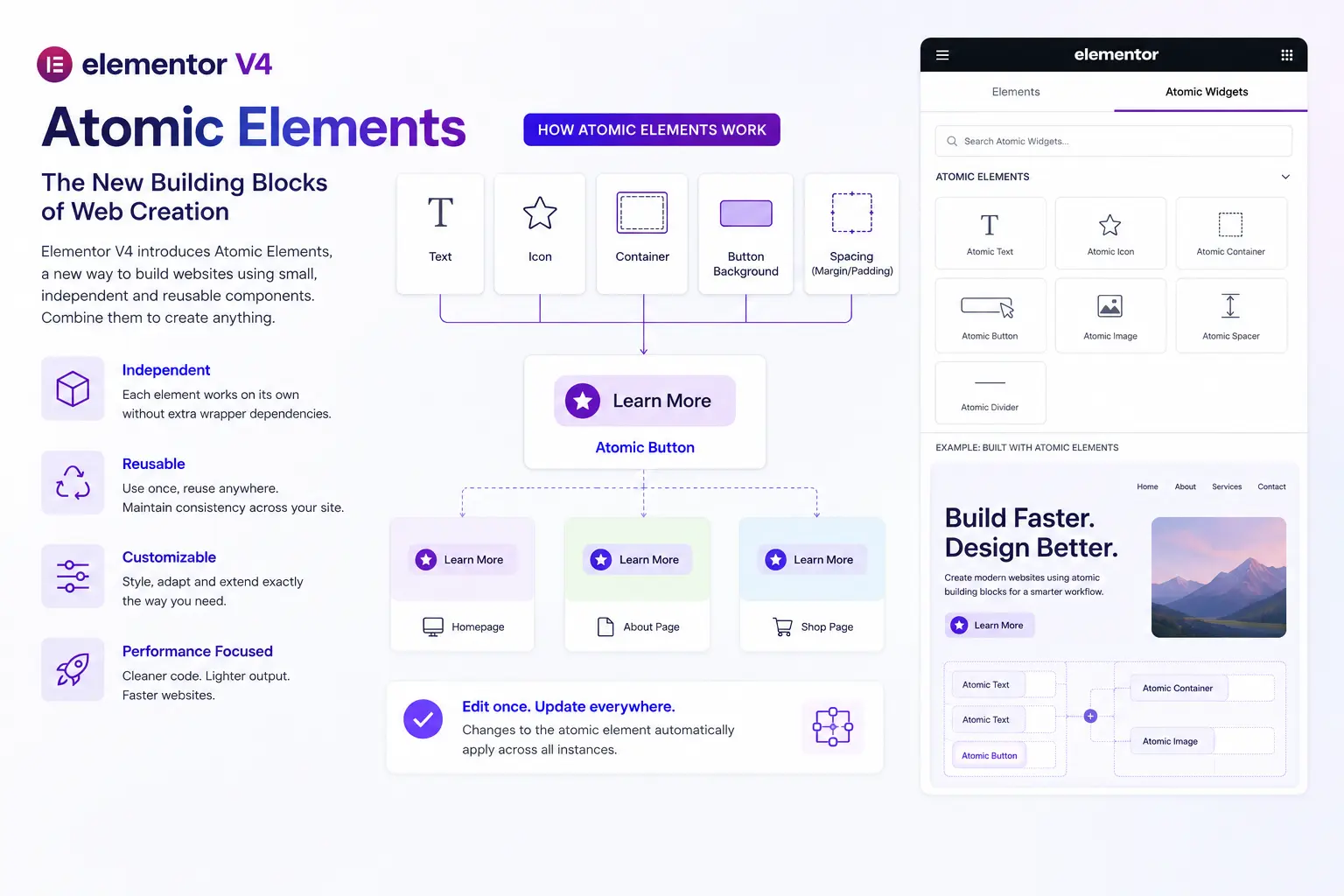
One of the biggest innovations in Elementor V4 is the introduction of Atomic Elements. Instead of designing every widget individually like in V3, Atomic Elements focus on reusable, scalable, and centralized design components that make website creation faster and more efficient.
What Are Atomic Elements?
Atomic Elements are reusable website components built with shared styles, variables, and classes. Rather than customizing each button, heading, or container separately, designers can create a single style system and apply it across the entire website. When changes are made to the main component, all connected elements update automatically.
This approach is heavily inspired by modern design tools such as Figma and Webflow, where consistency and scalability are essential for professional workflows.
Faster and More Consistent Design Workflow
In Elementor V3, users often had to repeat the same styling settings across multiple pages. This became time-consuming, especially on larger websites. With Atomic Elements, Elementor V4 eliminates much of that repetitive work.
For example, if you create a global button style using Atomic Elements, you can reuse it anywhere on the site. Later, changing the button color or typography in one place updates every connected button instantly. This helps maintain consistent branding and reduces design errors.
Better Performance and Scalability
Atomic Elements also contribute to better website performance. Since Elementor V4 uses a cleaner and more organized structure, websites generate less unnecessary code and smaller DOM sizes. This leads to faster loading times and easier maintenance.
For agencies, developers, and advanced designers, Atomic Elements make Elementor V4 feel more like a professional design system rather than just a traditional page builder.
Design System Improvements in Elementor V4
Elementor V4 introduces a much more advanced design system that helps users build websites with better consistency, flexibility, and scalability. Unlike Elementor V3, where many design settings had to be managed manually, V4 brings a centralized styling approach inspired by modern web design platforms.
Global Classes for Reusable Styling
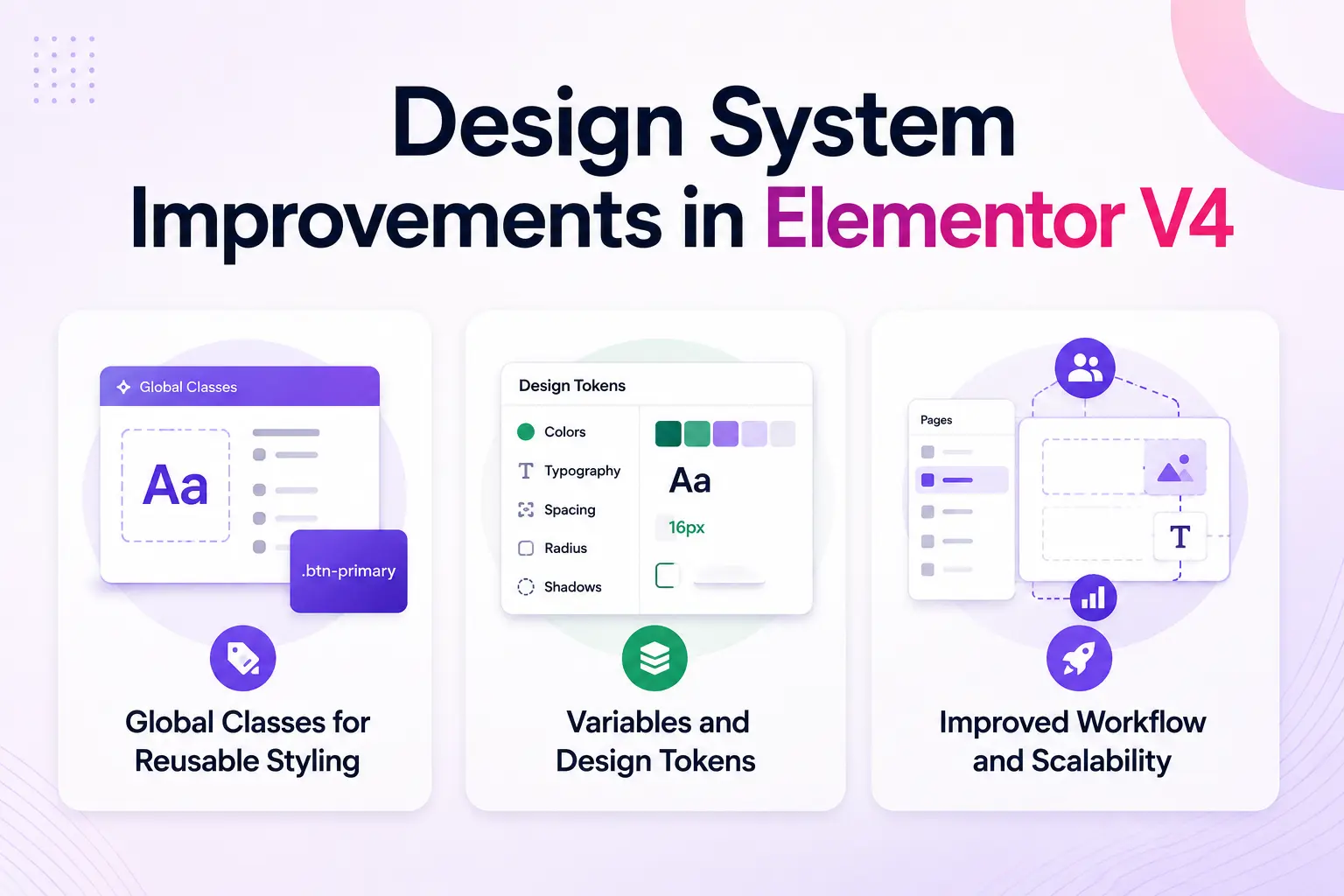
One of the most important upgrades in Elementor V4 is the introduction of global classes. These allow users to create reusable styles for elements like buttons, headings, cards, and sections. Instead of editing each element separately, designers can apply a class once and reuse it across the entire website.
This makes updating designs much faster. For example, changing the typography or spacing of a single class automatically updates every connected element site-wide.
Variables and Design Tokens
Elementor V4 also introduces variables and design tokens, which help manage colors, fonts, spacing, and sizing more efficiently. Designers can define brand styles centrally and maintain consistency throughout the website.
This feature is especially useful for agencies and large projects where maintaining a unified design system is critical.
Improved Workflow and Scalability
The new design system significantly reduces repetitive work and improves long-term website maintenance. Websites become easier to scale, redesign, and manage without manually updating dozens of pages.
Overall, Elementor V4 transforms Elementor from a simple page builder into a more professional and system-based web design platform.
Performance & Speed Improvements
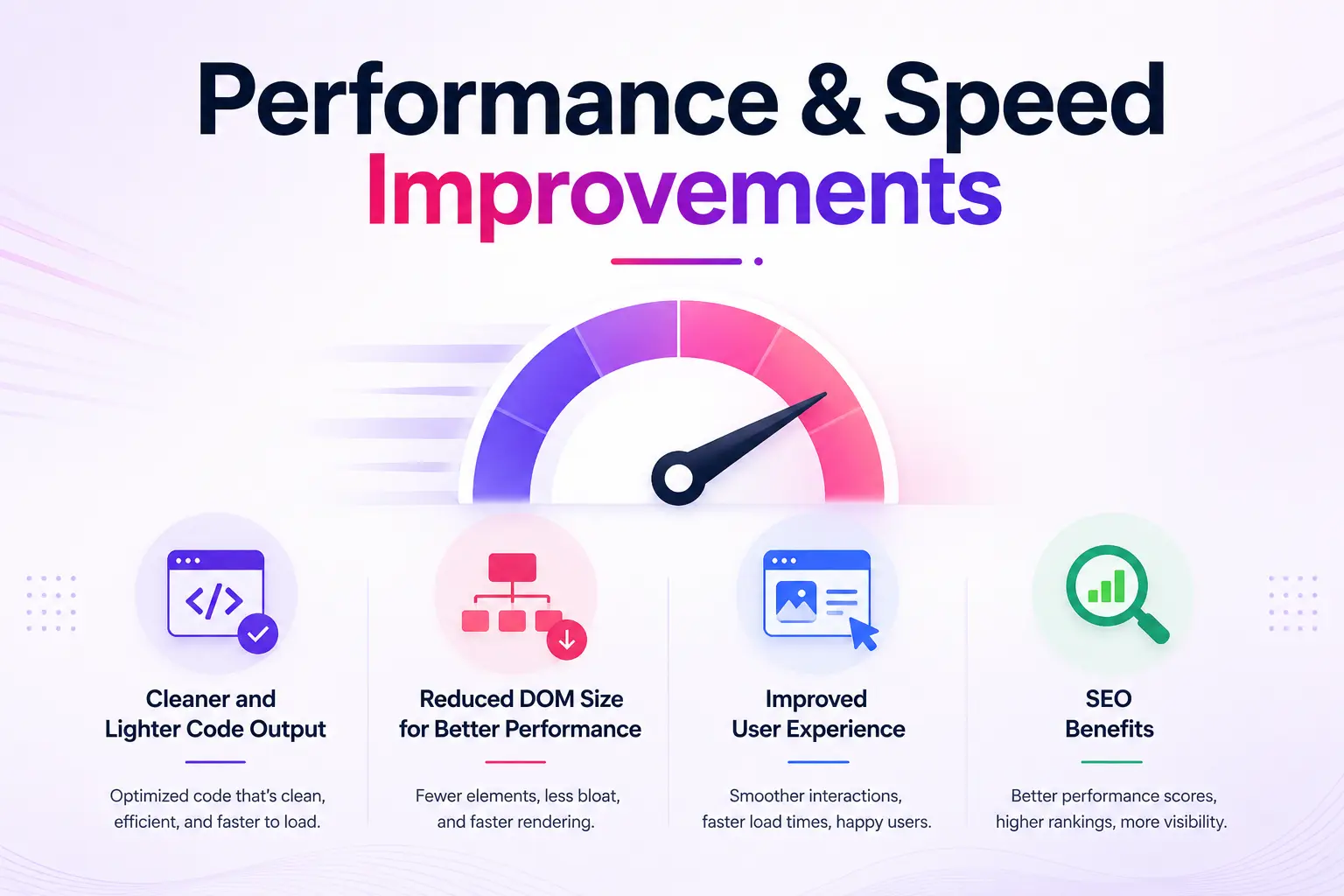
Elementor V4 introduces several major improvements aimed at building faster and more optimized websites. Compared to Elementor V3, the new architecture in V4 focuses on cleaner code output, reduced DOM size, and better resource management.
Cleaner and Lighter Code Output
One of the common criticisms of older page builders was excessive HTML markup and unnecessary wrapper elements. Elementor V4 addresses this issue by generating cleaner and more efficient code structures. With fewer nested elements, websites become lighter and easier for browsers to process.
This improvement not only boosts loading speed but also helps developers maintain cleaner website structures.
Reduced DOM Size for Better Performance
Large DOM sizes can negatively affect website speed, especially on mobile devices. Elementor V4 minimizes unnecessary containers and styling layers, reducing the amount of code rendered on each page.
As a result, pages load faster, scrolling becomes smoother, and websites perform better across different devices and screen sizes.
Improved User Experience and SEO Benefits
Faster websites create a better user experience and can positively impact search engine rankings. Since Elementor V4 focuses heavily on optimization, websites built with the new system are better prepared for Core Web Vitals and modern SEO standards.
For agencies and business websites, these performance upgrades can lead to lower bounce rates, improved engagement, and a more professional browsing experience overall.
Workflow Changes for Designers & Agencies
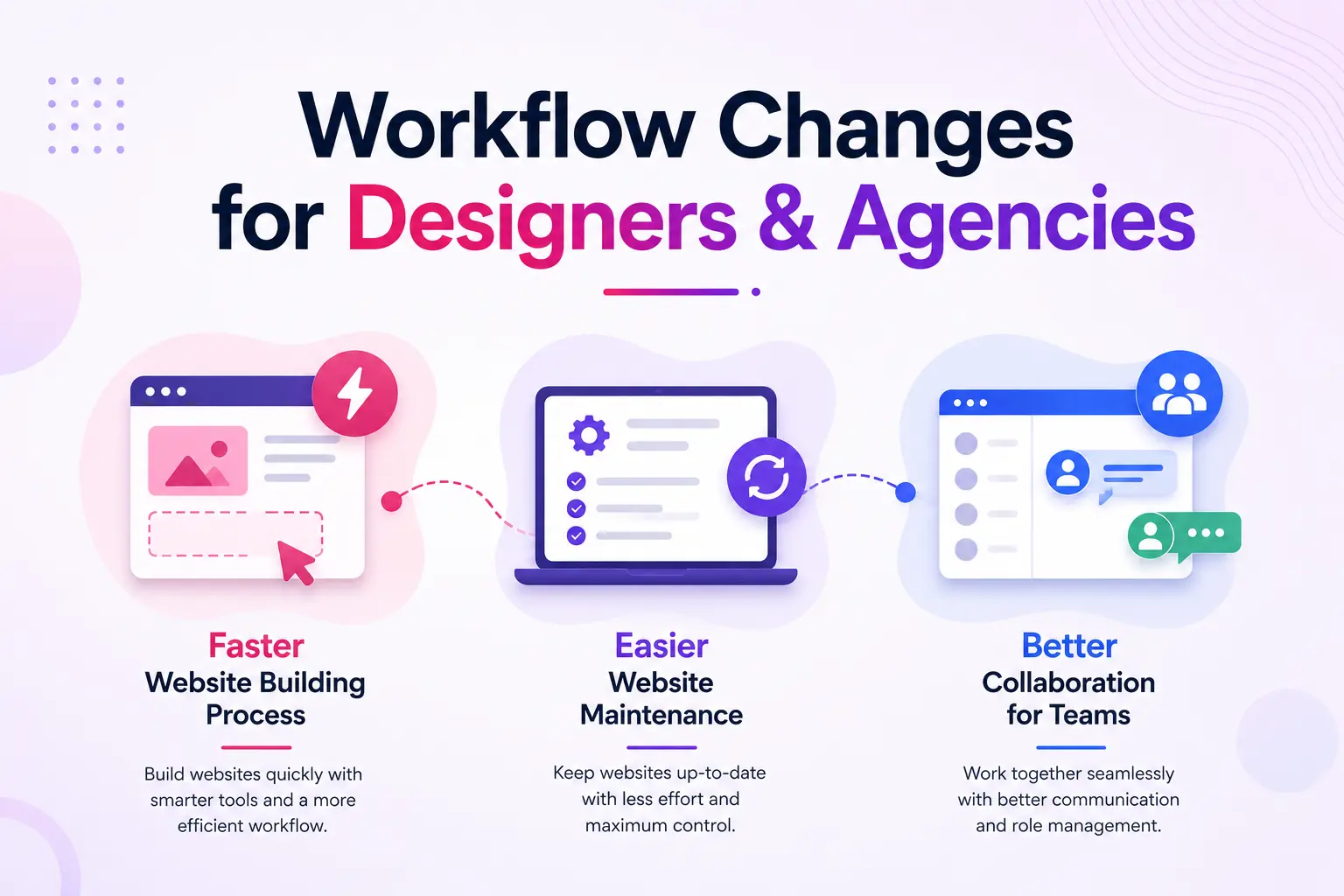
Elementor V4 introduces significant workflow improvements that make website creation more efficient for designers, freelancers, and agencies. This helps professionals build and maintain websites more effectively, especially when working on large or multi-page projects.
Faster Website Building Process
In Elementor V3, designers often had to manually repeat styling and layout adjustments across different pages. Elementor V4 reduces this repetitive work through reusable classes, Atomic Elements, and centralized styling controls.
For example, agencies can now create reusable design systems for buttons, typography, spacing, and sections. Once these styles are defined, they can be reused throughout the entire website, dramatically speeding up the design process.
Easier Website Maintenance
Maintaining large websites becomes much simpler in Elementor V4. Instead of editing individual elements one by one, designers can update global styles from a single location. Changes automatically apply across all connected pages and components.
This saves time during redesigns, client updates, and ongoing website maintenance.
Better Collaboration for Teams
The new structured workflow also benefits agencies working with multiple designers or developers. Since Elementor V4 follows a more system-based approach, teams can maintain consistent design standards more easily.
Overall, Elementor V4 creates a more organized, scalable, and professional workflow that aligns better with modern web design practices.
Is Elementor V4 Faster Than V3?
Elementor V4 is designed to produce a leaner and more efficient output than the traditional V3 workflow, particularly when you build with Atomic Elements. V4 reduces unnecessary markup and uses a more structured styling approach, which can help pages load more efficiently and create a cleaner DOM.
However, V4 doesn’t automatically make every website faster. Your actual performance still depends on factors such as images, fonts, plugins, animations, hosting, caching, and how the page is built. For the best results, combine V4’s cleaner structure with good WordPress performance practices rather than treating the upgrade itself as a speed fix.
Elementor V4 Compatibility & Migration
While Elementor aims to make the transition as smooth as possible, upgrading from V3 to V4 still requires careful planning, especially for larger or heavily customized websites.
Can Existing Elementor V3 Websites Upgrade?
Yes, existing Elementor V3 websites can upgrade to Elementor V4. Elementor has designed V4 to maintain backward compatibility with most older layouts and widgets. This means websites built with sections, columns, and traditional widgets should continue functioning after the update.
However, some advanced features and new workflow tools in V4 may require manual adjustments to fully take advantage of the new system.
Potential Compatibility Challenges
Third-party Elementor addons and custom-built widgets may not immediately support Elementor V4’s new Atomic Elements architecture. Agencies and developers using multiple plugins should test compatibility before updating production websites.
Certain styling behaviors or layouts may also need fine-tuning after migration, especially on complex websites.
Best Practices Before Migrating
Before upgrading, it is highly recommended to create a full website backup and test Elementor V4 on a staging environment first. This allows users to identify possible conflicts without affecting the live website.
For professional projects, a gradual migration strategy is often the safest approach. Overall, Elementor V4 offers exciting improvements, but careful testing ensures a smoother transition experience.
How to Upgrade From V3 to V4 Safely
Upgrading from Elementor V3 to V4 doesn’t have to mean rebuilding your website from scratch. A staged, test-first approach lets you introduce V4 features while protecting your existing pages, templates, widgets, and third-party integrations.
Step 1: Create a Full Backup
Before making any changes, create a complete backup of your WordPress website, including the database, files, themes, plugins, and Elementor data. If anything goes wrong during the upgrade, you can restore the previous working version instead of troubleshooting a broken live site.
Step 2: Test V4 on a Staging Site
Never make your first V4 test on a live website. Create a staging copy and activate V4 there first, so you can safely check layouts, templates, responsive behavior, forms, and other important functionality without affecting visitors.
Step 3: Check Your Addons and Custom Widgets
Third-party Elementor addons and custom widgets deserve extra attention because they may not immediately support V4’s new architecture. Make a list of the addons your website depends on, check their compatibility status, and test their widgets on staging before moving forward.
Step 4: Activate Elementor V4
Once your staging environment is ready and compatibility checks look good, activate Elementor V4 and review how your existing website behaves. Avoid changing everything at once, first confirm that your current V3-based pages, templates, and essential functionality continue working as expected.
Step 5: Test Everything Before Going Live
Don’t stop after checking whether the homepage loads. Test pages, headers, footers, templates, forms, popups, responsive layouts, animations, dynamic content, and third-party widgets across desktop, tablet, and mobile views.
Step 6: Gradually Migrate to V4
You don’t need to rebuild your entire website immediately. Start introducing Atomic Elements, Classes, Variables, and Components where they provide a clear benefit, while keeping existing V3 elements that still work well.
- Pro tip: For a large or business-critical website, treat V3-to-V4 migration as a gradual improvement project, not a one-click upgrade. This gives you time to identify compatibility issues, learn the new workflow, and migrate only the parts that benefit most from V4.
Elementor V3 vs V4: Pros and Cons
Choosing between Elementor V3 and V4 depends largely on whether you’re starting a new website or improving an existing one. V3 remains familiar and reliable, while V4 introduces a more scalable, system-based approach with Atomic Elements, reusable Classes, Variables, and Components.
Elementor V3: Pros
- Beginner-friendly workflow: The familiar drag-and-drop interface makes it easy to build pages without learning a new design system.
- Large widget ecosystem: V3 offers a wide range of widgets, templates, and third-party addon options for extending your website.
- Quick for simple websites: Small business sites, landing pages, portfolios, and basic blogs can often be built quickly with the traditional workflow.
- Familiar to existing users: If you’ve been using Elementor for years, you can continue working without changing your established design process.
- Flexible visual controls: You can fine-tune individual elements directly through Elementor’s visual settings without writing code.
Elementor V3: Cons
- More repetitive styling: Managing similar elements across multiple pages can require repeated adjustments.
- Harder to maintain at scale: Large websites can become difficult to manage when styles and layouts are controlled element by element.
- Heavier page structure: Traditional layouts can generate more wrappers and DOM elements, potentially affecting performance.
- Limited design-system workflow: V3’s global styling capabilities are less structured than V4’s Classes, Variables, and reusable components.
- Less efficient for large teams: Maintaining consistent designs across multiple pages can require more manual work.
Elementor V4: Pros
- More scalable design system: Atomic Elements, Classes, Variables, and Components make it easier to create consistent websites and manage them at scale.
- Less repetitive editing: Change a shared class or variable once and apply the update across connected elements instead of editing them individually.
- Cleaner output: V4’s Atomic Elements are designed around a leaner structure with less unnecessary markup, which can support better website performance.
- Better for agencies and large projects: Centralized styling and reusable components make multi-page and multi-site projects easier to maintain.
- More consistent responsive design: A system-based approach helps designers maintain consistent styling across different screen sizes.
- Modern design workflow: V4 feels closer to structured design tools and modern web-development workflows, making it better suited to systematic website creation.
- Gradual adoption: Existing V3 websites don’t necessarily need to be rebuilt; V4 features can be introduced progressively.
Elementor V4: Cons
- New learning curve: Users familiar with V3 may need time to understand Classes, Variables, Components, and the Atomic workflow.
- Not every V3 feature is an Atomic Element: Some existing widgets and functionality may still require the traditional V3 workflow.
- Addon compatibility needs attention: Websites relying heavily on third-party addons or custom widgets should be tested before adopting V4 features.
- Migration requires planning: Large or complex V3 websites should be tested on staging before making significant changes.
- Can feel advanced for simple sites: If you’re building a small website with a few pages, V4’s design-system capabilities may initially feel more complex than necessary.
Who Should Upgrade to Elementor V4?
Elementor V4 is designed for users who want a faster, more scalable, and future-ready website-building experience. While Elementor V3 still works well for many websites, V4 offers major advantages for professionals managing larger or more complex projects.
Freelancers and Agencies
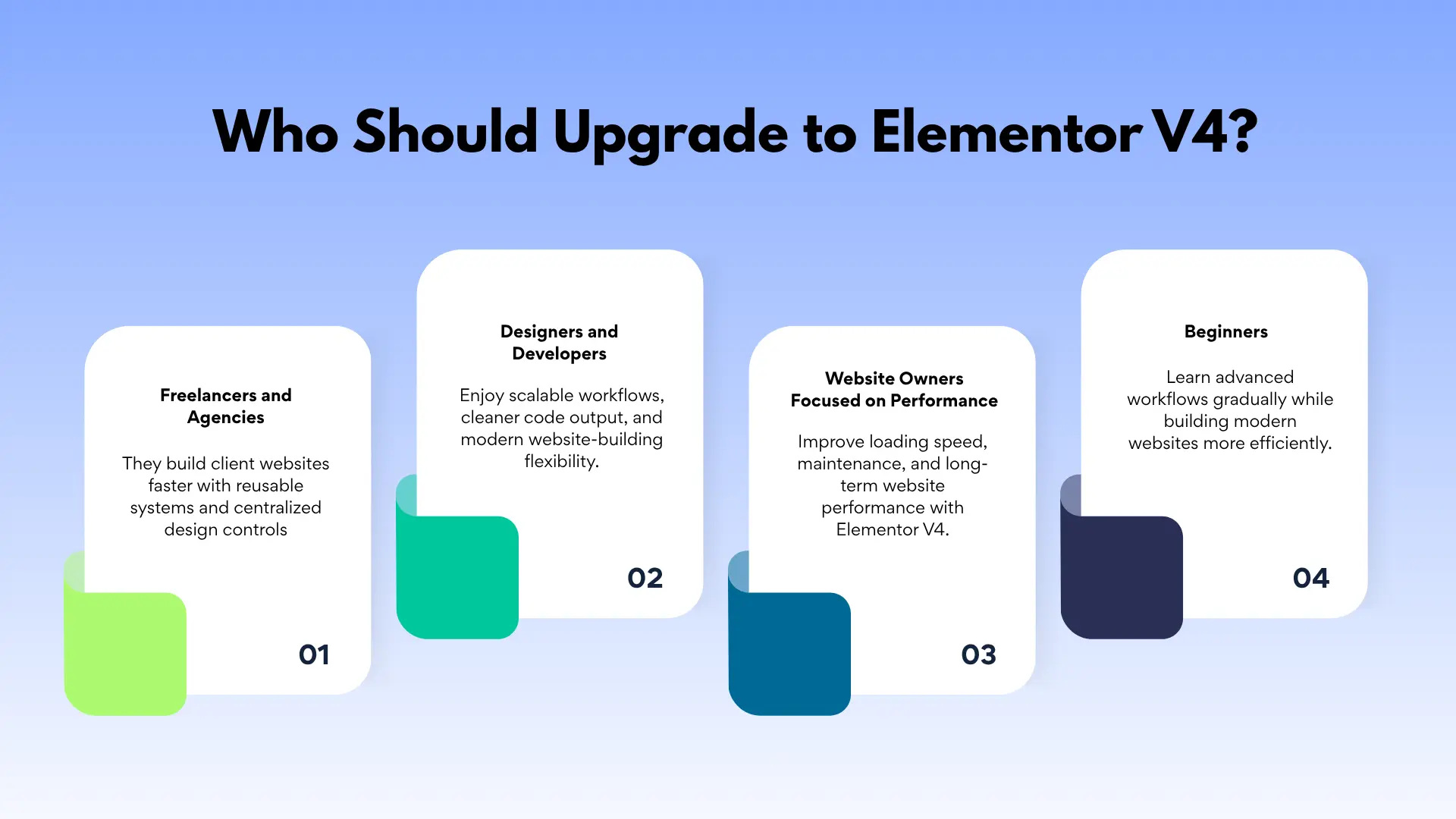
Freelancers and agencies will benefit the most from Elementor V4’s reusable design systems, Atomic Elements, and centralized styling controls. These features make it easier to maintain consistency across multiple client websites while reducing repetitive work.
Designers and Developers
Designers who prefer structured workflows similar to Figma or Webflow will appreciate Elementor V4’s modern approach. Developers can also take advantage of cleaner code output and improved scalability.
Website Owners Focused on Performance
If website speed and long-term maintenance are priorities, Elementor V4 is a strong upgrade. The optimized architecture helps improve loading times and overall site performance.
Beginners
Beginners can still use Elementor V4, but they may need some time to adapt to the new workflow and advanced design system features.
| Your situation | Recommendation |
|---|---|
| Building a new website | Use V4 |
| Small existing V3 website | Upgrade when convenient |
| Large existing website | Migrate gradually |
| Agency managing multiple sites | Strong V4 candidate |
| Performance-focused site | Consider V4 |
| Heavy third-party addon dependency | Test first |
| Custom V3 widgets | Check compatibility first |
| Happy with existing V3 workflow | No immediate need |
Who Should Stay With Elementor V3 for Now?
Elementor V4 brings a more structured and scalable workflow, but upgrading immediately isn’t necessary for every website. If your current V3 site is stable and meets your needs, staying with V3 for now can be the smarter choice while you evaluate compatibility and plan a gradual transition.
- Owners of stable existing websites: If your V3 website is working well and you don’t need V4’s new design-system features, there’s little reason to change your workflow immediately.
- Websites heavily dependent on third-party addons: If your site relies on addon widgets or custom Elementor widgets, it’s worth confirming V4 compatibility before making major changes.
- Users comfortable with the V3 workflow: If you prefer the familiar sections, containers, widgets, and visual controls, staying with V3 can avoid an unnecessary learning curve.
- Small, simple websites: For a basic portfolio, landing page, or small business website, V3 may already provide everything you need without introducing a more advanced design-system workflow.
- Websites with complex customizations: Sites containing heavily customized layouts, templates, or integrations should be tested carefully before moving toward V4.
- Teams without time for migration and testing: If your team cannot currently dedicate time to backups, staging, compatibility checks, and post-upgrade testing, postponing the transition may be the safer option.
Conclusion
Elementor V4 is a significant shift from Elementor’s traditional widget-based workflow to a more scalable, system-based approach. Atomic Elements, Classes, Variables, Components, and cleaner output make V4 particularly attractive for new websites, agencies, developers, and large projects.
However, upgrading an existing V3 website doesn’t mean rebuilding everything immediately. V3 and V4 can work together, allowing you to adopt Atomic Elements gradually while testing your site’s widgets, templates, and third-party addons.
Need advanced animation for V4?
Animation Addons for Elementor is designed around modern animation workflows, GSAP-powered effects, and Elementor V4 compatibility.
Explore Animation Addons →FAQs
Yes. Elementor V4 is designed to work alongside existing V3 websites, so your current layouts can remain intact while you introduce Atomic Elements gradually.
No, you do not need to rebuild an existing V3 website to use V4. Elementor states that existing layouts remain unchanged, allowing you to adopt the new V4 workflow gradually.
Yes, V3 widgets and V4 Atomic Elements can be used together on the same page. This lets you keep existing widgets while introducing newer Atomic Elements where they provide a benefit.
Elementor V4 uses cleaner HTML and fewer wrapper layers for Atomic Elements, which can produce leaner output than traditional V3 widgets. However, the actual performance improvement depends on how much of the site uses V4 elements and the rest of the site’s setup.
V4’s Atomic Elements are designed to produce cleaner output and reduce unnecessary DOM layers, which can contribute to improved Core Web Vitals. However, Core Web Vitals also depend on factors such as images, scripts, hosting, caching, and other plugins.
No. V4 introduces a new set of Atomic Elements rather than immediately replacing every V3 widget. Some advanced features and elements are continuing to evolve, so V3 widgets remain available when needed.
Third-party addons should be checked for compatibility before updating or activating V4 features, because addon compatibility can vary. Elementor recommends checking compatibility information and testing major updates on a staging site before applying them to production.
Yes, V4 can be easier to manage because its Atomic Elements use a more consistent styling system, although Classes and Variables introduce a new design-system mindset. Beginners may need some time to understand these concepts before they become comfortable with the workflow.
Yes, Elementor recommends starting new websites with V4 Atomic Elements and building a design system using Classes and Variables. V3 widgets can still be added when a required feature is not available as an Atomic Element.
Yes. Existing websites can activate V4 and gradually introduce Atomic Elements without rebuilding their existing V3 layouts. This allows you to adopt the new workflow at your own pace while keeping your current site functional.


Leave a Reply