 Login
Login


Here’s a hard truth most addon roundups won’t tell you: the wrong plugins for elementor v4 can erase every performance gain Elementor V4 gives you. You can build on the clean, CSS-first Atomic Editor and still end up with a slow, bloated page, all because one addon injects heavy markup and scripts onto every element it touches.
If speed matters to you, choosing the right Elementor V4 performance addons is not optional; it’s the whole game.
You’ll learn how to actually evaluate elementor v4 addons speed impact, which categories of addons matter most, how to compare them fairly, and how to build a fast, clean-DOM stack so you add functionality without paying for it in load time.
The best Elementor V4 performance addons are built around the Atomic Editor’s clean DOM and CSS-first model. They produce lean markup, load scripts efficiently, and work properly with global classes and variables.
Before choosing an addon, test its DOM output and page speed on a staging site. Prefer addons with atomic-structure elements and avoid plugins that add unnecessary wrappers or load too many scripts.
Key Takeaways
- Addons make or break Elementor V4 performance, a heavy plugin can undo V4’s clean-DOM advantage.
- Judge addons by DOM output and script weight, not feature count or marketing claims.
- Atomic-structure, CSS-first addons are the safest bet for fast, clean-DOM websites.
- Fewer, better addons beat a big stack which consolidation reduces conflicts and bloat.
- Always test on staging which measure real page speed before and after adding an addon.
Why Addons Decide Your Elementor V4 Performance
Elementor editor V4 gives you a fast foundation. What you build on it is up to your addons.
The Atomic Editor produces clean DOM, leaner, less-nested markup that’s quick to render. But best elementor 4 addons sit on top of that foundation. An addon built for the old model can wrap every element in extra containers, load large JavaScript libraries, or duplicate CSS across the page. Add a few of those, and your lean V4 site is heavy again.
Page speed drives real outcomes: user experience, bounce rate, conversions, and search rankings via Core Web Vitals. A fast foundation ruined by slow addons is a wasted opportunity and a competitive disadvantage.
Treat performance as a selection criterion, not an afterthought. Choose elementor v4 addons that are built for V4’s clean-DOM, CSS-first standard and that load only what a page actually needs.
- Not sure why clean DOM matters so much? Read our explainer on clean DOM in Elementor V4.
How to Evaluate an Elementor V4 Addon’s Performance
Before any comparison, you need a way to judge addons objectively. Marketing pages won’t tell you what a elementor v4 plugin does to your page weight, so here’s how to find out yourself. This is the method behind every recommendation in this guide, and one you can run on any addon.
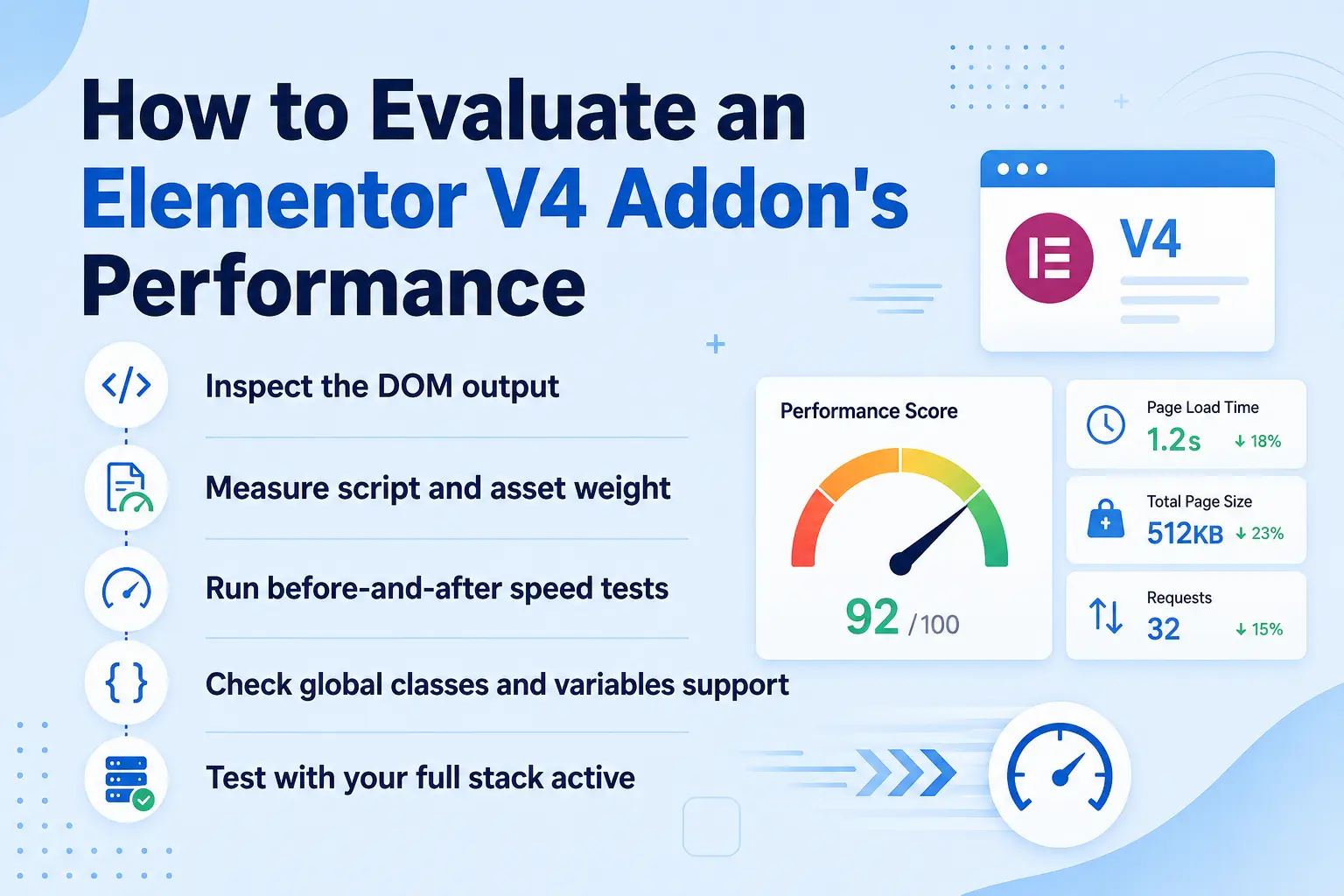
Inspect the DOM output
What to do – On a staging page, right-click an addon’s element and choose Inspect. Count the wrapper elements around a simple elementor v4 component.
What it tells you – Excessive nesting means the addon adds markup weight. Clean, shallow output signals an atomic-structure design.
Measure script and asset weight
What to do – Use your browser’s Network tab or a tool like PageSpeed Insights to see what the addon loads like JavaScript, CSS, fonts, libraries.
What it tells you – Heavy or always-loaded assets slow every page. Good addons load assets conditionally, only where used.
Run before-and-after speed tests
What to do – Test a page’s speed before adding the addon and again after, on the same staging environment.
What it tells you – The real, measured impact, not a guess. A noticeable regression is a red flag.
Check global classes and variables support
What to do – Apply a global class or variable to an addon element.
What it tells you – Addons that respect the CSS-first model produce cleaner, more efficient styling; those that hard-code styles add bloat.
Test with your full stack active
What to do – Activate all your elementor v4 addons together and reload.
What it tells you – Conflicts and cumulative weight only show up when everything loads at once, the real-world condition.
Understanding the Metrics That Actually Matter
“Performance” is vague until you tie it to the metrics Google and your users actually respond to. When you evaluate addons, these are the numbers to watch and understanding them makes your testing far more meaningful.
Largest Contentful Paint (LCP)
This measures how quickly the main content of a page becomes visible. Heavy addons that load large images or block rendering with big scripts push LCP up. A lightweight, atomic-structure addon that loads assets conditionally helps keep it low.
Cumulative Layout Shift (CLS)
This measures visual stability about how much elements jump around as the page loads. Addons that inject content late or load fonts and styles inefficiently can cause shifting. Clean, well-structured addons render predictably.
Interaction to Next Paint (INP)
This measures responsiveness to user input. Script-heavy addons that run a lot of JavaScript can delay responses, making a page feel sluggish even after it looks loaded. Efficient elementor v4 compatible addons keep the main thread free.
When running a before-and-after speed test, do not focus on a single performance score. Check which specific metrics the addon affects.
An addon that adds 300KB of JavaScript may hurt INP, while one that injects content late may increase CLS.
Beyond Google’s Core Web Vitals, the raw number of assets and total kilobytes an addon adds directly affects load time, especially on mobile and slower connections.
Matching Addons to Site Type
The right performance stack isn’t identical for every project which is the best choice depends on what kind of site you’re building. Here’s how to think about it.
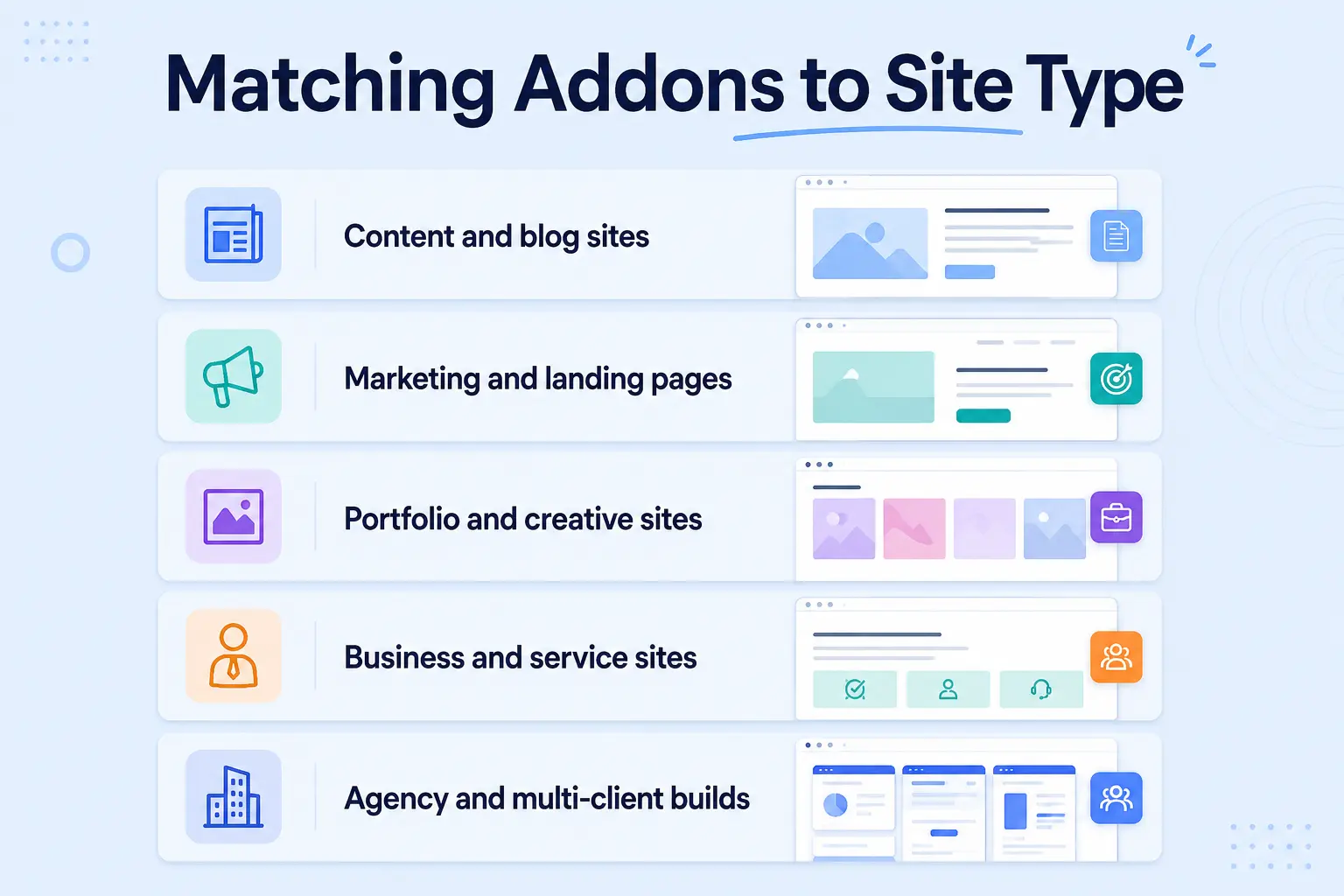
Content and blog sites
These live and die by reading experience and fast loads. Prioritize lightweight widget and typography addons, and be especially careful with anything that loads heavy scripts, since content sites often get a lot of mobile traffic. Keep animation subtle and efficient.
Marketing and landing pages
Here, conversion is everything, and both speed and polish matter. This is where lightweight, GSAP-based animation earns its place , motion that boosts engagement without wrecking LCP. Forms should load conditionally so they don’t slow the whole page.
Portfolio and creative sites
Visual impact is the point, so animation and rich media addons are core rather than optional. The discipline here is choosing motion tools built on clean DOM, so a visually rich site doesn’t become a slow one. Atomic-structure animation makes this possible.
Business and service sites
These need a balance of trust-building content, forms, and moderate polish. A consolidated, multi-purpose V4-ready addon usually serves better than several narrow ones, keeping the stack lean and maintainable.
Agency and multi-client builds
Consistency and repeatability matter as much as raw speed. Standardizing on a small set of fast, atomic-structure addons keeps every client site lean and makes maintenance predictable, the theme of our Elementor V4 for agencies guide.
Performance Evaluation Criteria at a Glance
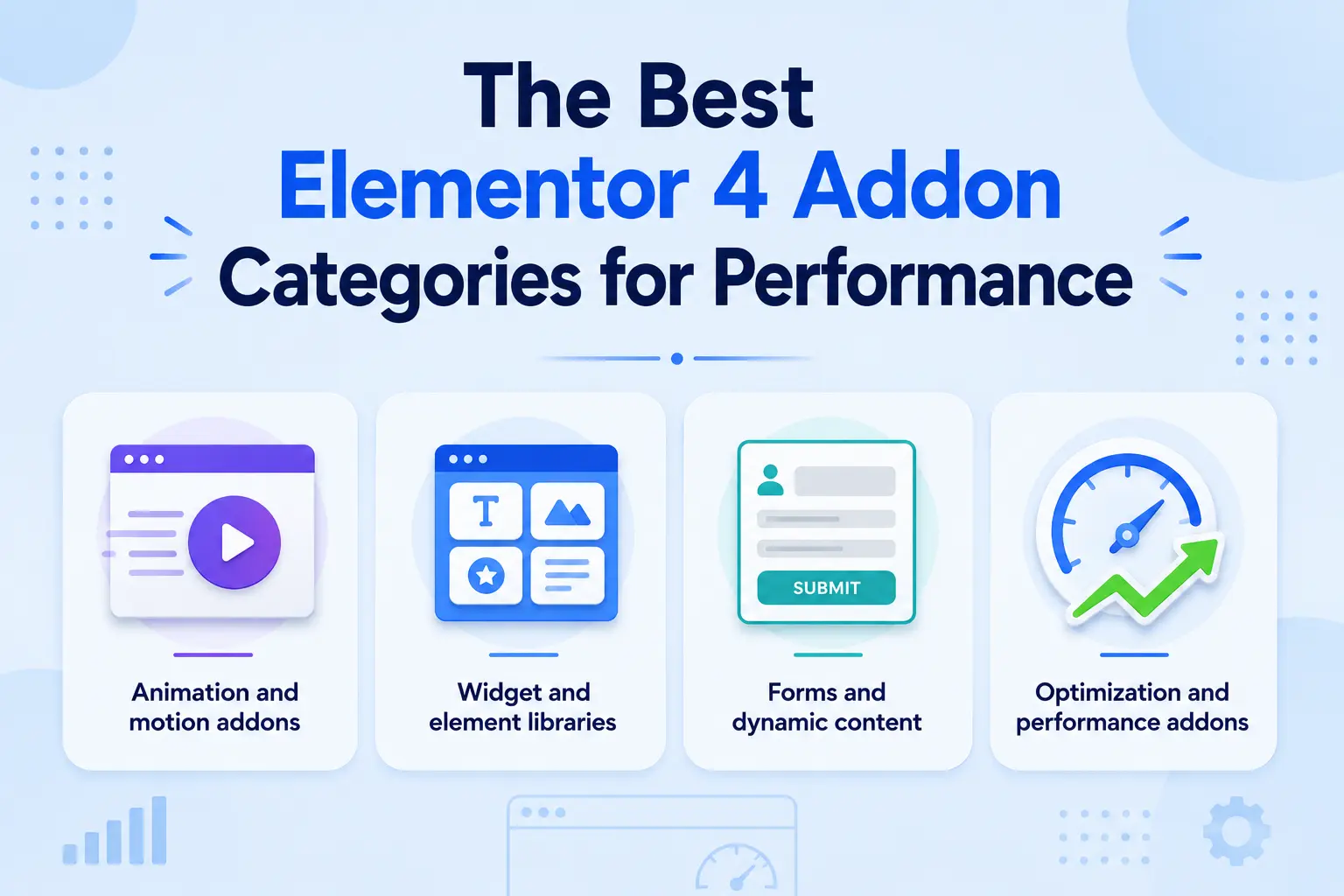
The Best Elementor V4 Addon Categories for Performance
Rather than crown a single “winner,” a performance-first approach evaluates addons by category because your risk and your options differ depending on what the addon does. The notes below are based on publicly available information and general performance principles; specific plugin behavior varies by version, so always verify with the testing method above.
Animation and motion addons
Why performance is at risk here – Animation is one of the heaviest categories. Older motion tools load large libraries and tie effects to specific markup, adding both script weight and DOM bloat.
What to look for – Addons built on the atomic structure that use a lightweight, performance-focused animation engine like GSAP, and that load animation assets only where needed.
The payoff – Rich scroll, hover, and reveal effects without the performance tax, the difference between motion that delights and motion that drags.
Widget and element libraries
Why performance is at risk here – Big widget packs can add markup and assets for features you never use.
What to look for – Atomic-structure widgets with clean DOM output, and ideally modular loading so unused widgets don’t ship code to the browser.
The payoff – More building blocks without a heavier page.
Forms and dynamic content
Why performance is at risk here – Forms and dynamic queries can load scripts and make requests that affect responsiveness.
What to look for – Efficient, well-maintained addons that load form assets conditionally and query data sensibly.
The payoff – Functional forms and dynamic content that don’t bog down the page.
Optimization and performance addons
Why performance is at lower risk – These are usually complementary rather than a bloat source like caching, asset optimization, lazy loading.
What to look for – Compatibility with Elementor V4 and that they don’t strip assets your V4 site actually needs.
The payoff – A speed multiplier on top of an already-lean build.
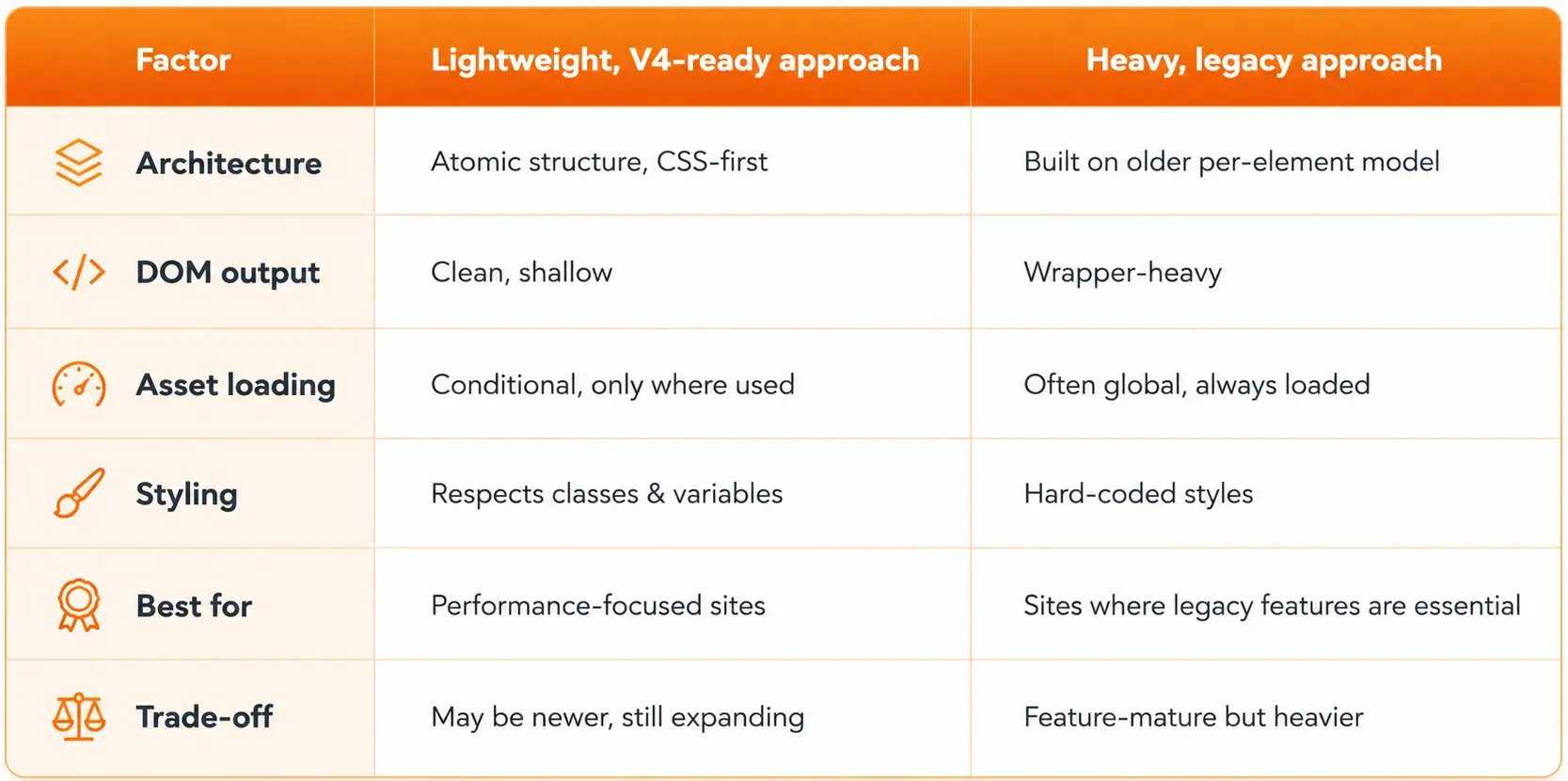
Comparing Addon Approaches: Lightweight vs Heavy
The clearest way to think about performance addons is by approach, not brand. Here’s a fair comparison of the two philosophies you’ll encounter.
| Factor | Lightweight, V4-ready approach | Heavy, legacy approach |
| Architecture | Atomic structure, CSS-first | Built on older per-element model |
| DOM output | Clean, shallow | Wrapper-heavy |
| Asset loading | Conditional, only where used | Often global, always loaded |
| Styling | Respects classes & variables | Hard-coded styles |
| Best for | Performance-focused sites | Sites where legacy features are essential |
| Trade-off | May be newer, still expanding | Feature-mature but heavier |
Some established, heavier addons are feature-mature and battle-tested, which can be valuable for complex projects or websites that depend on legacy features.
The goal is not to claim that one approach is always better. However, when performance is the priority, a lightweight and Elementor V4-ready approach is usually the better match.
Features and performance can vary between versions, so always test an addon on a staging site before committing to it.
How to Build a Fast Elementor V4 Addon Stack
Choosing individual addons well is half the battle; assembling them into a lean stack is the other half.
Consolidate where you can – Every addon adds some overhead. One well-built addon that covers animation, widgets, and ready-made templates beats three narrow ones that each load their own assets and risk conflicts.
Load only what you use – Prefer addons that load assets conditionally, so a page without a slider doesn’t ship slider code.
Standardize on the CSS-first model – Addons that respect global elementor v4 classes and variables keep styling efficient and consistent, reinforcing rather than fighting the Atomic Editor.
Audit regularly – Deactivate addons you no longer use, and re-test speed after adding anything new.
The benefit – A stack that stays fast as it grows, functionality without creeping bloat.
How Animation Addons Fits a Performance-Focused Stack
Animation is the category where performance is hardest to protect which makes it the clearest test of a performance-focused addon.
Most animation plugins were built before clean DOM was a priority. They load heavy libraries and add wrapper markup, so the more motion you add, the slower your page gets.
Animation is often what makes a site feel premium, but not if it costs you the speed and Core Web Vitals scores that drive conversions and rankings.
Animation Addons for Elementor is built on Elementor V4’s addons and powered by GSAP, a lightweight, performance-focused engine. Its V4 widgets including Lottie, GSAP DrawSVG, Advanced Button, Counter, Countdown, Image Comparison, Nested Slider, and Mega Menu are designed to output clean markup and work with the same global elementor v4 classes and variables as your design, rather than bolting heavy structure on top.
Run it through the evaluation method above DOM output, asset weight, styling model and it’s built to pass, because it was designed for the clean-DOM standard from the start rather than retrofitted onto it.
Common Mistakes and Fixes When Choosing Performance Addons
Some of the common mistakes and fixes when choosing performance addons are given below. These are –
1. Choosing on Features Alone
The most feature-packed addon is often the heaviest.
Fix: Weigh features against measured speed impact.
A long feature list doesn’t automatically mean it’s the best choice for your website. Focus on the features you actually need and compare them with real-world performance tests before deciding.
2. Trusting “Lightweight” Marketing
Labels aren’t proof.
Fix: Test DOM output and page speed yourself on staging.
Marketing claims can vary from one plugin to another, and many don’t reflect actual performance. Run your own Lighthouse, PageSpeed Insights, or GTmetrix tests to verify the results before deploying to production.
3. Installing Too Many Overlapping Addons
Each adds weight and conflict risk.
Fix: Consolidate onto fewer, multi-purpose, V4-ready addons.
Using multiple plugins that solve the same problem increases CSS, JavaScript, and maintenance overhead. A single well-optimized addon often performs better than several specialized ones combined.
4. Ignoring Conditional Loading
Always-loaded assets slow every page.
Fix: Prefer addons that load code only where used.
Conditional asset loading ensures scripts and styles are only loaded on pages that actually use a widget or feature. This reduces unnecessary requests and improves Core Web Vitals across your entire site.
5. Adding Heavy Animation Last-Minute
Motion is a common bloat source.
Fix: Choose GSAP-based, atomic-structure animation from the start.
Retrofitting animations into an existing website often introduces duplicate assets and inconsistent effects. Planning animations early makes it easier to build smooth interactions without sacrificing performance.
6. Never Re-Auditing
Stacks accumulate cruft over time.
Fix: Review and prune addons periodically, re-testing speed.
As your website evolves, unused widgets, extensions, and plugins often remain installed without adding value. Schedule regular performance audits to remove unnecessary assets and keep your Elementor site fast.
Final Thoughts: Fast by Design, Not by Accident
Elementor V4 hands you a fast, clean foundation but your addons decide whether it stays fast. The best Elementor V4 performance addons share a common DNA: they’re built on the Atomic Editor’s clean-DOM, CSS-first model, they load only what a page needs, and they respect the global classes and variables that keep styling efficient.
Evaluate every addon by its DOM output, asset weight, and measured speed impact rather than its feature list, and you’ll build a stack that adds capability without adding drag.
Choosing a lightweight, atomic-structure, GSAP-powered toolkit means you can deliver premium motion and keep the performance that drives conversions and rankings.
FAQs
The best ones are built on the Atomic Editor’s clean-DOM, CSS-first model, they output lean markup, load assets conditionally, and respect global classes and variables.
Test it on staging: inspect its DOM output, check the assets it loads, and run before-and-after page-speed tests to measure the real impact.
Yes, heavy addons add markup and scripts that can hurt metrics like load time and layout stability, while lightweight ones help preserve good scores.
Not necessarily, many V4-ready addons are both capable and efficient, though some mature legacy addons may offer more niche features at a higher performance cost.
There’s no fixed number, but every addon adds overhead, so consolidating onto fewer, multi-purpose, V4-ready addons is usually faster than a large stack.
It’s built on Elementor V4’s atomic structure with lightweight, GSAP-powered animation designed for clean DOM, so it adds motion while aiming to protect page speed.
For performance-focused sites, a lightweight, V4-ready addon is usually the better choice, though a heavier addon may be justified if it provides essential features you can’t get elsewhere.
Look for one built on the atomic structure with a lightweight engine like GSAP and conditional asset loading like Animation Addons, is designed around exactly these clean-DOM performance principles.