
 Login
Login


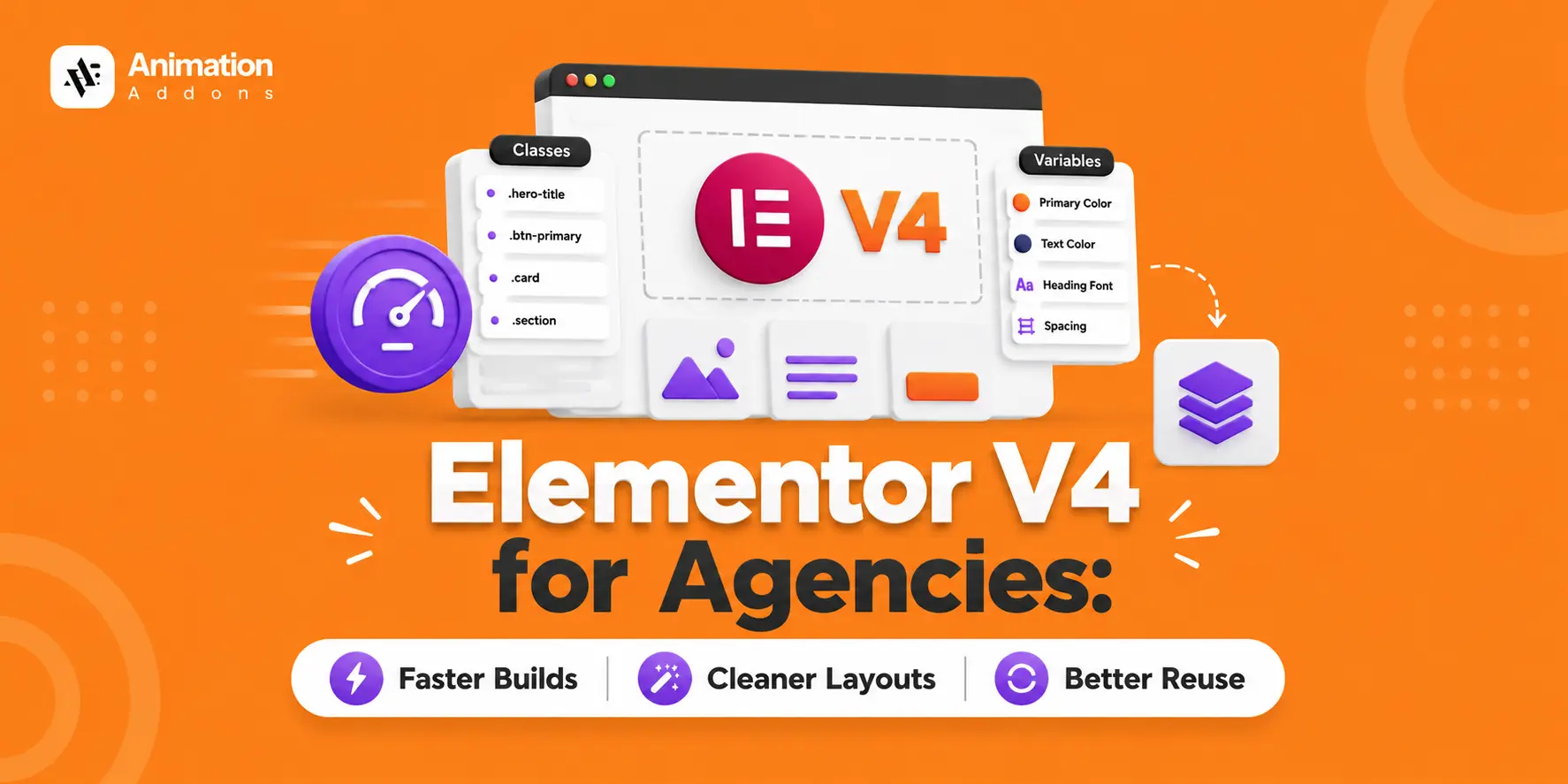
Elementor V4 changes how agencies build WordPress websites. Instead of styling every elements individually, agencies can use reusable classes, variables, components, and cleaner CSS-first layouts to create a more systematic workflow.
That matters when your team is managing multiple client websites. A button style, brand color, spacing rule, or component can be defined once and reused instead of rebuilt on every page.
In this guide, we’ll break down how Elementor V4 works for agencies, where it improves production speed and consistency, how to build a reusable agency design system, common mistakes to avoid, and where tools such as Animation Addons fit into a V4 workflow.
Quick Answer
Elementor V4 helps agencies build faster and scale better by replacing per-element styling with a reusable design system like global classes, variables, and clean, CSS-first layouts. Teams define styles once and reuse them across pages and clients, cut production time, keep brand consistency, and hand off cleaner sites. Paired with V4-ready templates and animation, it turns repeatable work into a competitive advantage.
Key Takeaways
- Elementor V4 turns styling into a system: Global classes and variables reduce repetitive styling work on individual elements.
- Faster builds come from reuse: Define styles once and apply them across pages, templates, and client projects.
- Cleaner layouts improve performance: The CSS-first architecture and cleaner DOM make websites easier to maintain and hand off.
- Consistency becomes easier to scale: Brand colors, fonts, and other design variables can be updated site-wide from one place.
- Templates and V4-ready animations increase efficiency: Reusable layouts and animation systems help agencies deliver consistent, polished websites across every project.
What Is Elementor V4?
Elementor V4 introduces a more systematic, CSS-first way to build websites, centered around reusable classes, variables, components, and cleaner layouts. Instead of styling every element separately, you can create a design foundation once and reuse it across pages and projects.
For agencies, this means less repetitive work, more consistent branding, easier revisions, and a workflow that can scale with more client websites. The real advantage comes from treating Elementor V4 as a reusable design system, not simply as a new way to edit pages.
Why Elementor V4 Matters for Agencies
For an agency, the challenge isn’t building one website quickly, it’s delivering multiple websites without repeating the same work every time. Elementor V4 helps shift that workflow toward reusable variables, classes, components, and templates, making it easier to maintain consistency across client projects.
With a structured V4 workflow, your team can reduce repetitive styling, handle revisions faster, standardize designs, and scale production without relying solely on adding more people.
How Elementor V4 Changes the Agency Workflow
Elementor V4 shifts an agency workflow from page-by-page styling to system-based production. Instead of rebuilding the same buttons, sections, and brand styles for every client, your team can define variables and reusable classes, build components and templates, and use them consistently across projects.
This makes everyday work more predictable: build the foundation once, reuse it across pages, handle revisions with fewer edits, and hand off cleaner websites. The result is a workflow that helps your team spend less time repeating tasks and more time improving the parts of each project that actually matter.
How to Build an Elementor V4 Design System for Your Agency
A good design system turns your agency’s best practices into a reusable foundation. Instead of deciding how every button, heading, or section should look on every project, define the rules once and let your team build from them.
1. Define Brand Variables
Start with the values you use repeatedly, such as brand colors, typography, spacing, and sizing. Centralizing these values makes global changes easier when a client updates their branding or your design direction changes.
2. Create Reusable Classes
Turn common styling patterns into reusable classes for elements such as buttons, headings, cards, containers, and sections. Use clear class names so your team can apply consistent styles without recreating them for every page.
3. Build Components
Identify sections your agency uses frequently and turn them into reusable components. Headers, CTAs, testimonials, feature cards, and pricing sections can then provide a reliable starting point while still being adapted to each client’s needs.
4. Create Template Kits
Bring your variables, classes, components, and proven page structures together into reusable template kits. This gives your team a ready-made foundation for new projects, helping them move from a blank canvas to a working website much faster.
5. Document Naming Conventions
A design system only works when everyone understands how to use it. Document your class names, variables, components, and basic usage rules so designers and developers can follow the same system across every client project.
The goal isn’t to create more rules, it’s to eliminate repeated decisions. Build the system once, make it easy for your team to reuse, and let every new project benefit from the work you’ve already done.
Faster Builds: Reuse as the Default
Speed is the first thing agencies feel when they adopt Elementor V4. Instead of styling each element individually, you define a global class once, let’s say, a primary-button and apply it everywhere. Update the class, and every instance updates automatically. Variables do the same for values like brand colors and fonts.
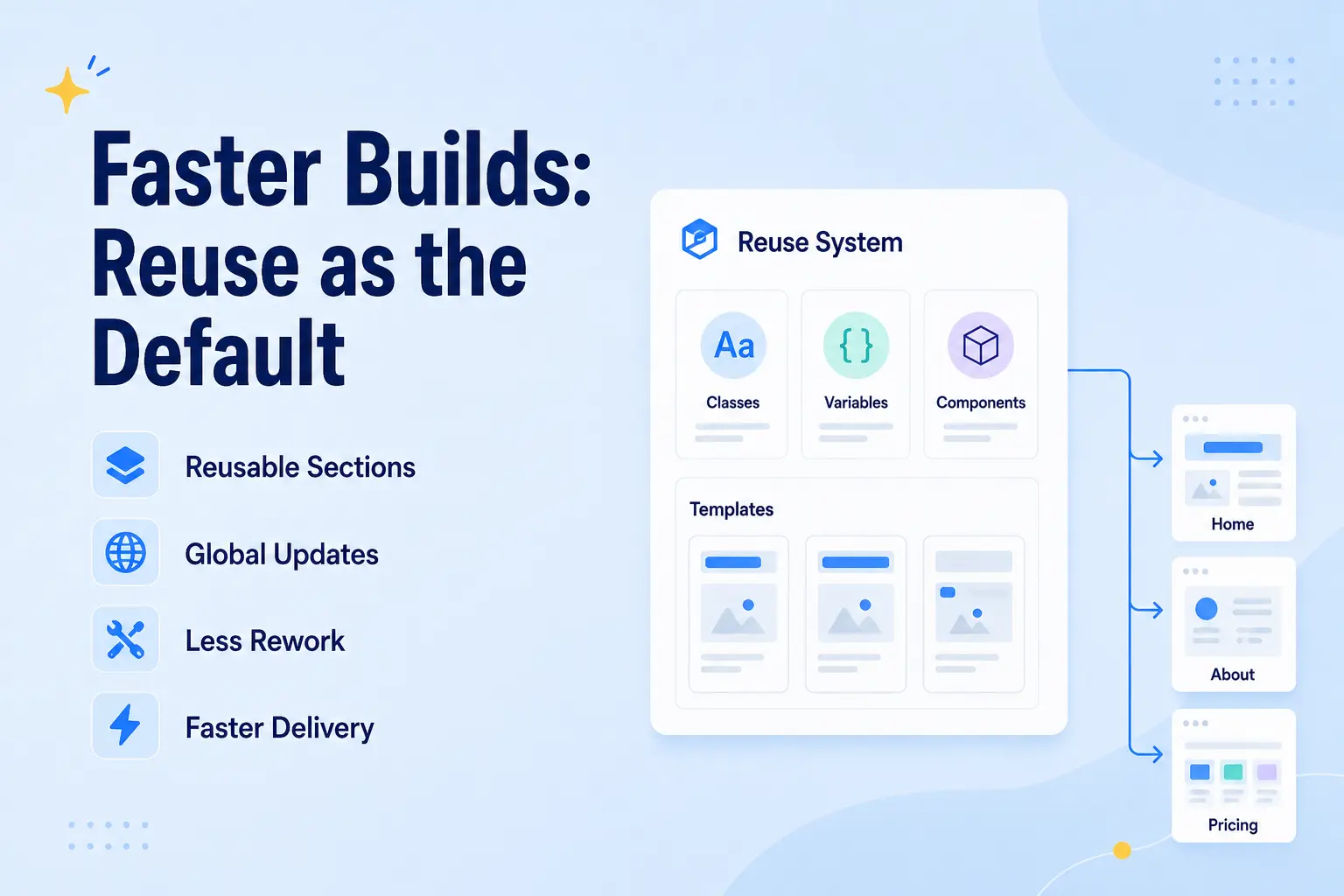
Production time is your core cost. Cutting the repetitive styling out of every build directly increases how many projects your team can ship without adding headcount.
Your designers spend their hours on the parts that actually differentiate a client’s site like strategy, layout, and polish, not on rebuilding the same components from scratch.
More projects delivered per month, tighter timelines, and healthier margins without cutting corners on quality.
Cleaner Layouts: Performance and Handoff Wins
Clean output isn’t just a technical nicety for agencies, it’s a client-facing advantage.
Elementor V4’s Atomic Editor produces leaner, less-nested markup than older versions. Its lightweight containers and CSS-first styling mean clean DOM by default.
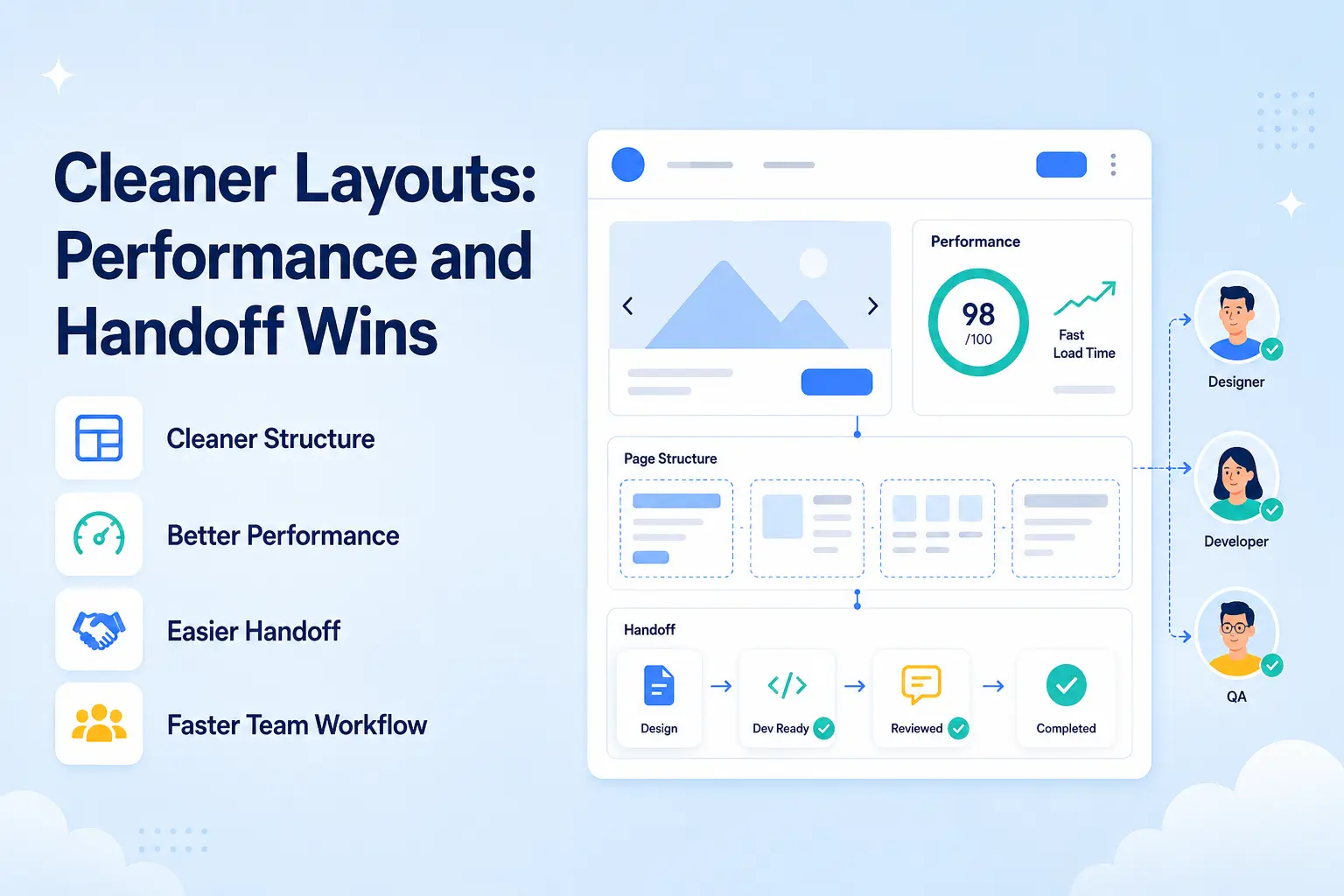
Cleaner layouts load faster, score better on Core Web Vitals, and are easier to maintain and hand off. When a client (or their in-house team) inherits the site, a clean build is far less likely to generate support tickets and awkward “why is this slow?” conversations.
“Fast, clean, and easy to maintain” is a selling point you can put in a pitch and Elementor V4 helps you deliver it consistently rather than site by site.
Sites that perform well, impress clients, and cost less to support after launch.
Better Reuse: Building an Agency Design System
This is where Elementor V4 goes from “faster” to “scalable.”
By thinking in classes, variables, and reusable components, Elementor V4 lays the groundwork for a true design system inside the builder. You can standardize brand tokens (colors, typography, spacing) and component styles, then reuse them across every page and with your own kits and templates across clients.
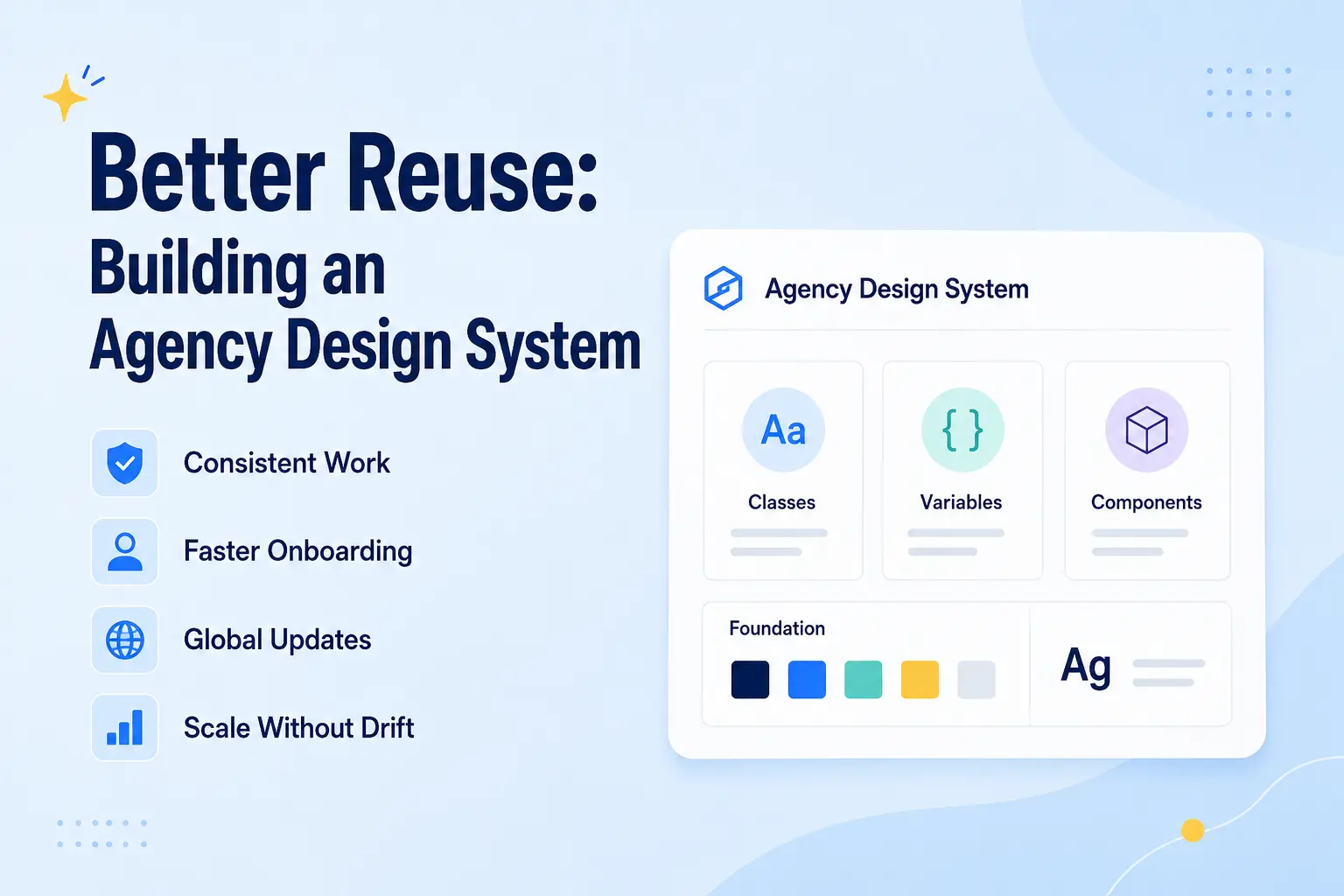
A design system is the difference between ten builders working ten different ways and a team producing consistent, on-brand work at speed. It also makes onboarding new team members faster: they inherit the system instead of reinventing it.
Change a brand color once via a variable, and it cascades everywhere. Refine a component’s global class, and every instance follows. Your standards become enforceable by design, not by policing.
A repeatable production engine, the operational backbone that lets an agency grow without quality drift.
Ready to build a reusable Elementor V4 workflow?
Animation Addons for Elementor is designed around modern animation workflows, GSAP-powered effects, and Elementor V4 compatibility.
Explore Animation Addons →Elementor V4 vs the Old Agency Workflow
| Area | Older Elementor Workflow | Elementor V4 Workflow |
|---|---|---|
| Styling | Per-element styling | Reusable classes |
| Colors | Manually assigned | Variables |
| Typography | Repeated settings | Global variables |
| Spacing | Individual values | Reusable tokens |
| Components | Rebuilt repeatedly | Reusable components |
| Layout | More nested structures | Cleaner structure |
| Revisions | Page-by-page changes | Global updates |
| Client handoff | Harder to maintain | Easier to understand |
| Team workflow | Individual approaches | Standardized system |
| Scaling | More manual work | Reuse across projects |
The pattern is clear: V4 moves the agency from craft-by-hand to system-driven production.
Elementor V4 Agency Workflow: From Brief to Launch
A well-structured Elementor V4 workflow can turn a client project from a blank canvas into a repeatable production process. Instead of designing every page from scratch, your team builds the foundation once and reuses it throughout the project.
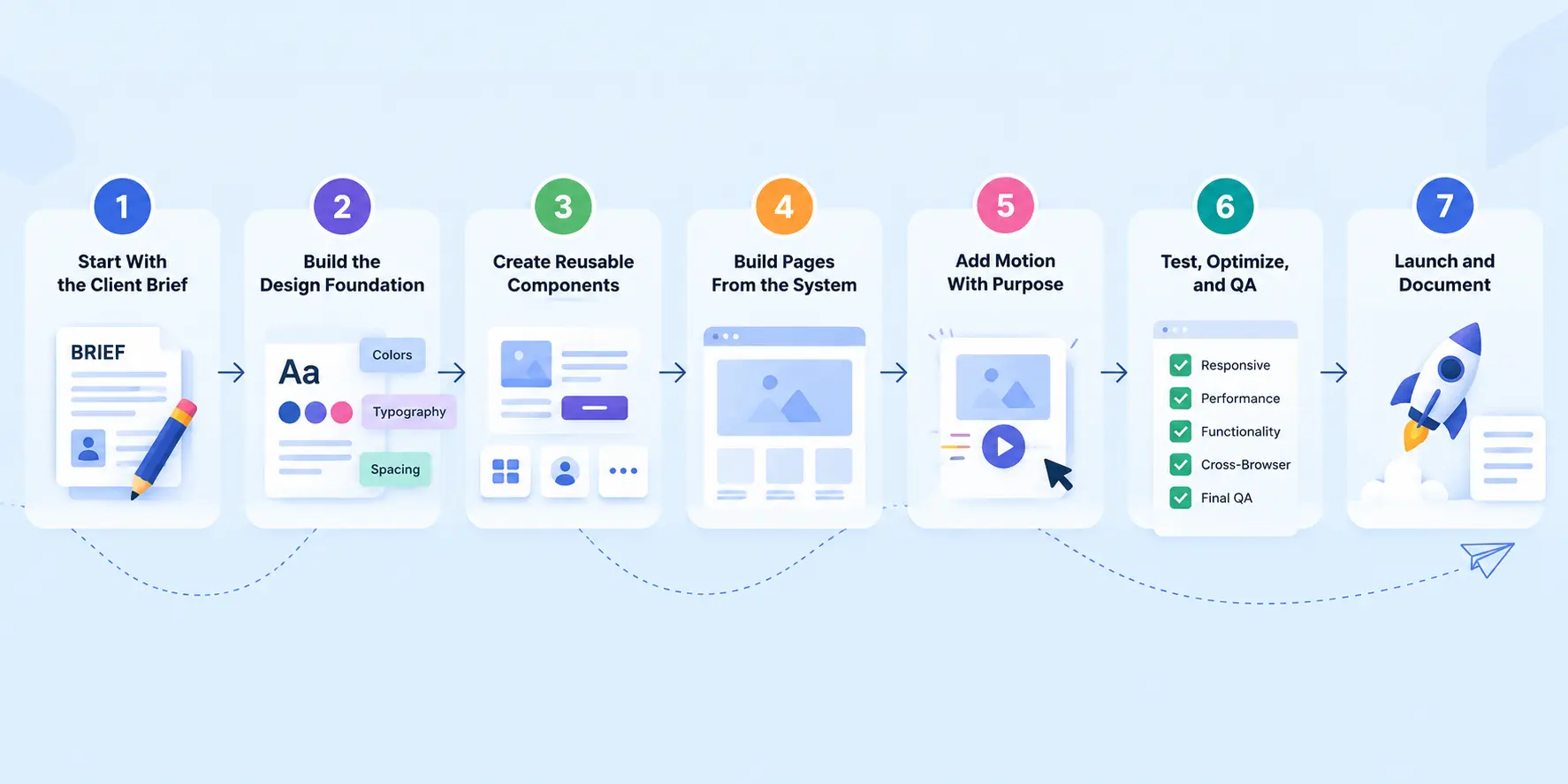
1. Start With the Client Brief
Understand the client’s goals, audience, brand guidelines, required pages, and functionality before opening the editor. This prevents unnecessary redesigns later.
2. Build the Design Foundation
Define the client’s colors, typography, spacing, and sizing as variables first. Then create reusable classes for common patterns such as containers, buttons, headings, cards, and sections.
3. Create Reusable Components
Turn frequently used sections such as headers, CTAs, feature blocks, testimonials, or pricing cards into reusable components. Your team can then adapt proven patterns instead of rebuilding them for every page.
4. Build Pages From the System
With the foundation ready, assemble pages using your variables, classes, components, and templates. This keeps the design consistent while still giving each page room to serve its specific purpose.
5. Add Motion With Purpose
Introduce animations only where they improve the user experience. Standardize common motion patterns across the project so different team members don’t create completely different animation styles.
6. Test, Optimize, and QA
Check responsiveness, interactions, forms, links, animations, and performance across devices. A final QA pass catches small issues before they become client complaints.
7. Launch and Document
Before handoff, document important classes, variables, components, and maintenance guidelines. This gives your team and the client, a website that’s not only ready to launch but also easier to maintain.
The result: A V4 workflow isn’t about adding more steps; it’s about making each step more reusable.
- Brief → Variables → Classes → Components → Pages → Animation → QA → Launch
It gives your agency a repeatable system that becomes more efficient with every project.
How to Migrate an Existing Elementor Site to a V4 Workflow
You don’t need to rebuild an existing Elementor website from scratch to benefit from a V4 workflow. Instead, gradually replace repetitive styling with a more structured system as you update and expand the site.
A simple migration path:
1. Audit Existing Styles: Identify repeated colors, typography, spacing, buttons, cards, and other patterns.
2. Create Variables: Turn frequently reused brand values into variables so they can be managed centrally.
3. Introduce Classes: Replace repetitive individual styling with clear, reusable classes where appropriate.
4. Build Components: Convert frequently repeated sections into reusable components to make future updates easier.
5. Standardize Templates: Turn proven page structures into templates that your team can adapt for future projects.
6. Test Before Replacing: Check responsive layouts, interactions, animations, and performance as you gradually move sections to the new workflow.
- The key: Migrate progressively, not all at once. Start with the styles and components you reuse most, then expand the V4 system as the website evolves.
Elementor V4 Agency Production Checklist
Before handing a client website to your client, run through this quick checklist to make sure your V4 workflow is clean, consistent, and ready to scale.
- ☑ Define Variables: Set brand colors, typography, spacing, and other reusable values.
- ☑ Organize Classes: Use clear, consistent names and avoid unnecessary duplicates.
- ☑ Build Reusable Components: Turn frequently used sections and UI patterns into reusable elements.
- ☑ Check Responsiveness: Test layouts, spacing, typography, and interactions across desktop, tablet, and mobile.
- ☑ Review Animations: Make sure motion effects are consistent and don’t compromise usability or performance.
- ☑ Run a Performance Check: Optimize images, scripts, animations, and other resources that can affect loading speed.
- ☑ Complete Final QA: Check links, forms, layouts, content, and interactions before launch.
- ☑ Document the System: Leave clear class, variable, and component guidelines so your team can maintain the site easily.
💡
Pro Tip:
The final goal: Don’t just deliver a website that looks finished, deliver a structured system that’s easy to update, maintain, and scale.
Common Agency Mistakes With Elementor V4 and Fixes
Learn the most common mistakes agencies make with Elementor V4 and how to fix them for faster, cleaner, and more reliable websites.
1. Treating V4 Like Old Elementor
Many users still build pages element-by-element and style each atomic elements individually, just like they did in previous versions of Elementor. This completely misses the biggest advantage of Elementor V4: reusable classes and variables that make design scalable and easier to maintain.
Fix: Commit to using classes and variables from the very first section you build. Create reusable styles once and apply them everywhere.
2. No Shared Component Library
When every designer or developer creates their own buttons, cards, and sections from scratch, teams end up with inconsistent designs and duplicated work. This slows down projects and makes future updates difficult.
Fix: Build a central library of global classes, components, and design patterns that everyone on the team can reuse across every project.
3. Hard-Coding Brand Values
Directly assigning colors, fonts, and spacing values to individual elements may seem faster initially, but it becomes a major problem when branding changes or design revisions are needed.
Fix: Store your brand colors, typography, spacing, and sizing as variables. One update can instantly apply changes across the entire website.
4. Inconsistent Animation
Different builders often implement motion effects in different ways, resulting in inconsistent user experiences and bloated websites. Some animations may even add unnecessary markup or hurt performance.
Fix: Standardize your workflow with a V4-ready animation toolkit that follows clean DOM principles and provides consistent, reusable animation patterns.
5. Poor Class Naming
Using unclear, inconsistent, or overly generic class names can make an Elementor V4 design system difficult to understand and maintain. This becomes especially problematic when multiple designers or developers work on the same client project.
Fix: Establish a clear and consistent naming convention for classes from the beginning. Use descriptive names based on the component or purpose, so your team can quickly understand where and how each class should be used.
6. Too Many Classes
Adding a new class for every small styling change can make your design system unnecessarily complex and difficult to manage. Over time, overlapping or redundant classes can create confusion and make global updates harder.
Fix: Create reusable classes only when a style or pattern needs to be shared. Keep your class structure simple, combine related styles logically, and use variables for reusable values such as colors, typography, and spacing.
7. Skipping QA
A site can look finished in the editor while still having inconsistent classes, unused styles, responsive issues, or performance problems. Skipping a final quality check can lead to avoidable issues after the website is handed over to the client.
Fix: Add a QA step before every client handoff. Check the layout across devices, review classes and variables, test animations and interactions, and verify performance so the final site is clean, consistent, and ready for launch.
Is Elementor V4 Right for Your Agency?
Elementor V4 can be a strong fit for agencies that build, maintain, and revise multiple WordPress websites. But the real benefit isn’t simply using a newer version of Elementor, it comes from changing how your team builds: from styling every element individually to creating a reusable system of variables, classes, components, and templates.
Elementor V4 is a good fit if your agency:
- Builds multiple client websites: Reusable classes, variables, and templates can reduce repetitive work from project to project.
- Works with a team: A documented design system gives designers and developers a shared way to build and maintain websites.
- Handles frequent revisions: Global styles make common changes easier to manage instead of hunting through individual pages.
- Wants stronger brand consistency: Variables and reusable classes help keep colors, typography, spacing, and components consistent.
- Maintains websites after launch: A structured system makes future updates and handoffs easier to understand.
- Uses reusable templates and components: Agencies can establish a foundation and adapt it to different client requirements rather than starting from a blank page every time.
It may not be the right priority if:
If you only build a small number of highly customized websites, you may not immediately see the full value of a reusable production system. Likewise, if your team doesn’t have a consistent workflow or isn’t ready to adopt naming conventions, shared components, and documented design rules, simply switching to V4 won’t automatically make projects faster.
A simple way to decide
Ask your team these five questions:
- Do we repeatedly style the same elements across projects?
- Do clients frequently request site-wide design changes?
- Do multiple team members work on the same websites?
- Do we reuse sections, components, or templates?
- Do we maintain a growing portfolio of client websites?
If you answered yes to most of them, Elementor V4’s reusable approach is likely worth adopting.
The key is to start small. Define your variables, build your core classes, create reusable components, and turn proven layouts into templates. Once that foundation is working, you can standardize animation, QA, and client handoff around the same system.
For an agency, the goal isn’t simply to build one website faster. It’s to create a workflow where the next website is easier, the next revision is quicker, and every new team member can build within the same system.
Final Thoughts
Elementor V4 gives agencies a more reusable way to build and manage client websites.
The best way to get started is to build the system in layers: define your brand variables first, create reusable classes for common styles, turn frequently used sections into components, and then build templates that your team can adapt for each client.
Document the naming conventions and workflow so every designer and developer follows the same system from the first section to the final handoff.
You don’t need to rebuild every client website at once. Start by applying the V4 workflow to your next project, measure how much repetitive work you eliminate, and gradually bring the same approach to your existing client sites.
Want to build faster with Elementor V4?
Start with a reusable design system, test it on your next client project, and make every future build easier to scale.
Explore Animation Addons →FAQs
Elementor V4, also known as the Atomic Editor, introduces a more systematic, CSS-first approach to building websites around reusable classes, variables, and other atomic elements. It allows teams to create and reuse a consistent design system instead of relying primarily on individual element styling.
Classes are reusable collections of styling properties that can be applied to multiple elements across a website. They help agencies define a style once and reuse it, making global design changes and consistent styling much easier to manage.
Variables are reusable values that can represent things such as colors, fonts, and sizes, allowing those values to be managed centrally. When a variable is updated, the elements using that variable can reflect the new value without individual edits.
A class groups reusable styling properties for an element, while a variable stores a reusable value such as a color, font, or size. Variables can also be used within classes, allowing agencies to combine centralized design values with reusable component styling.
Yes, Elementor allows design systems containing classes and variables to be exported and imported between websites. This makes it possible for agencies to establish a standardized styling foundation and reuse it across client projects.
Elementor V4 is designed around a more efficient, CSS-first architecture, and Elementor states that proper use of classes can improve performance. However, overall website speed still depends on factors such as images, scripts, plugins, hosting, and how the site is built.
Agencies should start by defining reusable variables for core brand values, then create clear classes for common UI patterns and establish reusable components and templates where appropriate. A consistent naming convention and documented workflow can also help designers and developers maintain the same system across projects.
Yes, existing Elementor websites can gradually adopt V4 rather than rebuilding everything from scratch, because V4 elements can work alongside existing Elementor 3.x containers and workflows. Agencies can therefore introduce classes, variables, and atomic elements progressively as they update or expand existing sites.
Elementor V4 is particularly useful for projects that benefit from reusable styling and consistent design systems, including sites managed by larger teams or agencies. Its classes, variables, and design-system import/export capabilities can make large, multi-page projects easier to standardize and maintain.
Agencies can standardize animation by defining consistent motion patterns and applying them through reusable components and a documented workflow rather than creating every effect independently. For advanced animation, the agency should also test performance and ensure the motion system fits the site’s broader design and development standards.


Leave a Reply