


 Login
Login

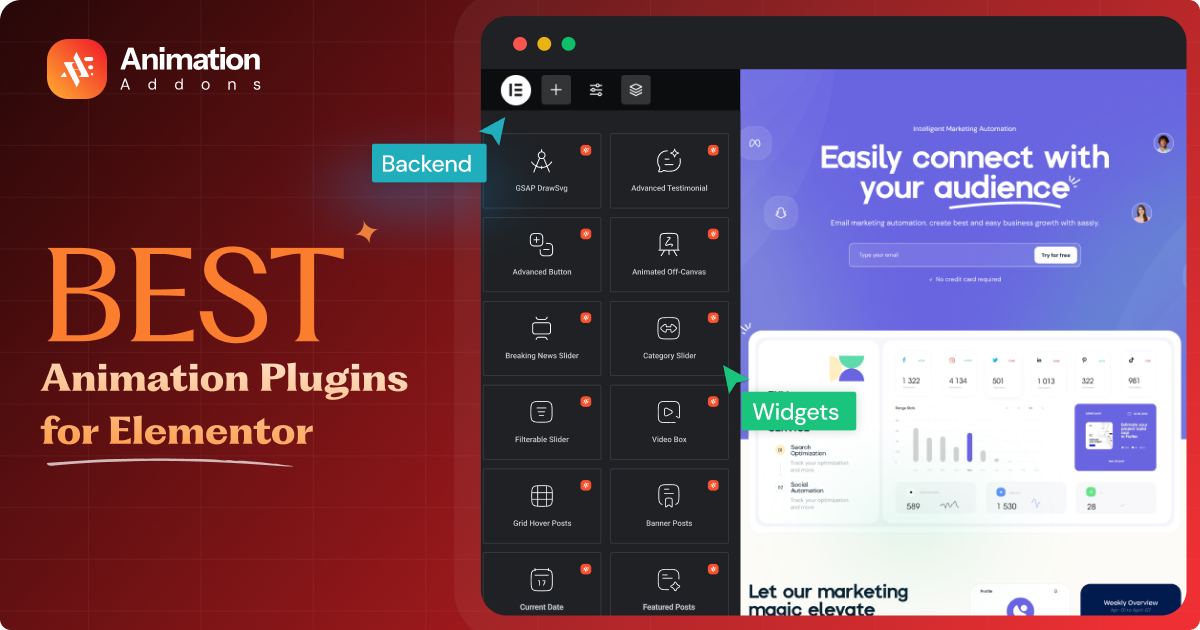
Elementor has revolutionized the mechanism of adding interactive animations on websites by incorporating advanced animation plugins. As a user, you can spontaneously create dynamic, engaging animations with the combination of Elementor and an animation-oriented plugin.
However, the question is what are the best animation plugins for Elementor? To help you out, I’ve sorted out some of them based on rigorous research and practical experience.
This article is designed to provide you with a detailed guide to help you choose the ideal one that suits your needs. Let’s explore them!
Animation Addons is the best animation plugin for Elementor in 2026 for users who want advanced GSAP-powered animations, scroll effects, timeline controls, and a visual animation builder without coding.
Elementor Pro’s Motion Effects are best for basic animations, while plugins such as Happy Addons, Essential Addons, and Premium Addons are better suited to users who want broader Elementor widget libraries with animation features.
Best Animation Plugins for Elementor
Below is my curated list of the top animation plugins for Elementor with detailed features, benefits, and ideal use cases:
Animation Addons
Animation Addons brings advanced animation and creative design tools into both the traditional Elementor workflow and the newer Elementor V4 Atomic Editor. It combines GSAP-powered motion effects, dedicated widgets, extensions, and ready-made templates to help users create more interactive websites without relying heavily on custom code.
For Elementor V4 users, Animation Addons fits into the new Atomic workflow built around reusable elements, Classes, Variables, and cleaner site structures. This makes it easier to maintain consistent styling across a website while adding motion where it improves the user experience.
Its GSAP-powered features can be used for effects such as ScrollTrigger animations, text reveals, horizontal scrolling, pinning, smooth scrolling, image animations, stagger effects, and other interactive motion. Instead of treating animation as decoration, these effects can help direct attention, reveal content progressively, and make important sections feel more responsive to user interaction.
Key Features
- 300+ pre-built website templates, 2,000+ pages templates and 10,000+ section templates
- Custom Animation Builder with GSAP integration
- 100+ widgets and 25+ extensions in one powerful plugin
- Lightweight design ensures fast website loading speed
- Works seamlessly with Elementor Free and Pro
- Advanced mega menu builder
- Multi-widget area and fully responsive
- Cross-browser compatibility
- Built-in support for custom CSS for unique designs
Why Choose It?
Animation Addons is a strong choice for designers, developers, freelancers, and agencies that want to push Elementor beyond basic entrance animations. Its support for Elementor V4 and Atomic workflows means users can combine reusable design systems and cleaner page structures with GSAP-powered motion, creating websites that feel more polished without giving up the flexibility of Elementor.
Elementor Motion Effects
Elementor Motion Effects is a native feature of the Elementor Pro plugin. It comes with a seamless toolkit to help you add animations to increase interactivity on the website. It is a full-fledged animation solution for existing Elementor users.
Whether it’s bringing a static web element to life or having something animated upon entrance, Motion Effects can give life in a professional manner. Some of its essential aspects of modern web design include hover animation, parallax, Lottie, scroll snap, etc.
Key Features
- Transform capabilities, including rotate, screw, and flip
- Mouse movement animations
- Page elements entrance animations
- Sticky effects for the header and widgets
- Viewport-based animations in advanced ways
- Multi-layered scrolling effects
- Animation controls that respond to user interactions
- Lightweight and came within the Elementor Pro
- No need for any other installations.
- Super responsive and customizable
Why Choose It?
For current Elementor Pro users, Motion Effects is an innovative and powerful addition. It’s handy for making smooth animations without supplementing outside plugins. It leaves a lightweight website.
Happy Addons
Happy Addons for Elementor is a single plugin with many unique animations and design features. It gives more power to Elementor with over 137 free and pro widgets. The assortment of the header footer builder, single post template builder, and archive page builder makes it an unparalleled option for users.
This is an all-in-one animation tool for anyone who wants to build attention-grabbing websites. You can seamlessly create custom animations based on your necessity and choice. It doesn’t require any code to work with. The Elementor plugin is super fast and secure.
Key Features:
- Dynamic floating effects
- Exclusive features to animate and rotate objects
- Particle effects such as Polygon, Snow, and more
- On-scroll animations
- Integrate Lottie for ultra-light animations
- Animations overlay background widget
- Responsive design settings
- Cross-browser compatibility
- Thin codebase allows for rapid loading
- A user-friendly interface for simple customization
Why Choose It?
It provides simplicity and advanced features that can meet the needs of every user, from beginners to the experts. It is very handy to add to any Elementor element with its animation customization and ease.
JetElements by Crocoblock
JetElements is a part of the Crocoblock suite that allows you to extend the functionality of the Elementor core. Its focus on usability and flexibility makes it a great option for developers of any skill level looking to add animations to their projects.
It offers a wide selection of widgets so that you can quickly create interactive websites. Some of its intuitive animations include Section Parallax, Vertical Scroll, Creative Headlines, Interactive Flip Box, Comparison Slider, and so on.
Key Features
- Progress bars and counters that animate
- Vertical and horizontal timeline
- Meta-slide transition with a station during scrolling
- Flexible grids for posts and portfolios
- Animation presets for fast implementation
- WooCommerce content compatibility
- Extensive Lottie files
- Inline SVG and text animation
- Mobile-friendly designs
- Regular updates and support
Why Choose It?
I would like to recommend JetElements to anyone who wants to extend Elementor’s animation capabilities while having access to a set of advanced widgets. It’s very helpful for e-commerce and portfolio-type websites.
Essential Addons
Essential Addons for Elementor is one of the leading WordPress plugins in the Elementor space. It’s known for a plethora of features and comes with an advanced animation option as well. To be specific, it is great for making unique websites with diverse, stunning animations.
The hover animation support of this plugin, along with particle background effects, makes it great for modern, engaging designs. In addition, its interactive promo widget lets you embellish your website outlook with amazing effects.
Key Features
- Scalable animations with the hover interaction widget
- Animated text and headings
- Particle background effects
- Advanced scrolling effects
- Cross-browser compatibility
- Animation styling with a lot of options
- Lightweight design for better performance
- Mobile-responsive animations
- Regular updates and responsive support
- Various widgets for advanced animations
Why Choose It?
This plugin is packed with versatility, flexibility, and ease of use. It makes the Elementor plugin more handy and popular with all its advanced features and widgets. For creating engaging animations with the least possible work involved, it can be the right option.
Master Addons
Master Addons for Elementor is a premium WordPress plugin that enhances the design and animation features that Elementor has. Its intuitive interface makes it great for beginners and professionals alike. With 20 customizable hover effects, it stands out from competitors.
The plugin encompasses over 50 premium Elementor addons and 20 Elementor extensions to let you make professional-grade, dynamic websites. If you’re looking for something a little different in terms of animation tools and effects to improve your website’s design, this plugin is for you.
Key Features:
- Animated objects and interactive elements
- Elaborate background transitions
- A scrolling news ticker to highlight top posts
- Flip boxes to reveal content when hovered over.
- Homepage with dynamic text effects
- Scroll-based animations
- Gradient overlays for widgets
- Animatable, customizable post grids
- Controls for mobile-responsive design
- Cross-browser support
Why Choose It?
Developers looking for an easy-to-use yet powerful animation tool will be pleased with Master Addons for Elementor. Its mix of features and ease of use makes it very compelling and handy.
Premium Addons
Premium Addons for Elementor is one of the widget-packed, feature-rich plugins you may try on. The most amazing feature of this plugin is the animated shape dividers. You can select between over 40 dividers for the Elementor flexbox containers. It also allows you to use a custom SVG code.
For creating beautiful websites, this high-functionality plugin comes with Lottie animations and advanced gradient effects. This best WordPress animation plugin allows you to create outstanding scroll animations. Most remarkably, you can choose between four animations for creating a carousel using images.
Key Features:
- Lottie animation widgets
- Gradient effects and hover transformations
- Triggers for scroll-based animations
- 90+ premium addons and widgets
- Background parallax effects
- Responsive animation settings
- Lightweight and fast-loading
- Animated pre-designed templates
- WooCommerce integration
- Regular updates and support
Why Choose It?
It’s an advanced WordPress plugin for the new generation that enhances a website’s functionality and aesthetics. Designers who know exactly how to improve the animation of a website, this plugin can be the best investment.
Unlimited Elements
Unlimited Elements for Elementor is a premium quality plugin that allows you to extend Elementor’s functionality with a library of hundreds of widgets and animations. It’s ideal for users who need the utmost flexibility in creating customizable animations.
The availability of extensive animation elements ensures that you do not need extra tools to create unique, interactive websites. It helps to incorporate creative animated container backgrounds. You can create pixel-perfect unique layouts with it.
Key Features
- Extensive widgets with animation options
- Scroll-based animations
- Hover effects for widgets
- Responsive animation settings
- Gradient overlays and transitions
- Post and product grids with custom layouts
- Streamlined design for maximum performance
- Advanced Elementor tools
- Pre-built template kits
- Comprehensive documentation and tutorials
Why Choose It?
Unlimited Elements for Elementor offers unlimited features, as the name implies. This plugin will be perfect for users who want to have a massive library of widgets and animations. For any Elementor-based website, you may rely on it.
Comparison Table
| Plugin | Best For | Animation Engine | GSAP | Scroll Animation | Lottie | Visual Builder | Elementor V4 | Free Version |
|---|---|---|---|---|---|---|---|---|
| Animation Addons | Advanced animation | GSAP | ✅ | ✅ | ✅ | ✅ | ✅ | ✅ |
| Elementor Motion Effects | Basic/native motion | Elementor | — | ✅ | ✅ | — | Native | Elementor |
| Happy Addons | General animation | CSS/JS | — | ✅ | ✅ | Limited | Verify | ✅ |
| Essential Addons | Widgets + animation | CSS/JS | — | ✅ | ✅ | Limited | Verify | ✅ |
| JetElements | Advanced widgets | CSS/JS | — | ✅ | — | Limited | Verify | ❌ |
| Premium Addons | Widgets + effects | CSS/JS | — | ✅ | ✅ | Limited | Verify | ✅ |
| Unlimited Elements | Large widget library | Various | — | ✅ | — | Widget-based | Verify | ✅ |
How Animation Plugins Enhance Elementor Websites?
Animation can do more than make an Elementor website look modern. When used with purpose, it can improve clarity, guide visitors through a page, and make important content easier to notice and understand. The key is to use motion as part of the user experience, not simply as decoration.
Improve Visual Hierarchy
Animation helps establish which elements deserve attention first. A headline can appear before supporting text, a CTA can follow naturally, and secondary elements can enter later. This creates a clearer reading order and prevents visitors from being overwhelmed by everything appearing at once.
Guide User Attention
Visitors rarely study every part of a page. Subtle motion can direct their eyes toward important content such as offers, buttons, forms, pricing information, or product features.
For example, a scroll-triggered reveal can introduce a CTA at the right moment instead of showing it before the visitor has enough context.
Explain Complex Concepts
Some ideas are easier to understand when users can see them happening. Animation can demonstrate processes, workflows, product features, comparisons, or step-by-step concepts without requiring long blocks of text.
A SaaS website, for example, could animate a workflow from Connect → Configure → Publish, making the process easier to understand within seconds.
Increase Interaction
Interactive animation gives users immediate visual feedback when they engage with a website. Hover effects, expandable cards, animated menus, scroll interactions, and clickable elements can make a page feel more responsive.
These small responses reassure visitors that the interface is reacting to their actions.
Improve Perceived Quality
Smooth, consistent motion can make a website feel more refined. Carefully timed transitions, text reveals, and section animations often create the impression of a more thoughtfully designed experience.
However, quality comes from restraint. A few well-designed animations usually feel more professional than applying motion to every element.
Create Micro-Interactions
Micro-interactions are small animations triggered by user actions. They can appear when someone hovers over a button, submits a form, opens a menu, switches a tab, or selects an option.
Although these effects may last less than a second, they can make Elementor interfaces feel clearer and more responsive.
Support Storytelling
Animation can control how a story unfolds as visitors move through a page. Instead of presenting every message at once, content can be introduced in sequence.
Scroll-based effects, pinned sections, SplitText reveals, and progressive transitions can help turn a standard landing page into a guided visual experience.
Improve Product Presentation
For portfolios, SaaS products, ecommerce stores, and creative websites, animation can make product presentation more engaging.
You can reveal screenshots gradually, highlight individual features, animate before-and-after comparisons, move between product states, or use parallax effects to create depth. When motion supports the product message, visitors can understand both what the product looks like and how it works more quickly.
Common Elementor Animation Mistakes
Animations can make an Elementor website feel more interactive, modern, and engaging—but too much motion can have the opposite effect. Poorly implemented animations may distract visitors, hurt usability, and negatively affect page performance. Here are the most common mistakes to avoid when adding animations to Elementor websites.
1. Using Animation on Every Element
Not every element on your page needs to move. When headings, buttons, images, cards, and sections all animate simultaneously, the page can feel chaotic and make it harder for visitors to focus on important content.
Instead: Use animation strategically to guide attention toward key elements such as CTAs, product features, important statistics, or navigation cues.
2. Animating Large Images
Large images, background videos, and high-resolution visual assets can already require significant browser resources. Adding complex animations to them may increase rendering work and make scrolling feel less smooth.
Instead: Optimize images before adding animation and favor lightweight effects such as transform and opacity whenever possible.
3. Using Too Many Scroll Triggers
Scroll-triggered animations can make a page feel dynamic, but triggering dozens of animations throughout a long page can quickly become overwhelming. It may also create unnecessary JavaScript activity and make the scrolling experience feel inconsistent.
Instead: Create a clear animation hierarchy and use scroll triggers only where they help reveal, emphasize, or explain content.
4. Ignoring Mobile Users
An animation that looks impressive on a large desktop screen may become distracting or slow on a smartphone. Smaller screens, touch interactions, and limited device resources require a different approach to motion design.
Instead: Test animations on mobile devices and use Elementor’s responsive controls to adjust, simplify, or disable effects where necessary.
5. Ignoring Reduced-Motion Preferences
Some visitors prefer less movement because of personal preference, motion sensitivity, or accessibility needs. Automatically forcing complex animations on every visitor can create an uncomfortable browsing experience.
Instead: Respect the prefers-reduced-motion preference and provide a simpler experience when visitors have requested reduced motion.
6. Installing Multiple Overlapping Animation Plugins
Using several Elementor addons that provide similar animation features can create unnecessary code and potential conflicts. It can also make it difficult to determine which plugin is controlling a particular effect when something goes wrong.
Instead: Start with one reliable animation solution that covers most of your requirements. Add another plugin only when it provides a genuinely necessary feature that your existing setup cannot handle.
7. Not Testing Core Web Vitals
An animation may look perfect in the Elementor editor while performing poorly for real visitors. Heavy scripts, layout shifts, large assets, and inefficient animations can affect important performance metrics such as LCP, INP, and CLS.
Instead: Test your finished pages on both desktop and mobile, monitor Core Web Vitals, and optimize animations before publishing. A visually impressive website should still feel fast, responsive, and effortless to use.
Final Words
Animation plugins for Elementor unlock endless possibilities for creating visually captivating and engaging websites. There are various high-functioning, prolific plugins for creating customized animations. Among the top choices, Animation Addons for Elementor shines with its GSAP integration and performance optimization.
However, I’ve highlighted some of the best animation plugins for Elementor in detail. Each plugin listed here offers unique features and functionality. So you can turn to any of them as per your preferences. I would like to urge you to take the time to explore and choose the one that aligns with your design goals.
FAQs
Animation Addons is one of the best choices for Elementor in 2026, especially for users who want advanced GSAP-powered animations and visual animation controls. It is particularly suitable for scroll effects, interactive animations, text effects, and creative websites.
Animation Addons is an Elementor animation plugin that supports GSAP for creating advanced and interactive animations. Its GSAP integration is useful for scroll-triggered effects, timelines, text animations, and other complex motion effects.
Animation plugins can affect website performance when they load unnecessary scripts, create excessive DOM elements, or use too many complex animations. Choose lightweight plugins, limit animations, optimize assets, and test your pages on mobile and against Core Web Vitals.
Elementor V4 compatibility should be checked against the plugin’s latest documentation and update history because compatibility can change as Elementor V4 evolves. Before installing an animation plugin, verify that its current version explicitly supports your Elementor V4 setup.
Yes, a dedicated Elementor animation plugin such as Animation Addons can provide visual controls for creating GSAP animations without writing GSAP code manually. This makes advanced effects such as scroll animations, timelines, and interactive motion more accessible to Elementor users.
GSAP is better when you need highly customized, precise, and complex animations, while Elementor Motion Effects are simpler and more convenient for common website animations. The better option depends on your project, with GSAP offering greater control and Elementor’s native effects offering a simpler workflow.
Yes, you can technically use multiple animation plugins with Elementor, but doing so can add unnecessary scripts, CSS, and potential conflicts. In most cases, choosing one well-supported animation plugin that covers your requirements is better for performance and maintainability.
Use lightweight animations, avoid animating large or layout-changing elements, reduce unnecessary JavaScript, and optimize images and other page assets. Prefer GPU-friendly properties such as transform and opacity, and test the finished page on real mobile devices.
The best option is a plugin that provides responsive controls so you can adjust, simplify, or disable animations for mobile devices. Animation Addons is a strong choice for advanced responsive animation workflows, but the final choice should depend on the complexity and performance requirements of your website.

Leave a Reply