


 Login
Login

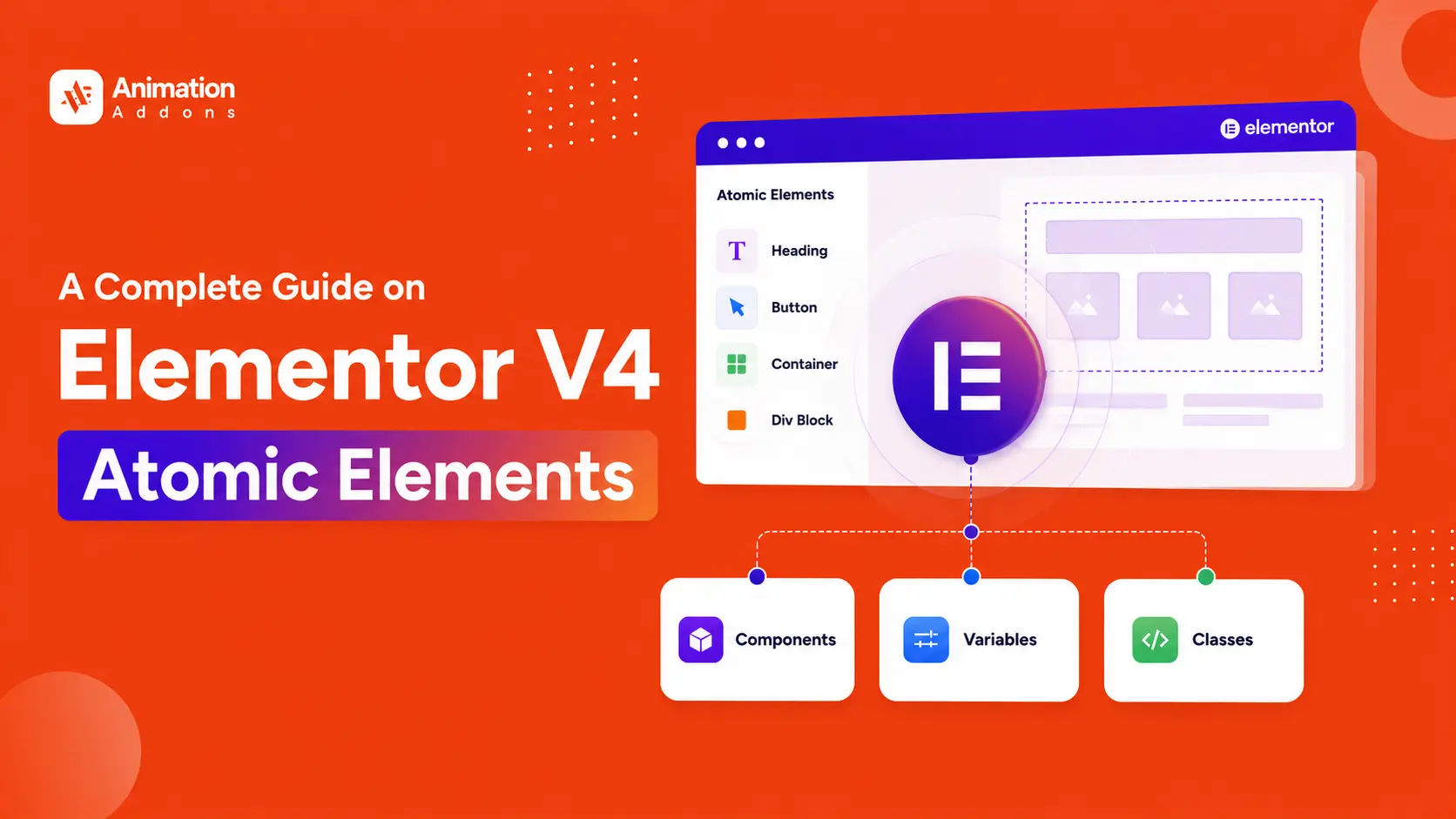
Elementor V4 introduces a fundamentally different way to build WordPress websites. Instead of styling every widget individually, the new Atomic Editor uses reusable Elements, Classes, Variables, and Components to create scalable design systems.
In this guide, we’ll break down every major Elementor V4 Atomic Element, explain how it differs from the traditional widget workflow, show where each element fits, and cover the latest V4 features including Grid and Loop.
Elementor V4 Atomic Elements are Elementor’s newer, lightweight building blocks designed around a CSS-first system. They work with Classes, Variables, Components and a unified styling system to create cleaner, more reusable and scalable websites.
In simple terms: V4 moves Elementor from styling individual widgets toward building reusable design systems.
Key Takeaways
- Atomic Elements are Elementor V4’s new building blocks.
- Classes provide reusable styling.
- Variables centralize design values.
- Components allow reusable layouts.
- Grid and Loop expand the Atomic workflow in V4.2.
- V3 widgets and V4 Elements can coexist.
- V4’s cleaner markup can reduce DOM complexity.
What Are Elementor V4 Atomic Elements?
Atomic Elements are the new generation of Elementor elements designed to replace the old widget-based structure with a cleaner and more flexible system.
These elements generate lighter HTML, reduce unnecessary wrappers, and improve overall website performance.
Elementor V4’s cleaner markup can reduce DOM complexity and contribute to better frontend performance, especially as more legacy widgets are replaced with Atomic Elements.
Unlike classic Elementor v4 widgets that often create deeply nested structures and inline styling, Atomic Elements are built around a unified design system.
Every atomic element uses the same General, Style, and Interaction tabs, making the workflow much more consistent and efficient.
The Atomic Editor is based on four major foundations:
- Atomic Structure
- Design Systems
- Reusable Components
- Performance Optimization
This system allows designers and developers to build scalable websites faster while maintaining consistency across the entire project.
Elementor V4 Atomic Elements Explained
Elementor V4 changes the way you approach page building by introducing a more structured set of Atomic Elements. Instead of treating every design component as an isolated widget, V4 lets you combine simple building blocks with Classes, Variables, and reusable components to create flexible and consistent layouts.
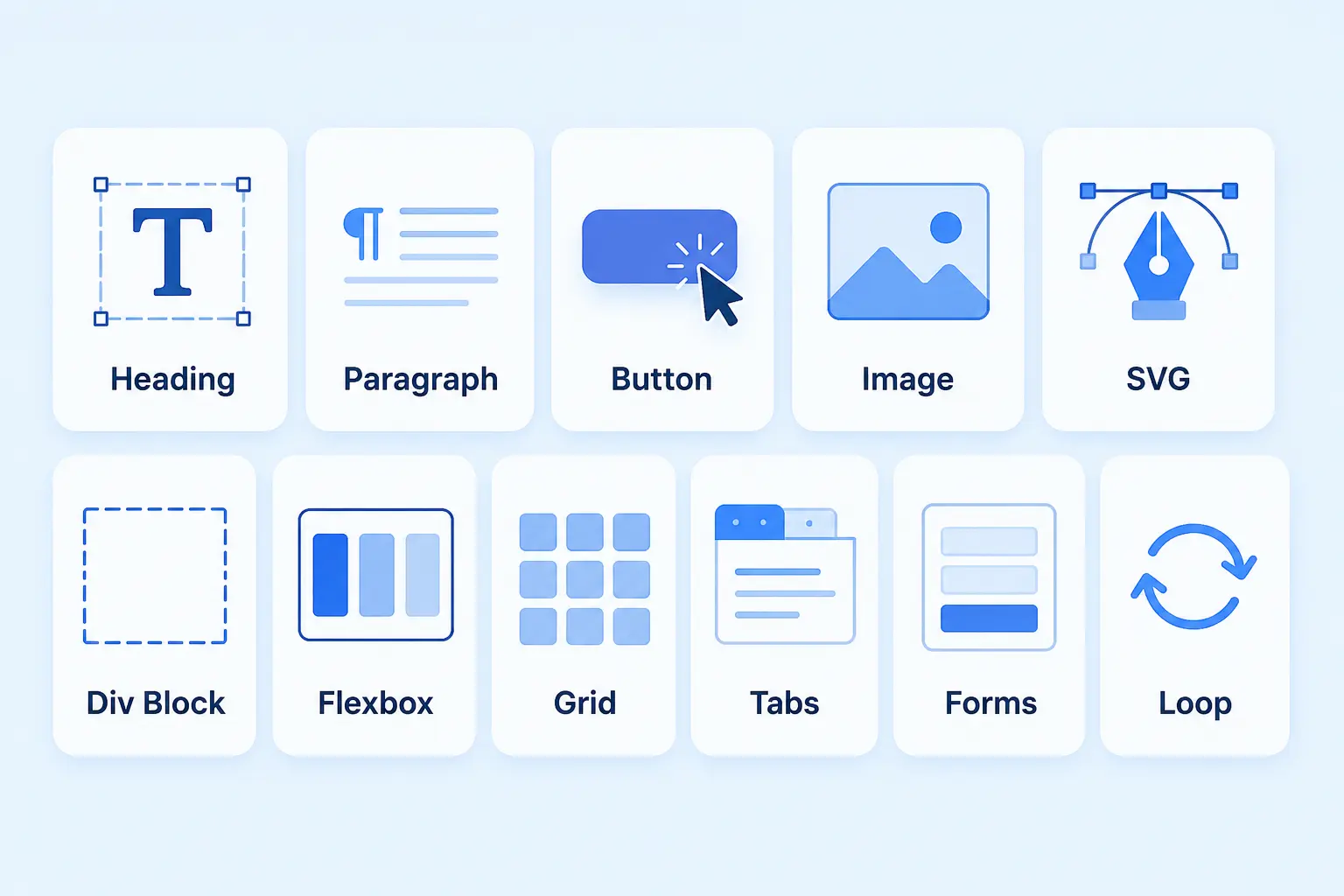
The easiest way to understand Atomic Elements is to think of them as the building blocks of your website, each one has a specific job, but they become much more powerful when combined.
Heading
The Heading element is used for page titles, section headings, product names, blog titles, and other important text. You can choose the appropriate HTML tag, add a link, and control typography, spacing, size, background, and other visual properties from the V4 styling system.
Best for: Hero headlines, section titles, blog headings, product names, and CTA headings.
Tip: Choose the HTML heading level based on the content hierarchy rather than choosing a tag simply because it looks bigger.
Paragraph
The Paragraph element handles regular website text such as descriptions, supporting copy, introductions, and article content. It keeps text separate from layout elements, while allowing you to control typography, spacing, alignment, and other styles consistently.
Best for: Body content, product descriptions, service details, feature explanations, and supporting text.
Tip: Combine Paragraph elements with Heading and Button elements to create clear, easy-to-scan content sections.
Button
The Button element turns design into action by giving visitors a clear next step. You can add button text and links, customize its size and appearance, and use element states such as hover to create more interactive CTAs.
Best for: “Get Started,” “Buy Now,” “Book a Demo,” “Learn More,” downloads, and other conversion-focused actions.
Tip: Use a clear action-oriented label rather than generic text such as “Click Here.”
Image
The Image element lets you add and customize visual content while controlling its size, alignment, link, resolution, and styling. Because image resolution affects file size, choosing an appropriate resolution can also help avoid unnecessarily heavy pages.
Best for: Hero images, product photos, blog thumbnails, portfolios, testimonials, and promotional sections.
Tip: Use optimized images and appropriate dimensions instead of uploading unnecessarily large files.
SVG
The SVG element is useful when you need scalable vector graphics such as icons, logos, illustrations, or decorative interface elements. SVGs can remain sharp at different sizes, making them particularly useful for responsive designs and lightweight visual details.
Best for: Icons, logos, arrows, custom illustrations, UI graphics, and decorative shapes.
Tip: Use SVGs when scalability and crisp rendering matter, but make sure externally sourced SVG files are trusted and properly sanitized.
Div Block
Think of the Div Block as a flexible structural wrapper. It doesn’t exist primarily to display content; instead, it gives you a simple space to group elements, organize layouts, apply styling, or create custom structures.
Best for: Content groups, cards, overlays, custom sections, nested layouts, and reusable design structures.
For example, you could place a Heading, Paragraph, and Button inside a Div Block and style the group as a single visual unit.
Tip: Use Div Blocks to create logical structure without adding unnecessary layers to your page.
Flexbox
The Flexbox element is designed for arranging elements along flexible rows or columns. You can control direction, alignment, spacing, sizing, and positioning, making it especially useful for responsive layouts and precise component arrangements.
Best for: Navigation bars, hero sections, card layouts, button groups, split sections, and responsive content arrangements.
For example, a hero section could use a horizontal Flexbox with text on one side and an image on the other, then switch to a vertical arrangement on smaller screens.
Tip: Use Flexbox when your layout mainly follows a one-dimensional flow, row or column.
Grid
The Grid element brings CSS Grid directly into the Atomic Editor, giving you greater control over rows, columns, gaps, and the placement of individual elements. It is particularly useful when you need a structured two-dimensional layout rather than a simple row-or-column arrangement.
Best for: Product grids, image galleries, feature cards, portfolio layouts, dashboards, and complex content sections.
You can also control how individual children span grid columns or rows, while Dense auto-placement can help fill gaps created by differently sized items.
Simple rule:
Flexbox = arrange things in a row or column.
Grid = control rows and columns together.
Tabs
The Tabs element lets you organize multiple content groups inside a compact interactive interface. Visitors can switch between tabs to reveal different content without requiring every section to occupy space on the page at the same time.
Best for: FAQs, product features, service categories, pricing information, location details, and grouped content.
Each tab can contain additional elements such as headings, paragraphs, images, and other content, giving you more flexibility than simply displaying separate blocks of text.
Tip: Use Tabs when content belongs to the same category but doesn’t need to be visible simultaneously.
Forms
Elementor V4 introduces an Atomic Forms approach where individual form fields become building blocks rather than being locked inside one large widget configuration. Fields such as labels, inputs, textareas, checkboxes, and submit buttons can be arranged directly within the form structure and styled through the unified V4 system.
This gives you greater control over the form’s visual structure and allows you to combine fields with other elements, including text, icons, images, and layout containers.
Best for: Contact forms, newsletter signups, lead-generation forms, registration forms, and service inquiries.
Tip: Keep forms simple and focused, every unnecessary field can create friction for the visitor.
Loop
The Atomic Loop is designed for dynamic, repeatable content. Instead of manually designing every post or product card, you create one Loop Item, connect it to dynamic content, and let Elementor repeat that design across the items returned by your query.
An Atomic Loop has three key parts:
- Loop: Defines the content query, such as posts or products.
- Loop Layout: Controls how the repeated items are arranged.
- Loop Item: Defines the design that will be repeated.
Best for: Blog archives, WooCommerce products, portfolios, news listings, and other dynamic content.
The Atomic Loop also supports pagination, including standard page reload and Ajax-based navigation, and can integrate with Classes and Variables for consistent styling.
- Tip: Design one strong Loop Item first, then let the system handle the repetition instead of creating every card manually.
That is the core idea behind the Atomic workflow: start with simple building blocks, combine them into meaningful structures, and use reusable design rules to keep the entire elementor v4 website templates consistent.
Elementor V4 Components
Components are one of the biggest features introduced in Elementor V4. They allow users to create reusable design structures with controlled editing capabilities.
A component can include:
- Images
- Headings
- Buttons
- Lists
- Containers
- Entire sections
Once converted into a component, you can expose only specific editable properties such as:
- Image
- Title
- Button text
- Links
- List items
Everything else stays locked.
This is extremely valuable for client projects because clients can update content without accidentally breaking the design.
Elementor v4 components also allow global updates. If multiple pages use the same component, updating the design once automatically updates every instance across the entire elementor v4 website templates.
This makes Elementor V4 components feel much closer to modern frontend frameworks and professional design systems.
Variables and Classes in Elementor V4
Variables and Classes are one of the biggest improvements in the Elementor V4 Atomic Editor.
They introduce a modern design system that helps users build websites faster while keeping everything more organized and consistent.
Variable
Variables work as reusable design values for colors, typography, spacing, padding, border radius, and font sizes.
Instead of manually entering the same styles again and again, you can create them once and reuse them across the entire website. If you update a variable later, every connected element updates automatically.
Classes
Elementor v4 classes work together with Variables by allowing reusable styles to be applied to multiple elements at once. A single class can contain typography, spacing, colors, hover effects, and responsive settings.
This removes repetitive styling work and makes large websites much easier to manage.
Together, Variables and Classes create a more scalable workflow where websites stay cleaner, more consistent, and easier to update over time.
Elementor V4 Atomic Elements at a Glance
Elementor V4 Atomic Elements provide the core building blocks for creating websites within the new Atomic Editor. Each element is designed to work with reusable Classes, Variables, and Components, making layouts more consistent, scalable, and easier to manage.
| Atomic Element | Purpose | Best Use |
|---|---|---|
| Heading | Text headings | Page titles & sections |
| Paragraph | Body copy | Content sections |
| Button | Calls to action | CTAs |
| Image | Visual content | Photos & graphics |
| Div Block | Flexible structure | Custom layouts |
| Flexbox | Flexible layout | Rows & columns |
| Grid | Grid layouts | Cards & galleries |
| Tabs | Tabbed content | FAQs & feature sections |
| Loop | Dynamic content | Posts & products |
| Form | Lead capture | Contact & marketing |
- Want to know more about Atomic Elements ? Read out our blog guide – What Is Elementor V4 Atomic Editor?
What’s New in Elementor 4.2 : Meet Atomic Grid & Atomic Loop
Elementor 4.2 expands the Atomic Editor with Atomic Grid and Atomic Loop, giving users more flexible ways to create structured layouts and dynamic content.
- Atomic Grid: Build responsive, grid-based layouts with greater control over columns, rows, gaps, and positioning. It’s especially useful for creating card layouts, galleries, product grids, and complex page sections without relying on multiple nested containers.
- Atomic Loop: Create reusable layouts for dynamic and repeated content, such as blog posts, products, or custom content. Instead of designing each item separately, you can create one loop structure and let Elementor apply it across your content.
- Why it matters: Grid improves how you structure layouts, while Loop makes repeated and dynamic content easier to design and manage making the Atomic workflow more powerful for modern WordPress websites.
Elementor V4 vs Elementor V3: What’s Changed?
Elementor V4 introduces a major shift in how websites are built and styled. While Elementor V3 primarily revolves around widgets, containers, and individual styling controls, V4 moves toward a more systematic approach based on Atomic Elements, Variables, Classes, and Components.
The goal isn’t simply to add more features. Elementor V4 is designed to make elementor v4 website templates faster to build, easier to maintain, and more consistent at scale.
Here’s a closer look at what has changed.
Difference between Elementor V3 vs V4
| Feature | Elementor V3 | Elementor V4 |
|---|---|---|
| Building approach | Widget-based | Atomic Element-based |
| Styling | Mostly element-specific | Classes and Variables |
| Design systems | More manual | Built around reusable systems |
| Reusable layouts | Elementor v4 templates and widgets | Components |
| Typography & colors | Global settings + individual controls | Variables and reusable Classes |
| Layout | Containers and Flexbox | Containers, Flexbox, Grid and Atomic layout tools |
| Markup | Can include more nested wrappers | Designed for cleaner HTML structure |
| Responsive design | Element-level controls | More systematic responsive styling |
| Repeated styling | Often requires manual updates | Update shared Classes or Variables |
| Large websites | Can require more maintenance | Designed for scalable workflows |
Benefits of Atomic Elements
Elementor V4 Atomic Elements are designed to make website building more organized, reusable, and scalable. Instead of repeatedly styling individual elements, you can create a connected design system that saves time and keeps your website consistent.
- Build Faster with Reusable Styles – Use elementor v4 classes and variables to apply the same styling across multiple elements instead of making repetitive changes.
- Maintain Design Consistency – Keep colors, typography, spacing, and other design values consistent throughout your website with centralized Variables and Classes.
- Create More Scalable Websites – Atomic Elements provide a structured foundation that becomes especially valuable as your website grows from a few pages to dozens or hundreds.
- Reduce Repetitive Work – Update a shared Class or Variable once and apply the change across every connected element.
- Create Reusable Components – Build commonly used elementor v4 sections or layouts once and reuse them across different pages without starting from scratch.
- Improve Layout Flexibility – Elements such as Flexbox and Grid give you greater control over responsive layouts and complex page structures.
- Simplify Website Maintenance – A systematic styling approach makes future design updates easier, faster, and less error-prone.
- Support Cleaner Website Structure – V4’s Atomic approach is designed to reduce unnecessary markup and create a more streamlined page structure.
- Scale Design Systems More Easily – Agencies and freelancers can establish repeatable design patterns that make client websites easier to manage and expand.
How to Enable Elementor V4 Atomic Editor
To enable Elementor V4, go to WordPress Dashboard → Elementor → Editor → Settings → Atomic Editor and activate the V4 experience. Once enabled, you can start using Atomic Elements alongside your existing Elementor workflow.
Limitations to Know on Elementor V4 Atomic Elements
Elementor V4 brings a more modern and systematic way to build websites, but it’s still evolving. Before switching completely, it’s worth understanding a few limitations so you can plan your workflow accordingly.
V4 Is Still Evolving
Elementor V4 continues to introduce new features and improvements. This means some workflows may change over time as the Atomic Editor develops.
Some Features Differ From Legacy Widgets
Atomic Elements don’t always work or behave exactly like traditional Elementor widgets. If you’re moving from V3, you may need a little time to adjust to the new structure and styling approach.
Older Addons May Not Fully Support V4
Third-party elementor v4 atomic addon built around the legacy widget system may not immediately support the Atomic architecture. Before migrating, check whether the addons your website depends on are compatible with elementor V4 editor.
V3 and V4 Can Coexist
You don’t necessarily have to switch everything at once. Existing V3 content and newer V4 Atomic Elements can work alongside each other, allowing you to adopt the new workflow gradually.
Migration Doesn’t Mean Rebuilding Everything
Moving toward V4 doesn’t automatically require rebuilding your entire website from scratch. A gradual approach lets you introduce Atomic Elements where they make the most sense while keeping existing content intact.
Features Can Change Between Releases
Because V4 is actively developing, feature availability and workflows can change between releases. Always check the latest Elementor documentation and release notes before making major changes to an existing site.
- Bottom line: Elementor V4 offers a promising new workflow, but a gradual transition is often the safest approach, especially for websites that rely heavily on third-party elementor v4 compatible addons or legacy elementor v4 widgets.
Who Should Use Elementor V4 Atomic Elements?
Elementor V4 Atomic Elements are particularly useful for anyone who wants to build websites with a more structured, reusable, and scalable workflow. While beginners can benefit from the cleaner approach, the biggest advantages become clear when working on larger or frequently updated websites.
Freelancers Building Client Websites
Freelancers can use Atomic Elements to create reusable styles and components across client projects. Classes, Variables, and Components make it easier to maintain design consistency and apply future changes without manually editing every element.
WordPress Agencies Managing Multiple Projects
For agencies, consistency and efficiency matter. Atomic Elements can help teams create repeatable design systems, reusable layouts, and standardized styling across large websites, reducing repetitive work during development and maintenance.
Designers Who Want a Consistent Design System
If you frequently work with brand colors, typography, spacing, and reusable UI patterns, V4’s Variables and Classes provide a more organized way to manage these design decisions. A single update can be reflected across multiple connected elements.
Developers Building Scalable Websites
Developers can benefit from Elementor V4’s focus on cleaner structures and reusable components. Instead of repeatedly recreating the same layouts and styles, they can build a more systematic foundation that is easier to maintain as the website grows.
Beginners Learning Elementor V4
V4 can also be a good starting point for beginners who want to learn a modern, system-based approach to website building. Rather than developing habits around repetitive styling, beginners can learn to use Elements, Classes, Variables, and Components from the start.
Best for Growing Websites
The real value of Atomic Elements becomes more noticeable as a website grows. If you are managing multiple pages, repeated layouts, or frequent design updates, Elementor V4 can help make the workflow more organized, consistent, and easier to scale.
Final Thoughts
Elementor V4 is more than a visual upgrade, it introduces a more systematic and scalable way to build WordPress websites.
With Atomic Elements, Classes, Variables, and Components, you can move beyond repetitive styling and create a more consistent design system. The addition of Atomic Grid and Atomic Loop in Elementor 4.2 further expands what you can build, from flexible layouts to dynamic content.
While V4 is still evolving and may require some adjustment for existing websites, its gradual adoption makes the transition easier. Whether you’re a freelancer, agency, designer, or developer, Elementor V4 offers a smarter foundation for creating websites that are easier to build, maintain, and scale.
FAQs
Elementor V4 Atomic Elements are lightweight, flexible building blocks designed for creating websites with a more structured and reusable workflow. They work with elementor v4 classes, Variables, and Components to make styling and layouts more consistent.
The Atomic Editor is Elementor V4’s new website-building environment, built around Atomic Elements and a standardized styling system. It replaces much of the traditional widget-by-widget approach with reusable design-system features such as Classes and Variables.
Elementor V3 primarily uses individual widgets with Content, Style, and Advanced controls, while V4 introduces Atomic Elements with standardized styling, Classes, Variables, and more responsive controls. V4 is designed to make website creation more consistent and scalable.
Atomic Elements aren’t simply a replacement for every legacy widget; they introduce a different, more systematic way to build and style websites. They can be particularly beneficial when you need reusable styles, consistent design systems, and scalable layouts.
Yes, Elementor allows V3 widgets and V4 Atomic Elements to work together on the same page and website. Elementor also provides ways to sync certain Atomic Variables with classic Global Colors and Fonts to help bridge both workflows.
Elementor V4 is designed with performance improvements such as a cleaner, more streamlined structure and reduced bloat in mind. However, actual website speed depends on the entire site, including existing content, plugins, assets, hosting, and other performance factors.
Yes, existing websites can adopt V4 gradually rather than rebuilding everything from scratch. Elementor allows V3 and V4 workflows to coexist, making it possible to introduce Atomic Elements as you update or expand a site.
Elementor 4.2 introduced major Atomic Editor additions including CSS Grid and Atomic Loop, both designed to work natively with Classes, Variables, and Components. It also brought improvements to Atomic Forms, accessibility, performance, and overall stability.
Elementor V4 is not a separate paid product or subscription, and the core Elementor Editor remains free. Elementor Pro continues to provide its existing advanced capabilities under the Pro subscription.
 Built Natively for Elementor V4
Put the Atomic workflow into practice.
Start your next Elementor V4 project with ready-made website and section templates. Customize your pages with Atomic Widgets, then add GSAP motion where it helps explain your content or guide an interaction.
- 40+Atomic Widgets
- 30+Website Templates
- 500+Section Templates
- 20+Extensions


Leave a Reply