

Black Friday+2x sites This week only: 2x sites on every Pro plan. Ends 28 Nov. See plans2x sites until 28 NovAgency Bundle $449 $1,499 Agency Bundle$1,499 $449 Ends in Getthe deal
Classic Elementor widget · Free

Typewriter Widget for Elementor: A heading that types itself, word after word

Write a fixed phrase, add a list of words and this Elementor typewriter widget types each word letter by letter, holds it, deletes it and moves to the next, in a loop. It is an Elementor typing effect for hero headings, free in Animation Addons.

  • Free widget on WordPress.org
  • Auto typing loop
  • Fixed phrase plus changing word
  • Line color setting

Classic widget · Elementor 3 and 4Updated

Live demos

Every typing heading, live

Three headings on small sites: a building firm, a motion studio and a freelance designer. Each one types on its own while it is on screen. Press Replay to start it again from the first word.

Halden BuildProjectsServicesContact
Builders since 1994

We construct your dream house, office, hospital

Homes, workplaces and clinics, planned and built by one team from the first drawing to the last key.

Hero headline

Hero headline with a changing word

The services page of a building firm. "We construct your dream" stays still while the last word types in as house, office or hospital, waits, then deletes. A thin line blinks at the end. It is a simple Elementor changing text headline.

Watch the loop

Type We construct your dream in Non-Animated Text. Add house, office and hospital as items in Animated Text List. Keep HTML Tag on H2 and set Text Color to white.


Arolax®WorkStudioContact
Motion studio

Hello, From, Arolax

Brand films, interface motion and the odd experiment, made by four people in one room.

Greeting

A greeting typed in three words

The home page of a motion studio. There is no fixed phrase, so the heading is only the typed list: Hello, From, Arolax. The text is white and the blinking line is orange. This is an Elementor typing text animation without any other text.

Press Replay

Leave Non-Animated Text empty and list Hello, From and Arolax in Animated Text List. In the Style tab, set Text Color to white and Line Color to orange.

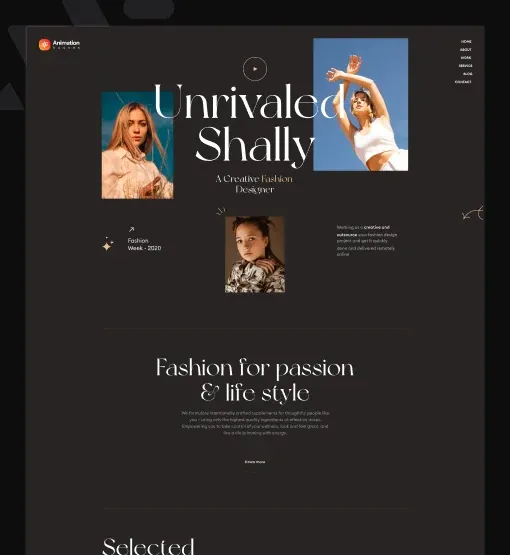
Mara LindqvistWorkAboutContact

A Web DESIGNER, DEVELOPER, PROGRAMMER

Mara
Lindqvist

Based in Gothenburg. I design and build fast, calm websites for small studios and shops.

Portrait of a web designer with long fair hair, in a field of dry grass
Portfolio intro

Job title line on a portfolio

The home page of a freelance web designer. A small uppercase line above her name types Designer, Developer and Programmer in turn. The text and the line share the same sand color.

Watch the role change

Type A Web in Non-Animated Text and list DESIGNER, DEVELOPER and PROGRAMMER in Animated Text List. In the Style tab, set Typography to 30 px with weight 600 and pick a sand Text Color.

Features

Key features of the Typewriter

What the widget does in the plugin, each feature tied to a real setting.

Types, holds and deletes

Each word is typed one letter at a time, held for two seconds, then deleted letter by letter. This is the Elementor text typing effect people expect from a typewriter, and an Elementor typewriter animation that loops on its own.

A fixed phrase plus a changing word

Put the part that stays in Non-Animated Text and the part that changes in the Animated Text List. The two read as one heading.

Any number of words

Add as many items as you need in the Animated Text List, one Text each. The widget loops through them in order and starts again.

A blinking line

The typing heading ends in a blinking line. It follows Text Color unless you choose a Line Color.

Full text styling

Set the Text Color, Typography, Text Stroke and Text Shadow in the Style tab.

The right HTML tag

Choose HTML Tag H1 to H6, div or p, so an Elementor typewriter heading can still be your page title.

Alignment per device

The Alignment control is responsive: left, center, right or justify on desktop, tablet and mobile.

Ready for translation

The list texts are registered for WPML, so each word can be translated on a multilingual site. Non-Animated Text also accepts dynamic tags.

Step by step

How to add a typewriter effect in Elementor

Five steps, no code. The bold names are the labels in the Elementor panel.

  1. Install Animation Addons for Elementor from WordPress.org and turn on the Typewriter Widget under Animation Addons, Elements.

  2. Drag Typewriter into your section and type the fixed part of the heading in Non-Animated Text.

  3. Open the Animated Text List and edit the items, or add new ones. Each item is one word or phrase that will be typed.

  4. Choose the HTML Tag and the Alignment, for example H1 and Center for a hero.

  5. Open the Style tab and set the Text Color, Typography and Line Color, then publish.

Try Animation Addons Free on WordPress.org · Works with Elementor Free
FAQ

Questions about the Typewriter

How do I add a typewriter effect in Elementor?

Add the Typewriter Widget from Animation Addons, type a fixed phrase in Non-Animated Text and list the words to type in the Animated Text List. The effect starts on its own.

Is the Typewriter widget free?

Yes. It is a free Elementor typewriter effect, part of the Animation Addons for Elementor plugin on WordPress.org. You do not need Elementor Pro or Animation Addons Pro.

Can I change the typing speed?

No. The widget has no speed setting. It types one letter every 0.15 seconds, waits two seconds and deletes at the same pace.

Does the typing animation loop?

Yes. After the last word in the list, it goes back to the first one and keeps going. There is no setting to stop the loop.

How do I change the blinking line color?

Open the Style tab and set Line Color. Without it, the line takes the Text Color, so it always matches the heading.

Can I use it as an H1 heading?

Yes. HTML Tag offers H1 to H6, div and p, with H2 as the default. Use H1 once per page for the main title.

Can I use only animated words?

Yes. Leave Non-Animated Text empty and the heading is only the typed list, as in the Hello From Arolax demo above.

Does it work in Elementor 4?

Yes. It is a classic widget, so Elementor 4 lists it with the legacy widgets and it keeps working on pages built with Elementor 3 or 4.

Animation Addons Pro · Elementor 4

Headlines that type themselves

A free typing effect for hero headings, taglines and job titles in Elementor.

Black Friday dealup to 50% off every Pro planEnds 10 Dec

  • 15-day money-back guarantee
  • Rated 4.6 / 5 on WordPress.org
  • No Elementor Pro needed
  • Elementor 3 & 4 in one license