

V4 Early Bird: up to 25% off Annual, up to 30% off Lifetime, and 2x site activations on every plan. Ends Oct 17.V4 Early Bird: up to 30% off + 2x sites · ends Oct 17. See plans →
Classic Elementor widget · Free

Animated Text for Elementor: Paragraphs that move letter by letter, word by word or line by line

Write your copy in the Animated Text widget, an Elementor animated text widget for whole paragraphs, then choose how it arrives. It works as an Elementor animated paragraph. The free Starter Animations add an Elementor typewriter effect, a mask wipe or flying letters. With Animation Addons Pro, Elementor text animation works by letter, word or line, on scroll, on click or in step with the scroll bar.

  • Free on WordPress.org
  • Free typewriter effect
  • 5 Pro text effects
  • Scroll-linked text

Classic widget · Elementor 3 and 4Updated

Live demos

Every text effect, live

Five text animation effects (Pro) on five small sites, each with a click version, a scroll version and a version tied to the scroll bar, plus the free Starter Animations. Press Play, switch the chips, or scroll slowly past a demo.

Arolax®WorkJournalContact
Journal · 12 min read

Motion that helps people read

Good motion is quiet. When an intro arrives letter by letter, it tells the reader where to start and then gets out of the way. We save it for case study intros, launch notes and the first lines of a long read. Everything else stays still, so the moments that move still mean something.

Character animation

A short note from the studio: we keep type animation for the first lines of a story, and nothing else.
Scroll slowly and this paragraph builds itself as you go. Scroll back and it comes apart again, because it follows the scroll bar instead of a clock.

Play With Scroll

Scroll the page slowly. The text follows the scroll bar, and scrolling back takes it apart.

Article intro

Article intro, letter by letter

The opening paragraph of a design journal article. Each letter slides in and fades up, a hundredth of a second after the one before. The side note plays when you press Play, and the last paragraph follows your scroll.

Press Play, switch X and Y

Open Text Animation and set Animation to Character. Set Transform-X to 20 (or Transform-Y for the other chip), Duration to 0.7 and Stagger to 0.01, then choose the Trigger.


Maison FormeProjectsJournalContact
Journal · From the studio

We listen to the room first

We start every home with a slow walk through each room. Where does the light land at nine, and where at four? Which corner does everyone avoid? The plan comes later. First we listen to the space, then to the people who live in it, and only then do we choose a single colour.

Word animation

A note from the studio: we walk every room twice before we draw a single line.
Scroll down and the words fall into place one by one. Stop halfway and the sentence waits for you to carry on.

Play With Scroll

Scroll the page slowly. The text follows the scroll bar, and scrolling back takes it apart.

Studio note

Studio note, word by word

A note from an interior design studio. Whole words glide in one after another, which reads faster than letters and suits a longer paragraph.

Press Play, switch X and Y

Set Animation to Word, Transform-X to 20, Duration to 0.7 and Stagger to 0.01. Use Trigger On Scroll for the main text and On Click for the side note.

NorthlightFilmsAboutFestival
About the studio

Short films about long journeys

Northlight is a small film studio on the coast. We make short documentaries about ferries, lighthouses and the people who keep them running. Most of our films are under thirty minutes, shot over a single season, and shown first in the town where they were made.

Text move animation

Our next film follows a lighthouse keeper through one winter on the coast.
Lines tip forward into place as you scroll, one after another, and fold away again when you scroll back up.

Play With Scroll

Scroll the page slowly. The text follows the scroll bar, and scrolling back takes it apart.

About page

About page, lines turn in

The about page of a small film studio. Each line turns into place from 80 degrees back, like a card turning over on a table, on the X or the Y axis.

Press Play, switch X and Y

Set Animation to Text Move, Rotation Direction to X or Y, Rotation Value to -80 and transformOrigin to top center -50.

HaldenProductStoryPricing
Our story

Why we built Halden

Halden started as a spreadsheet three founders shared to plan their week. It grew tabs, then formulas, then a colour code nobody else could read. So we rebuilt it as a calm planner for small teams, with one shared week and nothing to set up.

Text reveal animation

Version 4 adds a shared week view, so a whole team can plan together with nothing to set up.
Scroll to lift each letter out of its word. The words keep their shape while they fill in, so the line never jumps.

Play With Scroll

Scroll the page slowly. The text follows the scroll bar, and scrolling back takes it apart.

Company story

Company story, letters rise

The story page of a planning app. Letters rise out of each word as if from behind a line, and the layout never shifts while it plays.

Press Play, then scroll

Set Animation to Text Reveal, Duration to 0.7, Stagger to 0.01 and Delay to 0.15.

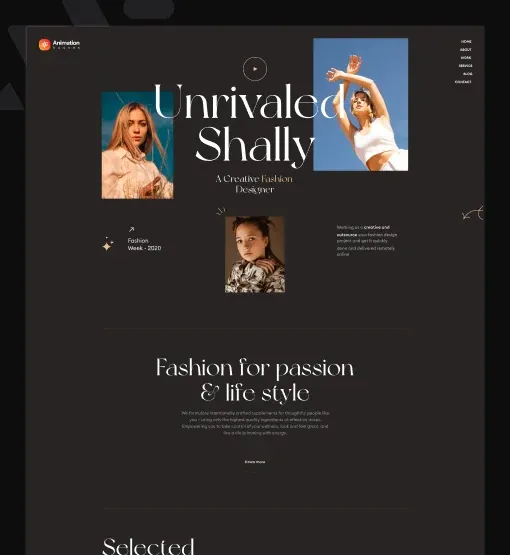
ShallyNew inJournalStores
Journal · Fabric notes

The linen edit, explained

Linen gets softer every time you wash it. That is why our summer pieces are cut a little loose, sewn with flat seams and finished without any coating. Wear them, wash them and let them crease. By August they will fit you better than they did in May.

Text scale animation

New this season: the linen shirt in three lengths, cut a little looser than before.
Scroll and the text settles into place piece by piece. The back ease gives each piece a small bounce as it lands.

Play With Scroll

Scroll the page slowly. The text follows the scroll bar, and scrolling back takes it apart.

Fashion journal

Journal note, text scales in

A note in a fashion journal. Text shrinks into place from 1.5 times its size, or grows from half size, by lines, words or letters, with a small bounce as each piece lands.

Pick a version, press Play

Set Animation to Text Scale, then choose the scale (1.5 or 0.5) and whether it breaks by lines, words or letters. Keep Duration at 0.7 and Stagger at 0.01.

Sahara FilmsProgrammeFestivalTickets
Film week opens 6 November.
Sand and Light
Twelve films, four nights and one open-air screen at the edge of the dunes. Bring a blanket, we bring the tea.
Tickets on sale now
A man in a blue turban beside a camel, a still from a Sahara Films documentary
Festival page

Festival page, free effects

A film festival page that uses the free effects of the same widget: a typewriter line, letters that spin in, a mask that wipes off a paragraph and a soft glow.

Press Replay

Open Starter Animations and pick an Animation such as Typewriter, Mask Wipe or Character Animation. Then set Duration (ms), Delay (ms) and Easing. Character Animation also has a Character Preset. All of this is free.

Features

What the Animated Text widget does

Every item below is a real setting in the widget panel. No CSS and no code.

Rich text with columns

The Text field is a full editor with Add Media. Split long copy into Columns, up to 10, with a Columns Gap, and set the Alignment. It makes a plain Elementor animated paragraph.

Free typewriter effect

In Starter Animations, pick Typewriter for an Elementor typewriter effect, or Mask Wipe for an Elementor text mask animation. Others are Glow Pulse, Water Wave and Character Animation. Set Duration (ms), Delay (ms) and Easing.

Letter by letter and word by word

With Pro, the Text Animation tab gives you an Elementor letter by letter animation with Character, and an Elementor word by word animation with Word. Each piece comes in from a Transform-X and Transform-Y offset.

Line move and text reveal

Text Move turns each line in on the X or Y axis by a Rotation Value. Text Reveal is an Elementor text reveal animation that lifts letters out of each word.

Text scale with a bounce

Text Scale grows or shrinks the text into place by lines, words or letters, with a back ease that ends in a small bounce.

Five triggers

Set the Trigger to On Scroll, On Page Load, Play With Scroll, On Hover or On Click, with a Trigger Selector for any button.

Timing you control

Set Delay, Duration and Stagger per device. It is enough for Elementor kinetic typography that feels calm or lively.

Real, readable text

The words stay real text in the page HTML, so search engines and screen readers read them as normal copy. Style it with Text Color, Typography, Text Shadow and a link Hover Color.

Step by step

How to animate text in Elementor

Five steps, no code. The bold names are the labels in the Elementor panel.

  1. Install and activate Animation Addons for Elementor from WordPress.org, and check that Animated Text is on in the plugin’s widget list.

  2. Open your page in Elementor, search the panel for Animated Text and drag it onto the page.

  3. Write or paste your copy in Text, then set Columns, Columns Gap and Alignment.

  4. For a free effect, open Starter Animations and pick one, such as Typewriter. With Pro, open Text Animation and choose the Animation and Trigger.

  5. Adjust Delay, Duration and Stagger, check the result on mobile and publish.

Try it free Free on WordPress.org · Works with Elementor Free
FAQ

Questions about Animated Text

How do I animate text in Elementor?

Add the free Animated Text widget from Animation Addons, write your copy and pick an effect. Starter Animations gives free effects such as Typewriter and Mask Wipe. With Animation Addons Pro, the Text Animation tab animates each letter, word or line. No code is needed.

Is there a free Elementor text animation?

Yes. For an Elementor text animation free of charge, use the Animated Text widget and its Starter Animations from WordPress.org. They work with Elementor Free. You get Typewriter, Mask Wipe, Glow Pulse, Water Wave and Character Animation without paying.

Which Animated Text effects need Pro?

The Text Animation tab needs Animation Addons Pro: Character, Word, Text Move, Text Reveal and Text Scale, with their triggers. They are the effects in the first five demos above.

How do I make an Elementor typewriter effect?

Set Starter Animations to Typewriter and the line types itself in over the Duration you set. It is free and suits one short line. For words that type, delete and change in a headline, use the Typewriter widget.

How do I animate text letter by letter?

With Animation Addons Pro, open Text Animation and set Animation to Character, or to Word for word by word. Then set Transform-X or Transform-Y, Duration and Stagger.

Can it rotate words like Animated Headline?

No. Animated Text animates the whole block of text. For rotating words, use the Typewriter widget from Animation Addons, or the Animated Headline widget in Elementor Pro.

What does Play With Scroll do?

It links the animation to the scroll bar instead of a timer. The text builds as the block moves up the screen, and comes apart again when the visitor scrolls back.

Can a button play the text animation?

Yes. Set Trigger to On Click or On Hover and enter the button’s class or ID in Trigger Selector, like the Play buttons in the demos on this page.

Is animated text bad for SEO?

No. The words stay real text in the page HTML, so search engines and screen readers read them as normal copy. Keep motion on long paragraphs short and subtle so they stay easy to read.

Does Animated Text work in Elementor 4?

Yes. It is a classic widget, so Elementor 4 lists it with the legacy widgets. To animate Elementor 4’s own Heading and Paragraph, use the Text Animation extension.

Animation Addons Pro · Elementor 4

Copy that moves with intent

A free typewriter effect and mask wipe, plus Pro letter, word and line animation for any paragraph.

  • 15-day money-back guarantee
  • Rated 4.6 / 5 on WordPress.org
  • No Elementor Pro needed
  • Elementor 3 & 4 in one license