
 Morning Flow7:00
 Yin Yoga12:30
 Power Vinyasa18:00

 Bhakti yoga
 Hatha yoga
 Vinyasa yoga
 Ashtanga yoga
Full pages
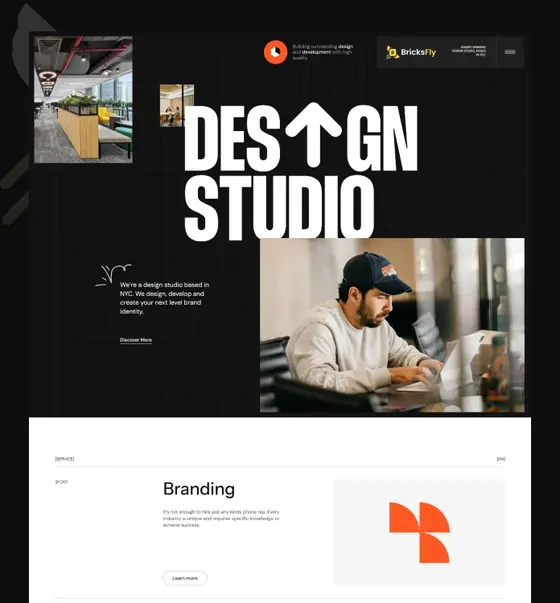
Describe a homepage, landing page or service page and get it built in Elementor, section by section.
See the sectionsConnect your AI to your WordPress site once. Then describe a page, and it builds it from 10,000+ designer-made sections, adds GSAP animation when you ask, and leaves you real Elementor widgets to edit.
Black Friday: up to 50% off every Pro plan until 10 Dec. Buy by 28 Nov and get 2x sites.
Updated · Animation Addons 4.2.23
The short answer
The Animation Addons MCP is a Model Context Protocol connection that lets AI apps such as Claude and ChatGPT build and edit Elementor pages on your WordPress site. The AI uses Animation Addons' 40+ Elementor 4 widgets, 10,000+ section templates and 29 GSAP extensions, and everything it builds stays editable in Elementor.
MCP in plain words: it is a standard way for an AI app to use another tool. Here, the tool is your website. You connect once, then you ask in the chat and the work happens in Elementor. In WordPress it is called AI & Connections, part of Animation Addons Pro.
Key factsAnimation Addons 4.2.23
| Plan | Every Animation Addons Pro plan |
|---|---|
| AI apps | claude.ai, Claude Desktop, ChatGPT |
| Connection | MCP with OAuth sign-in |
| Builds with | 40+ Elementor 4 widgets, 10,000+ sections, 29 GSAP extensions |
| Elementor Pro | Not needed |
| AI usage | Your own Claude or ChatGPT plan, nothing from us |
| Setup time | About 2 minutes |
 How to connect
About 2 minutes, no code and no config files. You sign in on your own site, so no password ever goes into a chat.
What you need
In WordPress, open the Animation Addons dashboard, go to the Extensions tab and switch on AI & Connections.
In claude.ai, Claude Desktop or ChatGPT, add a new connector and type your website address. That is the MCP connection.
The app opens your website. Sign in with your WordPress account and click Approve. No password goes into the chat.
Back in the chat, describe the page, section or animation you want. Your AI builds it in Elementor.
One conversation, four prompts
Import a website, add a page, restyle it and animate it, all by asking. Watch it play, or click a step.
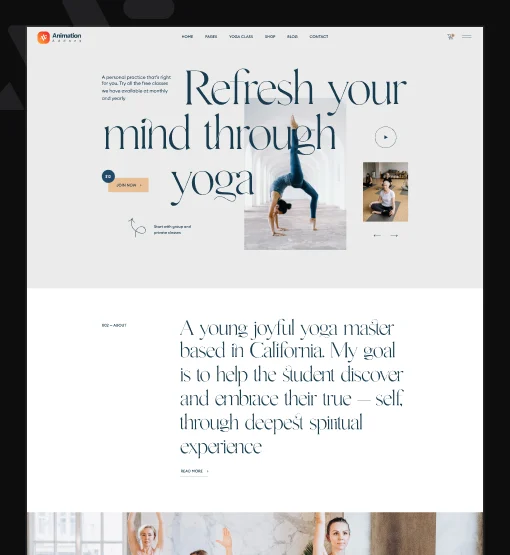
Import the Yoga Trainer starter site.
Add a Pricing page with 3 class packs, in the same style as Home.
Make the headings a clean sans-serif and the brand color sage green.
Animate the title, the paragraph and the hero image.
One prompt imports a complete website from the library, every page included.New pages are built from library sections and match the rest of the site.Fonts and colors live in your Variables, so one change restyles every page.Real GSAP animation on the real elements, editable in the Elementor panel.
Describe a homepage, landing page or service page and get it built in Elementor, section by section.
See the sectionsAsk for every page of a small site in one conversation: home, about, services and contact.
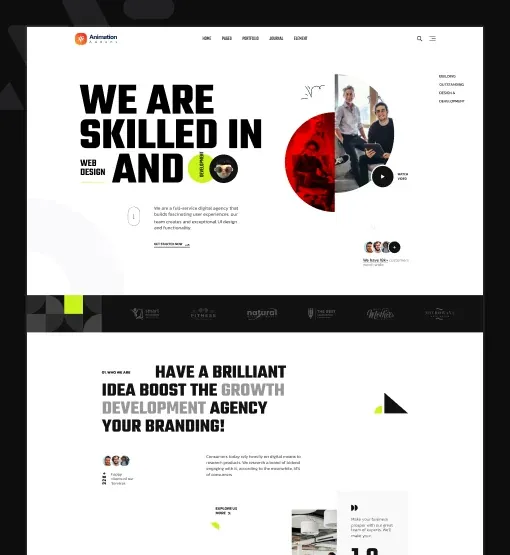
See the website templatesSay "Use a dark agency hero and a 3-column pricing section." Your AI picks from 10,000+ designer-made sections.
Browse 10,000+ sectionsSplit text, image reveal, parallax, pinning, horizontal scroll, stacking cards, SVG drawing, cursor effects, tilt and smooth scroll.
See the 29 extensionsSay "Make the pricing section darker and tighten the spacing." Your AI changes the real widgets and styles.
See the Atomic widgetsOpen a page you built by hand and ask for motion: a pinned section, a headline that splits and rises, a slow parallax.
See Split TextPaste one into Claude or ChatGPT once your site is connected, then change the details to fit your project. Plain words work best: say what goes on the page and how it should move.
Build a homepage for a dental clinic: hero with booking button, 3 services, team, reviews, FAQ, contact form.
Create a SaaS landing page in dark mode with a pricing toggle and a feature grid.
Use the Architecture Studio starter site and change the text for an interior designer in Berlin.
Add a testimonial slider section after the services section.
Make the hero headline split into words and rise on scroll.
Pin the process section and move the 4 steps horizontally as I scroll.
Add a smooth parallax to every image on this page.
Change all buttons to our brand blue and make the headings 10% bigger on mobile.
How the Animation Addons MCP compares with a typical Elementor MCP.
| Compared | A typical Elementor MCP | Animation Addons MCP |
|---|---|---|
| Starting point | A blank page, one widget at a time | 10,000+ designer-made sections |
| Widgets | Core widgets; some need a Pro plan | 40+ native Elementor 4 widgets, plus classic widgets |
| Animation | Not part of most MCP feature lists | Full GSAP: split text, pin, horizontal scroll, parallax |
| Result | Editable structure | Editable structure in your Classes and Variables |
For agencies
Turn a client brief into a first draft in one conversation. Spend your time on the design details and the client, not on dragging widgets. The Agency plan covers 1,000 sites if you buy by 28 Nov.
No AI credits from us. Use your own Claude or ChatGPT plan. Up to 50% off every Pro plan until 10 December, and 2x sites if you buy by 28 November.
2 sites 1 site · Your own site or one client
$24.50a year$49
or $51 once $85
10 sites 5 sites · Freelancers with a few clients
$44.50a year$89
or $95.40 once $159
1,000 sites 500 sites · Agencies and high-volume teams
$79.50a year$159
or $269.40 once $449
FAQ
The Animation Addons MCP is a Model Context Protocol connection between Claude or ChatGPT and your Elementor website. You describe a page in the chat, and your AI builds it with Animation Addons widgets, section templates and GSAP animation. It is part of Animation Addons Pro.
MCP (Model Context Protocol) is an open standard that lets AI apps like Claude and ChatGPT use other software. With the Animation Addons MCP, the other software is your WordPress site, so your AI can build and edit Elementor pages on it.
Install Animation Addons Pro and switch on AI & Connections under the Extensions tab. In claude.ai or Claude Desktop, add a new connector with your website address, then sign in on your site and approve. Claude can then build Elementor pages when you ask.
Install Animation Addons Pro and switch on AI & Connections under the Extensions tab. In ChatGPT, add your website as a new connector, then sign in on your site with your WordPress account and approve. ChatGPT can then build Elementor pages when you ask.
WordPress with Elementor (the free version is enough), Animation Addons Pro on any plan, a Claude or ChatGPT account that can add connectors, and an administrator login for your site to approve the connection once.
The AI Builder is part of Animation Addons Pro and included in every Pro plan: Starter, Professional and Agency. The free Animation Addons plugin does not include it.
No. The Animation Addons MCP works with the free version of Elementor, like the rest of Animation Addons.
Your AI works on the website you connect, with the WordPress account you approve. Keep a backup, try big changes on a staging site first, and review the work in Elementor before you publish it.
Yes. Every section the AI builds is made of normal Elementor widgets with your Classes and Variables. Edit them in the Style tab like anything you built by hand.
The AI Builder builds with Elementor 4 and the Animation Addons Atomic widgets. Your Elementor 3 pages and classic widgets keep working as they are.
Not to Animation Addons. There are no AI credits to buy from us. You use your own Claude or ChatGPT account, so the cost depends on that plan.
More answers on the AI & Connections page · FAQ · Free vs Pro
Elementor MCP · Animation Addons Pro
Get Animation Addons Pro, connect Claude or ChatGPT, and build your next page from 10,000+ sections with real GSAP motion.
Black Friday dealup to 50% off every Pro planEnds 10 Dec