Black Friday+2x sites This week only: 2x sites on every Pro plan. Ends 28 Nov. See plans2x sites until 28 NovAgency Bundle $449 $1,499 Agency Bundle$1,499 $449 Ends in Getthe deal
Classic Elementor widget · Free

Modern Testimonial for Elementor: A testimonial slider and section title in one bordered row

The Elementor Modern Testimonial is a testimonial widget for Elementor that puts a quote mark, a big section title, a rotating client quote and two arrows side by side, split by thin lines. It is a free Elementor testimonial slider with autoplay and loop, so one widget builds the whole client testimonial section.

  • Free on WordPress.org
  • Section title built in
  • Thin-line grid layout
  • Autoplay and arrows

Classic widget · Elementor 3 and 4Updated

Live demos

Modern testimonial sections, live

Three ways to show Elementor client testimonials, each on a small site. Click the arrows or wait for autoplay. The first one has the same layout, 2.5 s slide and 3 s autoplay as the original demo.

Sahara FilmsWorkStudioClients

What our clients say

Lina Haddad
Head of Brand, Northlight
Tomas Reyes
Founder, Maison Forme
Ada Brennan
Marketing Lead, Halden
Yusuf Kaya
Producer, Shally Radio
Studio client quotes

Client quotes on a dark band

The clients page of a film studio. White lines split a dark section into an orange quote mark, an uppercase title, the quote and two stacked arrows. A new quote glides in every 3 seconds.

Wait, or click an arrow

In Section Border, set Color to white. In Slider Options, set Autoplay to Yes with an Autoplay delay of 3000, Animation Speed to 2500 and Navigation to Arrows.

Halden ArchitectsProjectsPracticeClients

Clients on our work

Claire Dumas
Owner, Malepère
Dr. Omar Siddiqui
Director, Medica Clinic
Mia Lorenz
Founder, Arolax
Architect testimonials

Client quotes on a light page

The clients page of an architecture office. Near-black lines on white, grey quotes and a dark name. Autoplay is off, so the quote changes only when a visitor clicks an arrow.

Click the arrows

Leave Section Border on its default Color. In Slider Options, set Autoplay to No and Animation Speed to 800.

Shally AcademyCoursesMentorsStudents

Student stories

Noor Rahman
Student, Motion Design
Jonas Weber
Freelance designer
Sara Lind
Art Director, Northlight
Course student stories

Student stories in brand colours

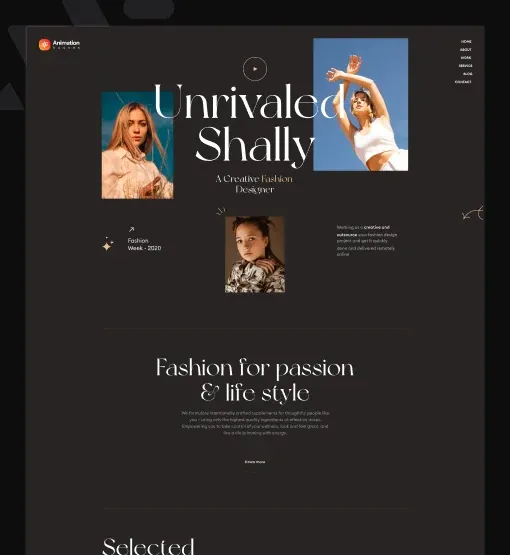
The students page of an online course. Lime lines and arrows sit on deep green, with a round quote icon from an uploaded SVG. A new story slides in every 4 seconds.

Wait, or click an arrow

In Section Border, set Color to the lime and add your SVG in Quote. In Slider Options, set Autoplay delay to 4000 and Animation Speed to 1200.

Features

Key features of the Modern Testimonial

One clean testimonial layout with the settings that matter. Every feature below is a real control in the panel.

A full Elementor testimonial section

One widget gives you the quote icon, the Section Title, the testimonial slider and the arrows, laid out in one row and split by thin lines.

Section title with HTML tag

Write the heading in Section Title and pick its HTML Tag, from H1 to H6, div, span or p, so the section fits your page outline.

An Elementor quote slider

Choose any icon or upload an SVG in Quote, then set Quote Color, Quote Size and padding in the Style tab.

Name, designation and link

Each item in Testimonials has Content, Name, Designation and a Link that turns the name into a link, for example to a case study.

Elementor testimonial autoplay

Set Autoplay, Autoplay delay and a long Animation Speed for a calm glide, keep Loop on, and let Autoplay Interaction stop it after a click.

Arrows, dots or none

Pick Navigation as arrows and dots, arrows, dots or none, swap in your own Previous Arrow Icon and Next Arrow Icon, and set their size and colour.

One colour for every line

The Color control in Section Border recolours the frame, the dividers and the small tick marks in one step, for light or dark sections.

Style every text

Colour, typography, text shadow and padding for the section title, content, name and designation, plus Wrapper Padding for each slide, Slides to Show per device and Space Between.

Step by step

How to add testimonials in Elementor

Five steps, no code. The bold names are the labels in the Elementor panel.

  1. Install and activate Animation Addons for Elementor from WordPress.org, and turn on Modern Testimonial under Widgets.

  2. Open your page in Elementor, search the panel for Modern Testimonial and drag it onto the page.

  3. Write the Section Title, pick its HTML Tag, then fill each item in Testimonials: Content, Name and Designation.

  4. In Slider Options, set Autoplay, Autoplay delay, Animation Speed and Navigation.

  5. Set the line colour in Section Border, style the title, content and arrows, check the layout on mobile and publish.

Try Animation Addons Free on WordPress.org · Works with Elementor Free
FAQ

Questions about the Modern Testimonial

How do I add testimonials in Elementor?

Install the free Animation Addons plugin, drag the Modern Testimonial widget onto your page, write the Section Title and add your testimonials. The quote icon, title, slider and arrows are laid out for you, so you do not need extra columns or widgets.

Is this a free Elementor testimonial widget?

Yes. It is part of the free Animation Addons plugin on WordPress.org and works with Elementor Free and Elementor Pro.

Is it an Elementor testimonial carousel?

Yes. The testimonials slide in a loop, with arrows or dots, an Animation Speed you set and optional autoplay.

Can it work as an Elementor customer reviews slider?

For text reviews, yes: content, name and designation. There are no client photos or star ratings. Use the Classic Testimonial for a large photo, or the Advanced Testimonial for photos and star ratings.

Which testimonial widget should I choose?

Pick Modern for a headline-led, text-first section. Pick Classic for one review at a time with a big photo. Pick Advanced for review cards, several per view and star ratings.

Can I change the colour of the lines?

Yes. The Color control in Section Border sets the outer lines, the dividers and the small tick marks at once, so the layout works on light and dark sections.

How do I make the testimonials slide slowly?

Raise Animation Speed, in milliseconds. The first demo uses 2500 with an Autoplay delay of 3000, which gives a slow, smooth glide. Lower values make the slide quicker.

How do I stop the Elementor testimonial autoplay?

Set Autoplay to No and visitors move through the quotes with the arrows. With Autoplay on, Autoplay Interaction stops the slider after a visitor clicks.

How does the layout look on mobile?

Below 768 px the quote icon and the title share the top row, the testimonial slider takes the full width and the arrows sit in their own row below it.

Does it work in Elementor 4?

Yes. It is a classic widget, so Elementor 4 lists it with the legacy widgets and it works on the same page as atomic elements.

Animation Addons Pro · Elementor 4

Let your clients say it best

A full testimonial section with a headline, a quote mark and a slider, free on Elementor Free.

Black Friday dealup to 50% off every Pro planEnds 10 Dec

  • 15-day money-back guarantee
  • Rated 4.6 / 5 on WordPress.org
  • No Elementor Pro needed
  • Elementor 3 & 4 in one license