Halloween 40% off every Pro plan. Lifetime from $51, pay once.40% off Pro Vanishes in Claim40% off
Classic Elementor widget · Pro

Vertical Marquee for Elementor: Vertical scrolling text and content that never stops

Turn lists, news, reviews and photos into an Elementor vertical text ticker that never stops. It is an Elementor vertical scrolling text effect that also takes images: add your items, choose whether it scrolls up or down, set the speed in seconds and let visitors pause it by hovering. No code and no extra plugin.

  • Vertical text ticker
  • Up or down direction
  • Speed in seconds
  • Pause on hover

Classic widget · Elementor 3 and 4 · ProUpdated

Live demos

Three vertical marquees, live

A review wall for a web studio, a news ticker for a clinic and a photo wall for an interior studio. Every column runs on its own. Hover over the first two to pause them.

Arolax®WorkReviewsContact
Client reviews

What our clients say

Our old site was slow and nobody could edit it. The new build took three weeks and the team now updates pages on their own.

Lena Okafor
Lena OkaforHalden

Clear process, calm communication and a design our clients notice. We have not had to chase anything.

Ines Duarte
Ines DuarteMalepère

We wanted motion without a heavy site. They delivered smooth pages that still score well on speed tests, and our bookings went up the same month.

Priya Nair
Priya NairNorthlight

The handover was careful. Every section is built so we can reuse it for the next campaign.

Karim Haddad
Karim HaddadSahara Films

Honest advice from the first call. They told us what to cut, and the result is simpler and sells better.

Karim Haddad
Karim HaddadSahara Films

A fast, steady team. We launched on the date they promised, with a full set of landing pages.

Priya Nair
Priya NairNorthlight

We moved off an old theme and kept all our content. Nothing broke and the pages feel much lighter.

Lena Okafor
Lena OkaforHalden

Our festival site gets most of its traffic on phones. It has never looked better there.

Ines Duarte
Ines DuarteMalepère

They listened first, then built. Our clinic booking page is now the most visited page on the site.

Ines Duarte
Ines DuarteMalepère

Good taste and good habits. Every page loads fast and reads well on a small screen.

Lena Okafor
Lena OkaforHalden

We hired them for a redesign and they also fixed our content plan. Worth every penny.

Karim Haddad
Karim HaddadSahara Films

Friendly, sharp and on time. We have already booked the next project.

Priya Nair
Priya NairNorthlight
Client reviews

Client reviews on a wall

The reviews page of a web studio. Three columns of dark review cards drift past, the first and third up and the second down, so the wall never sits still. Each card has a quote mark, five stars, the review and a round photo. These are Elementor vertical scrolling testimonials, and the up and down columns make an Elementor testimonial marquee.

Hover a column

Add one marquee for each column. Set Content Type to Save Templates and pick the review card. Set Direction to Forward for columns one and three and Backward for column two, set Duration to 24 and turn on Pause On Hover.


Medica ClinicCareNewsContact
Clinic news

Updates for our patients

Opening hours, new doctors and health weeks, all in one place.

Flu shots now open

Book a ten minute visit at any of our three clinics. No referral needed.

New opening hours at Riverside

Open until 9 pm on weekdays from 1 November.

Paediatric team grows

Two new doctors join the family clinic this month.

Online results are live

Check blood test results in your patient account within a day.

Clinic notices

A news ticker beside the intro

The news page of a clinic. Short notices scroll up beside the intro text and stop while a visitor reads one. This Elementor vertical news ticker uses plain text items.

Hover the list

Set Content Type to Content and add one Paragraph for each notice with +Add Item. Set Direction to Forward, Duration to 16 and turn on Pause On Hover.

Maison FormeProjectsJournalStudio
Selected projects

Rooms that stay calm

Recent homes and rooms from the studio, in one slow moving wall.

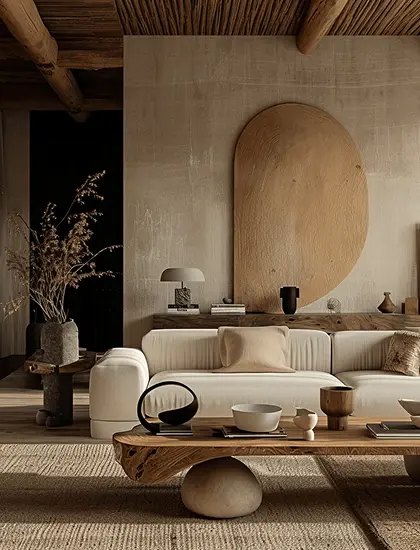
A sunlit living room with a low linen sofaA calm bedroom with a wooden benchA warm lounge with a round wall niche
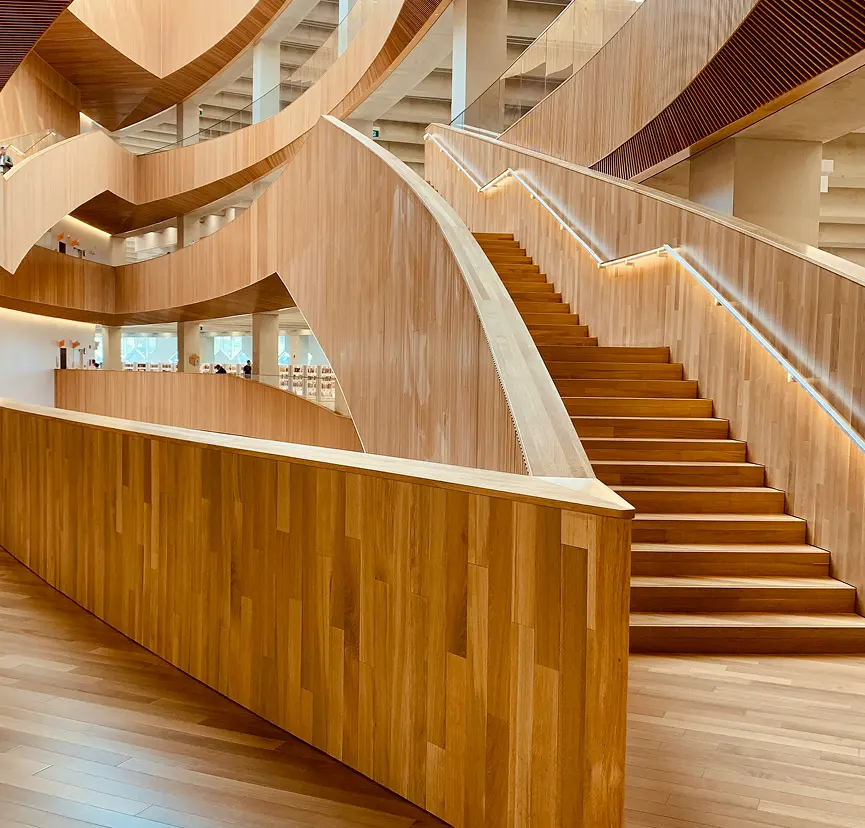
A rattan chair by a windowA wooden spiral staircase in a bright hallA reading corner with shelves and a stool
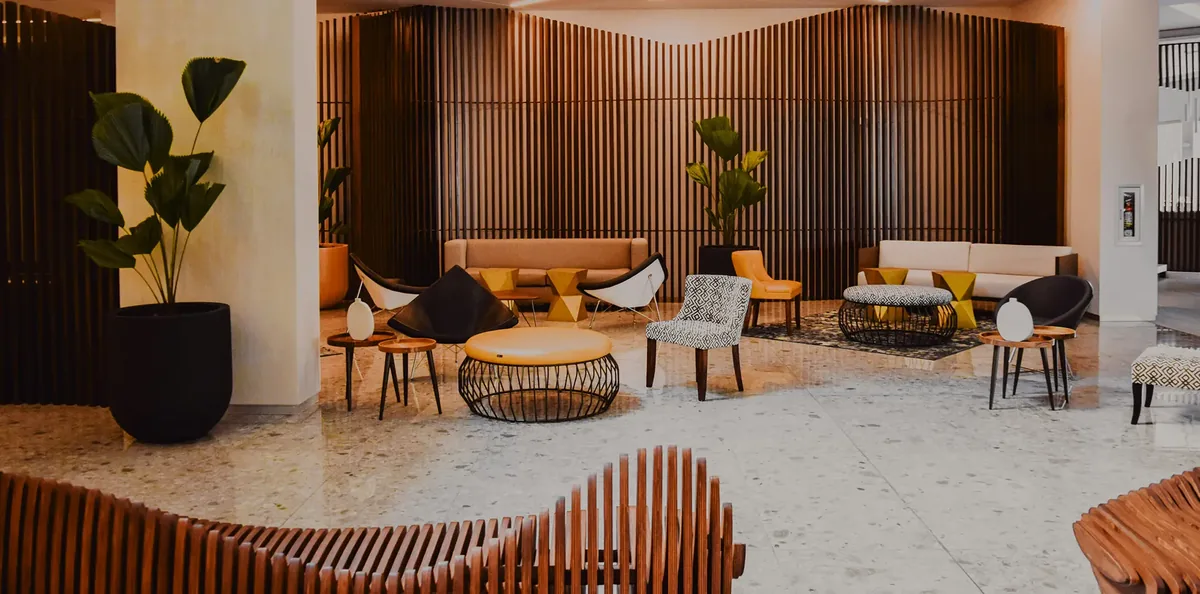
A yellow sofa under a floating staircaseA lounge with wooden slat wallsOpen shelves and a round stool
Project photos

Photo wall of finished rooms

The projects page of an interior studio. Three photo columns drift beside the heading, two up and one down, each at its own speed. It is an Elementor vertical image scroll built from photos.

Watch the columns

Set Content Type to Content and add each photo with Add Media. Use Forward, Backward and Forward for Direction, and 22, 26 and 30 for Duration. Leave Pause On Hover off.

Features

Key features of Vertical Marquee

The five features from the original page, plus the saved template option, each tied to a real setting in the panel.

Content lists

Press +Add Item as often as you like. Lists, updates and announcements scroll in sequence as a vertical text ticker, an Elementor infinite vertical scroll with no jump at the loop.

Customizable direction

Set Direction to Forward to scroll up or Backward to scroll down. Mix both on one page for an Elementor marquee up and down wall.

Adjustable duration

Type the seconds in Duration. A lower number scrolls faster and a higher number scrolls slower.

Pause on hover

Turn on Pause On Hover for an Elementor marquee pause on hover: the marquee stops while the pointer is over it, so people can read each item.

Multiple marquees per page

Every widget runs on its own, with its own items, direction and duration. The original page runs four side by side.

Text, images or saved templates

In Content Type pick Content to use Paragraph and Add Media, or Saved Templates to scroll a full Elementor design.

Step by step

How to add a vertical marquee in Elementor

Five steps. The bold names are the labels in the Elementor panel.

  1. Install Animation Addons Pro, then turn on Vertical Marquee under Widgets, Advanced.

  2. In Elementor, search the panel for Vertical Marquee and drag it onto the page.

  3. Choose Content Type, then press +Add Item and fill each item with a Paragraph, an image from Add Media or a saved template.

  4. Open Settings and set Direction to Forward or Backward and Duration to your speed.

  5. Turn on Pause On Hover if you want visitors to stop the scroll, then preview the page.

Get Animation Addons Pro Part of Animation Addons Pro · Works with Elementor Free
FAQ

Questions about Vertical Marquee

What is the Vertical Marquee widget for Elementor?

It is a Pro widget from Animation Addons that scrolls text, images or a saved template up or down in an endless loop. You add items, set the Direction and Duration, and it runs as a vertical text ticker.

Is Vertical Marquee free or Pro?

The Elementor vertical marquee widget is Pro. It is part of Animation Addons Pro and works with Elementor Free. You do not need Elementor Pro.

Can the content scroll up and down?

Yes. Direction offers Forward and Backward. Forward scrolls the content up and Backward scrolls it down. You can use both on one page.

How do I change the scroll speed?

Set Duration to the number of seconds you want. A smaller number is faster and a larger number is slower. The motion stays linear.

Can visitors pause the marquee?

Yes. Turn on Pause On Hover and the scroll stops while the pointer is over the marquee and restarts when it leaves.

What can I put inside the marquee?

In Content Type choose Content to add text with Paragraph and images with Add Media, or choose Saved Templates to scroll any saved Elementor design, such as a review card.

Can I use more than one marquee on a page?

Yes. Each widget runs on its own with its own items, direction and duration. The original demo page uses four marquees at once.

Does it work in Elementor 4?

Yes. It is a classic widget, so Elementor 4 lists it with the legacy widgets and it works on the same page as atomic elements.

Animation Addons Pro · Elementor 4

Keep content moving, in your design

A vertical scrolling ticker for text, reviews and photos, built in Elementor.

Halloween deal40% off every Pro planEnds 5 Nov

  • 15-day money-back guarantee
  • Rated 4.6 / 5 on WordPress.org
  • No Elementor Pro needed
  • Elementor 3 & 4 in one license