


 Login
Login


Animations have become a core part of modern web design. From subtle hover effects to complex scroll-based storytelling, animations can guide users’ attention to improve user experience. But when it comes to building animated websites, one question keeps coming up: should you use Webflow or WordPress?
Both platforms can deliver visually rich, interactive websites. Webflow is known for its powerful built-in visual animation tools, while WordPress offers extensive flexibility through plugins, custom code, and advanced animation libraries.
In this article, we will compare Webflow and WordPress, exploring their features, flexibility, performance, and overall suitability to determine which platform performs better in 2026.
Overview of Webflow and WordPress
Webflow and WordPress are two widely used platforms for building modern websites. Webflow is a visual website builder that allows designers to create responsive websites using a drag-and-drop interface. It is especially popular among designers who want strong visual control without heavy coding.
WordPress, on the other hand, is the world’s most popular open-source content management system (CMS). It powers a large portion of websites on the internet and offers massive flexibility through thousands of themes and plugins. Developers and website owners can easily extend WordPress with tools like page builders, animation plugins, and custom code.
Why Animations Are Important for Modern Websites
Animations play a crucial role in modern web design by making websites more interactive and user-friendly. Instead of presenting static content, animations bring movement and life to a webpage.
Animations make websites more engaging. When visitors see smooth transitions, scroll effects, or interactive elements, they stay longer and explore more. This can directly improve conversions, especially on landing pages and product showcases.
Animations also help with visual storytelling. Designers can use motion to highlight important information or explain complex ideas in a more engaging way. For example, animated charts, interactive infographics, or step-by-step transitions can make content easier to understand.
Webflow Animation Capabilities
Webflow is widely known for its powerful built-in animation system that allows designers to create interactive and visually engaging websites without writing complex code.
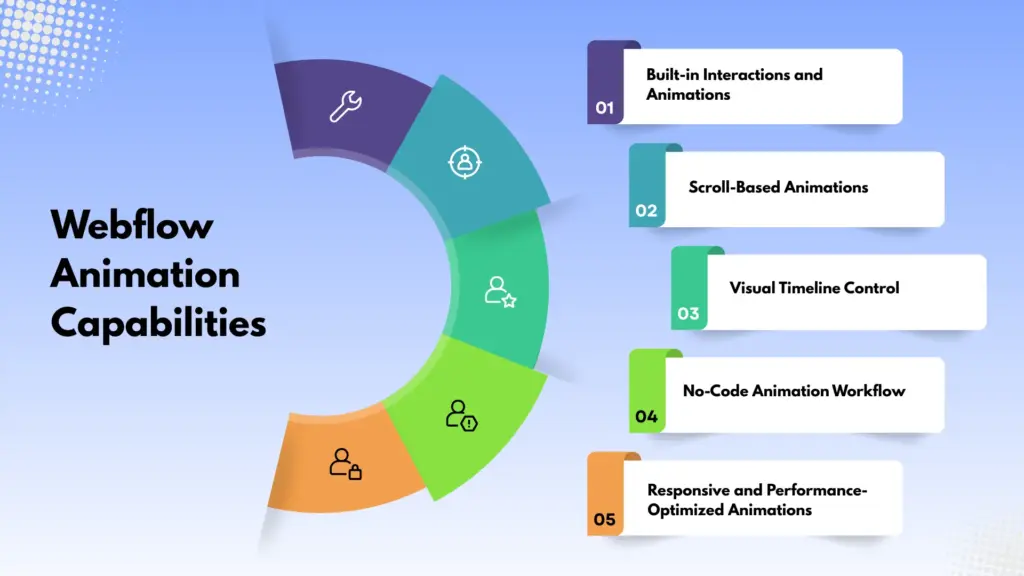
Built-in Interactions and Animations
One of the most powerful features in Webflow is Interactions 2.0 (IX2). This built-in animation engine allows users to create complex animations using a visual timeline editor. Designers can animate elements based on user actions such as clicks, hover effects, page load events, and scrolling.
Scroll-Based Animations
Webflow also provides advanced scroll-triggered and scroll-based animations. These animations activate when users scroll through a webpage, creating dynamic storytelling effects. These are commonly used in modern portfolio websites, landing pages, and creative agency websites.
Visual Timeline Control
Another major advantage of Webflow is its timeline-based animation control. Designers can build animation sequences step by step and control the timing, delays, and duration of each movement. This allows for precise control over how elements appear and interact with users.
No-Code Animation Workflow
Webflow is particularly attractive to designers and non-developers because it offers a no-code approach to animation. Users can design and animate elements visually without needing deep knowledge of JavaScript or CSS animation frameworks. Also, developers can add custom code if needed.
Responsive and Performance-Optimized Animations
Animations created in Webflow are automatically responsive across different devices. It ensures smooth performance on desktop, tablet, and mobile screens. Webflow also optimizes animations to reduce unnecessary code and maintain good website performance.
WordPress Animation Capabilities
WordPress offers extensive possibilities for creating animations, mainly through its vast ecosystem of plugins, page builders, and custom development options.
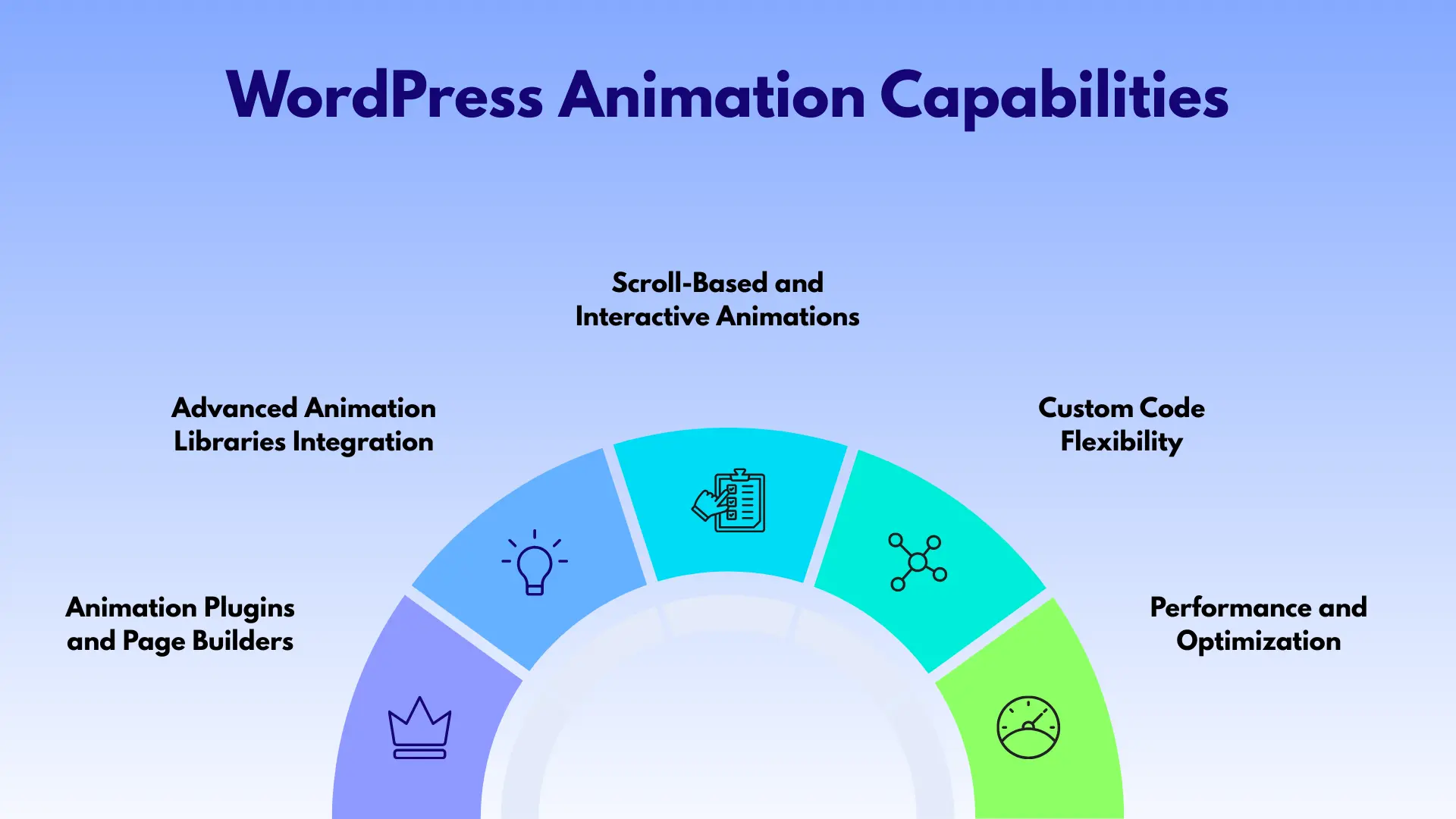
Animation Plugins and Page Builders
One of the easiest ways to add animations in WordPress is through page builders and animation plugins. Popular page builders like Elementor, Gutenberg add-ons include built-in animation effects such as fade-in, zoom, slide, and hover animations. Additionally, there are specialized animation plugins that provide advanced motion effects, interactive elements, and dynamic transitions.
Advanced Animation Libraries Integration
WordPress also supports integration with powerful animation libraries such as GSAP (GreenSock Animation Platform), Lottie, and CSS animations. Developers can use these tools to create highly customized animations, including scroll-triggered effects, complex timelines, and interactive motion graphics.
Scroll-Based and Interactive Animations
Modern WordPress animation tools allow designers to implement scroll-triggered animations, parallax effects, and interactive user experiences. Elements can animate when they enter the viewport, creating smooth transitions and engaging storytelling. Scroll-based animations are particularly useful for product showcases, service sections, and portfolio displays.
Custom Code Flexibility
One of the biggest advantages of WordPress is its open-source flexibility. Developers can write custom CSS, JavaScript, or integrate external animation frameworks to achieve unique motion effects. This allows complete control over how animations behave and interact with other website elements.
Performance and Optimization
Although WordPress supports advanced animations, performance depends heavily on how animations are implemented. However, with proper optimization and lightweight animation libraries, WordPress can deliver smooth and responsive animations across different devices.
Which Platform Is Better for Different Users
Choosing between Webflow and WordPress for animations often depends on the type of user and the specific goals of the website project. Designers, developers, and website owners may prefer different platforms based on their technical skills, workflow preferences, and animation requirements.
Best for Designers and Creative Agencies
Webflow is often the preferred choice for designers and creative agencies who want strong visual control without relying heavily on coding. Its built-in animation tools and visual editor allow designers to create interactive layouts directly within the platform. Designers can quickly prototype and launch visually rich websites without needing external plugins or complex development processes.
Best for Developers and Advanced Animation Projects
WordPress is generally better suited for developers and advanced animation projects that require deep customization. Because WordPress supports custom code and powerful animation libraries like GSAP and CSS animations, developers can create highly sophisticated motion effects and interactive experiences. This flexibility makes WordPress ideal for large-scale websites that require integration with multiple third-party tools.
Best for Businesses and Content-Focused Websites
For business websites, blogs, and content-driven platforms, WordPress often has an advantage due to its powerful content management system and vast plugin ecosystem. Businesses can easily manage large amounts of content while still incorporating animations through page builders and plugins.
Pros and Cons of Webflow for Animations
Webflow has become a popular platform for creating visually rich and animated websites. However, like any platform, Webflow has both advantages and limitations when it comes to animations.
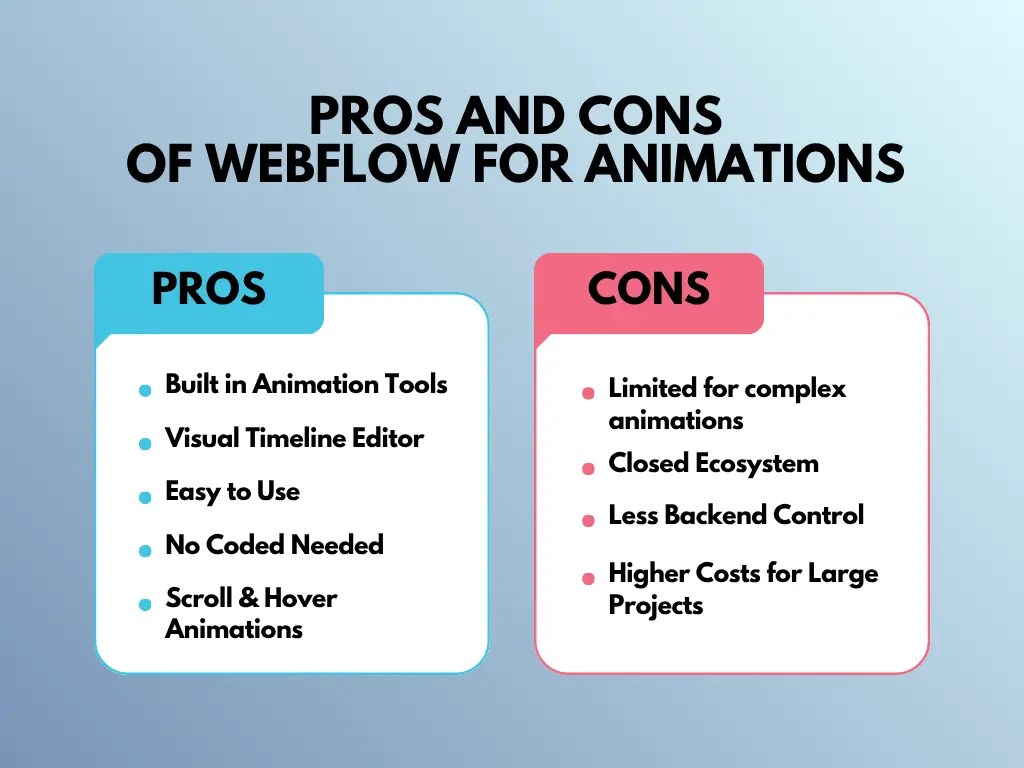
Pros of Webflow for Animations
One of the biggest advantages of Webflow is its built-in animation and interaction system. Designers can create complex animations using the visual Interactions panel without writing JavaScript or CSS.
Another major benefit is the visual timeline editor, which allows users to control animation sequences, delays, durations, and triggers in an intuitive interface. This helps designers quickly prototype and refine animations directly within the design environment.
Webflow also supports scroll-based animations and interactive elements, which are commonly used in modern landing pages and storytelling websites. Additionally, since animations are integrated into the platform, there is less reliance on third-party plugins, which can help maintain cleaner code and better performance.
Cons of Webflow for Animations
Despite its powerful visual tools, Webflow can have limitations for highly advanced animations. Developers who want extremely complex motion effects may find the built-in interaction system less flexible compared to custom JavaScript libraries.
Another limitation is that Webflow is a closed ecosystem, meaning users are somewhat restricted to the features provided by the platform. While custom code can be added, deeper backend control is still more limited than in open-source systems.
Pros and Cons of WordPress for Animations
WordPress is one of the most flexible platforms for building animated websites. Its open-source nature and large ecosystem of plugins and development tools make it possible to create everything. However, this flexibility also comes with certain challenges.
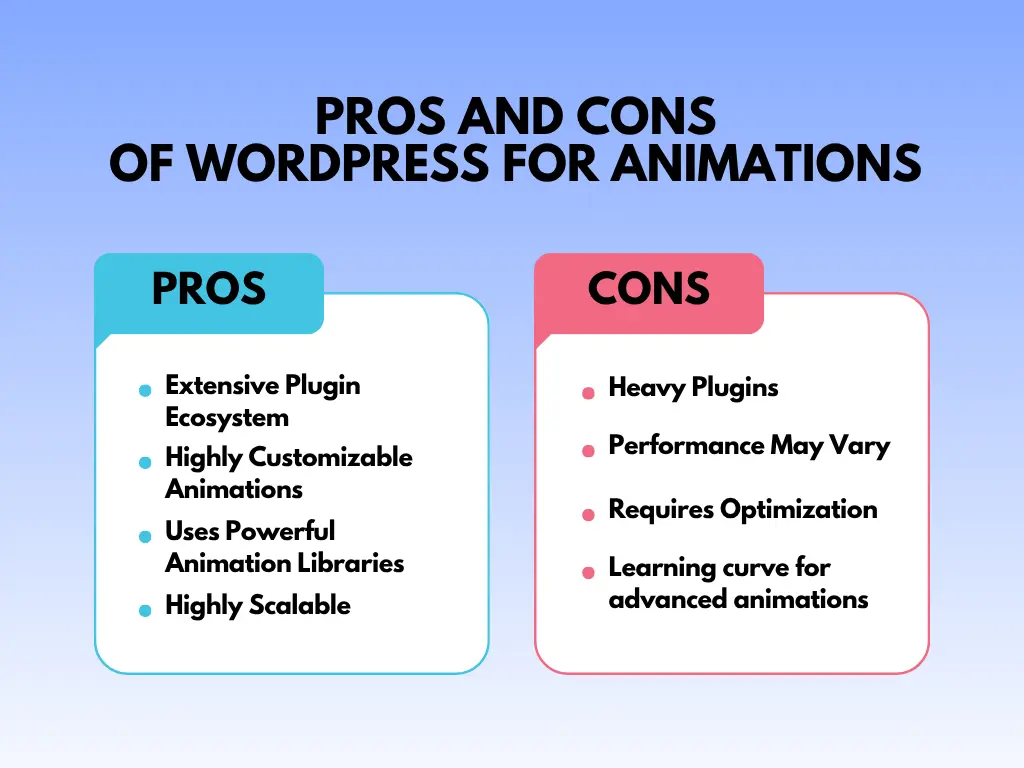
Pros of WordPress for Animations
One of the biggest advantages of WordPress is its extensive plugin ecosystem. Users can easily add animations using page builders and animation plugins without needing to write complex code.
Another major benefit is unlimited customization. Because WordPress allows developers to use custom CSS, JavaScript, and advanced animation libraries such as GSAP or Lottie, it is possible to build highly sophisticated animations. This makes WordPress particularly attractive for developers who want complete control over motion effects and user interactions.
WordPress is also highly scalable, meaning animations can be integrated into small websites, blogs, business platforms, or large enterprise websites.
Cons of WordPress for Animations
Despite its flexibility, WordPress animations often rely heavily on third-party plugins or external libraries. Using too many plugins can increase page size, create conflicts, and potentially slow down the website if not optimized properly.
Another challenge is the learning curve for advanced animations. While basic animations can be added easily with plugins, complex animation projects usually require coding knowledge.
Webflow vs WordPress: Key Differences
| Feature | Webflow | WordPress |
|---|---|---|
| Animation Tools | Built-in interaction and animation system (IX2) | Uses plugins, page builders, or custom code for animations |
| Ease of Use | Visual drag-and-drop interface designed for designers | Depends on themes, plugins, or page builders |
| Customization | Limited to platform features with optional custom code | Highly customizable with CSS, JavaScript, and external libraries |
| Advanced Animations | Good for scroll effects, hover animations, and interactive UI | Supports advanced libraries like GSAP, Lottie, and custom scripts |
| Performance | Optimized built-in system with less plugin dependency | Performance depends on hosting, plugins, and optimization |
| Plugin Ecosystem | Limited compared to WordPress | Huge ecosystem with thousands of plugins |
| Design Control | Strong visual design control without coding | Flexible but often depends on themes and builders |
| Best For | Designers, creative agencies, and interactive landing pages | Developers, businesses, and scalable websites |
Start Adding Animations to Your WordPress Site
If you are building on WordPress and Elementor, you already have access to one of the most powerful animation ecosystems available. Animation Addons for Elementor lets you add professional GSAP animations, scroll effects, and interactive elements without code. The free version includes 30+ site templates and 70+ widgets to get you started right away. Download Animation Addons for free and see what your Elementor website can do with real motion design built in.
Final Verdict: Webflow or WordPress for Animations in 2026?
Choose Webflow if you are a designer or creative agency who wants a fast, all-in-one visual workflow for building polished, animated websites. It is especially effective for landing pages, portfolios, and storytelling sites where design and animation are the main focus.
Choose WordPress if you need flexibility, scalability, or advanced customization. WordPress is the stronger platform for complex projects, content-heavy websites, businesses, and developers who want full control over their animation stack.
For most Elementor users, WordPress with the right animation plugin delivers more value at lower cost, with greater control over both design and functionality.

Leave a Reply