 Login
Login


Choosing the right Elementor addon can change your website completely. Some addons only give you basic widgets. Others let you add animations and interactive effects that grab people’s attention.
So, which one should you choose? There are lots of addons on WordPress, but today we will look at two: Animation Addons and Essential Addons.
Both are popular, but they do different things.
In this article, we will compare their features, how easy they are to use, and design options. By the end, you will know which one works best for your website.
Quick Answer
Animation Addons is the better choice for users who want advanced animations, interactive effects, and greater creative control in Elementor. It includes a GSAP-powered visual animation builder, more than 100 widgets, 25+ extensions, and a large library of ready-made websites, pages, and sections. Essential Addons is a suitable option for users who mainly need additional Elementor widgets and standard website-building features.
Key Takeaways
- Animation Addons is built for advanced motion design. It includes GSAP-powered animations, ScrollTrigger, smooth scrolling, split text, pinning, horizontal scrolling, draggable effects, MorphSVG, MotionPath, and timeline animations.
- Essential Addons focuses on general Elementor functionality. It provides useful widgets for content, WooCommerce, post grids, testimonials, pricing tables, and other standard website elements.
- Animation Addons includes an extensive template library. Users get access to more than 300+ complete websites, 2,000 page templates, and 10,000 section templates.
- Both plugins offer free and premium versions. They also provide drag-and-drop controls, customization options, beginner-friendly interfaces, and performance-focused features.
- Animation Addons works with existing Elementor layouts. You can add animations to current pages without rebuilding the entire design.
What is Animation Addons?
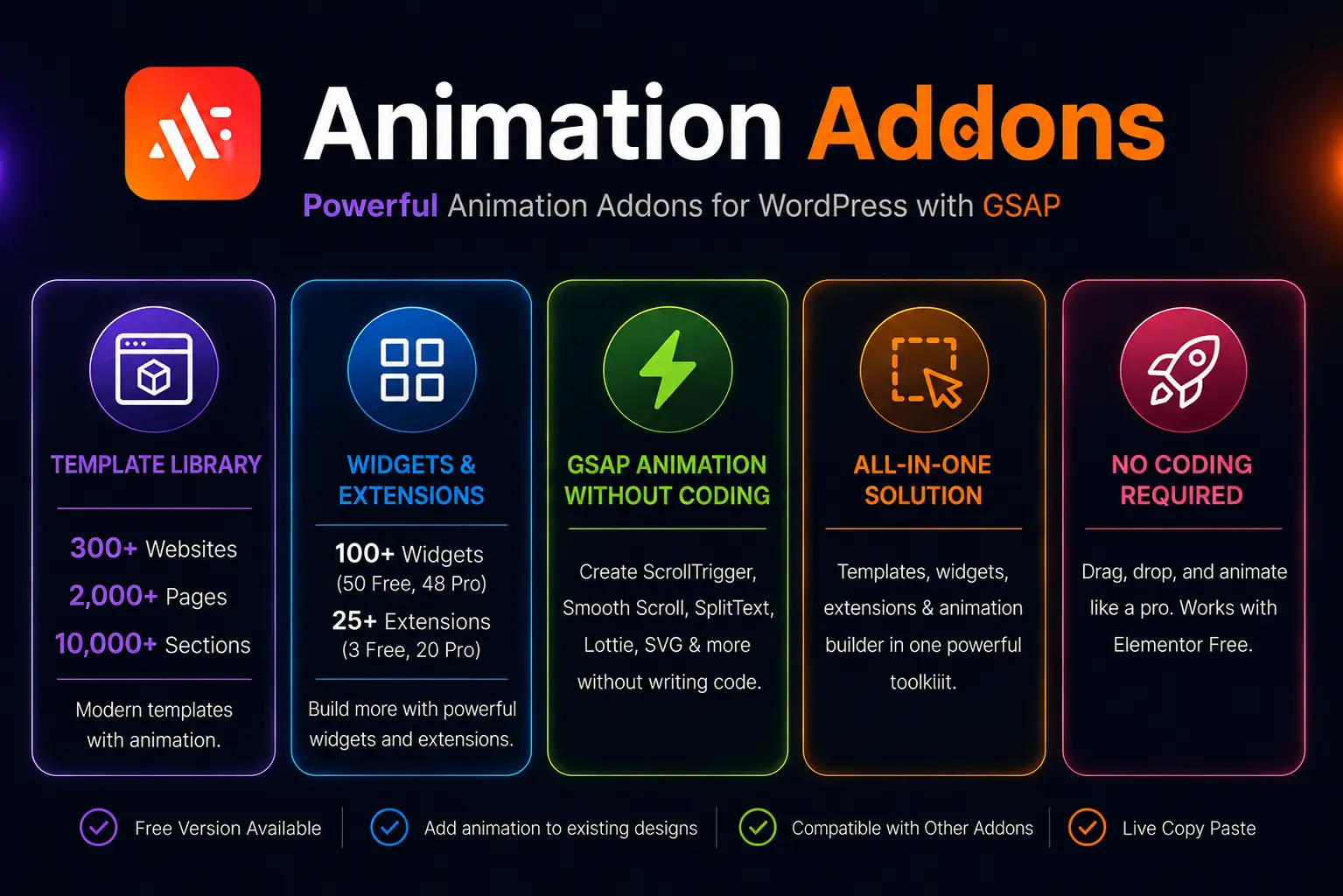
Animation Addons is a next-level animation plugin for WordPress. It helps you add advanced animations to your website without coding. For the first time in WordPress, it brings a full set of animation features to Elementor. This lets you create websites that look alive and interactive.
It comes with a Starter Template library. You get over 300 websites, 2,000 pages, and 10,000 sections, all fully customizable and ready to use with animations.
The plugin has a visual animation builder powered by GSAP. You can control timing, triggers, and easing. You can animate text, images, sections, and full pages. It also supports scroll effects, Lottie animations, DrawSVG, split text, flip effects, pinning, and draggable elements.
In addition, Animation Addons includes over 100 Elementor widgets and 25 Elementor extensions focused on interactive design. It works with Elementor Free and your existing layouts. You can add animations without affecting your site speed.
The drag-and-drop interface is simple and easy for beginners. Designers, freelancers, and agencies can create complex animations quickly. You can also import demo sections or entire pages in one click. This saves time and lets your team deliver professional, polished websites faster.
With Animation Addons, you can create modern, animated websites easily. Your pages will engage visitors and tell stories with motion. All of this is possible without writing a single line of code.
What is Essential Addons for Elementor?
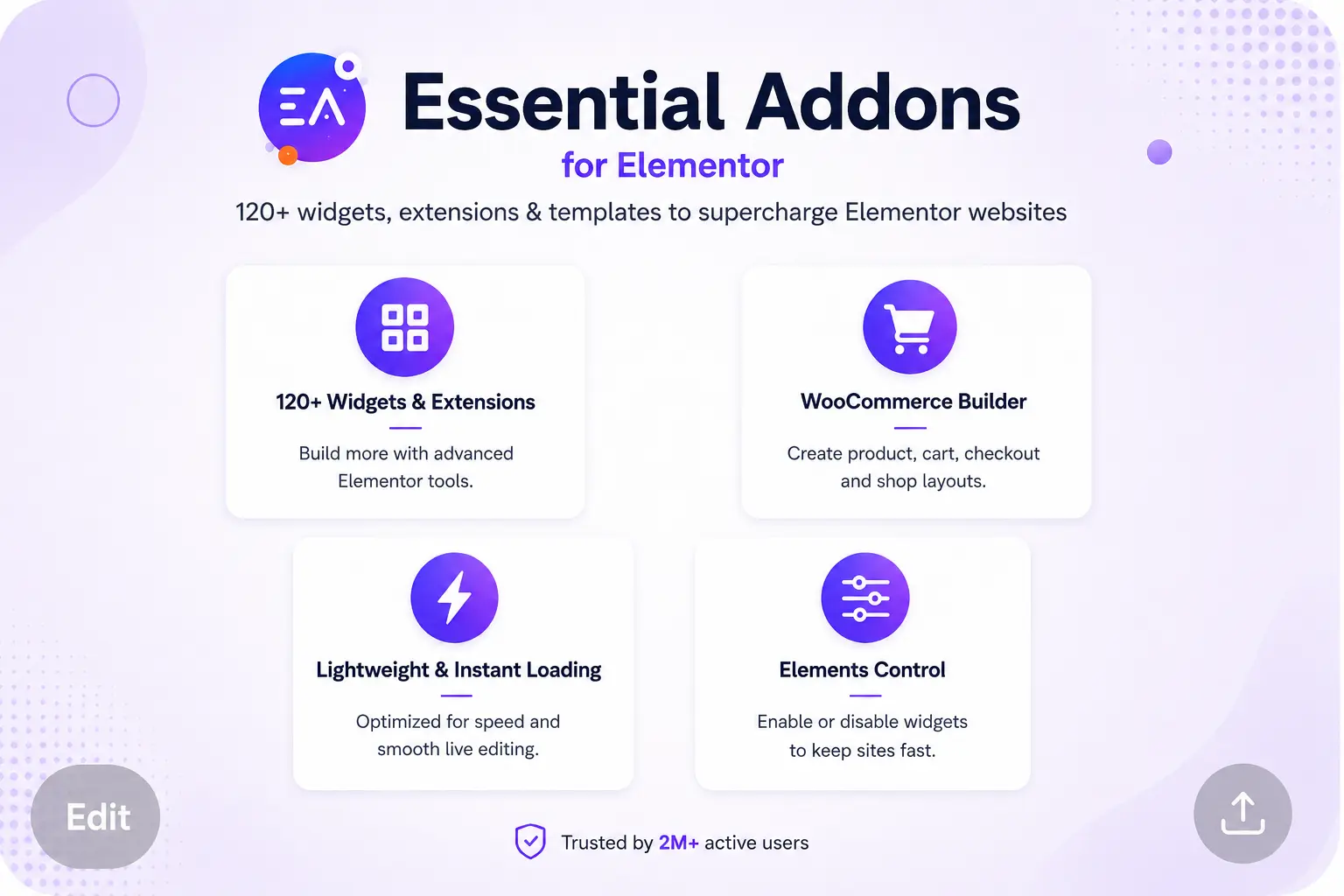
Essential Addons is a plugin that adds more features to Elementor, the popular WordPress page builder.
It includes over 120+ advanced Elementor widgets and elements that you can easily use in Elementor. These include cards, content toggles, pricing tables, countdown timers, and more.
With Essential Addons, you can build attractive and feature-rich websites without any coding. There is a free version with basic widgets and a pro version that gives you more advanced tools for dynamic content, WooCommerce, and custom designs.
Features Comparison Table: Animation Addons vs Essential Addons
| Feature/Category | Animation Addons | Essential Addons |
| Versions | Free, Pro | Free, Pro |
| Template Library | ||
| Prebuilt Websites | ✅300+ sites | ❌ |
| Page Templates | 2,000+ pages | ✅ |
| Section Templates | 10K+ sections | ❌ |
| Preset Animation Library | ✅ | ❌ |
| Widget & Extension | ||
| Total Widgets | 100+(46 free, 54 pro) | 103 (61 Free, 42 Pro) |
| Total Extensions | 25+ (3 Free, 22 Pro) | 18 ( 10 Free, 8 Pro) |
| Animations | ||
| GSAP Integration | ✅ | ❌ |
| ScrollTrigger | ✅ | ❌ |
| Smooth Scrolling | ✅ | ❌ |
| Split Text Animation | ✅ | ❌ |
| Horizontal Scrolling | ✅ | ❌ |
| Pinning Elements | ✅ | ❌ |
| Image Animation | ✅ | ❌ |
| Timeline Animations | ✅ | ❌ |
| Text Reveal & Scramble Text | ✅ | ❌ |
| Flip & Invert Text Effects | ✅ | ❌ |
| Staggered Animations | ✅ | ❌ |
| Tween (from, to, fromTo) | ✅ | ❌ |
| Flip & Invert Text Effects | ✅ | ❌ |
| Typewriter Effect | ✅ | ❌ |
| Draw SVG & Lottie Animations | ✅ | ✅ (Basic Lottie supported, but no GSAP control) |
| MorphSVG | ✅ | ❌ |
| MotionPath Animations | ✅ | ❌ |
| Hover & Cursor-Based Effects | ✅ | ❌ |
| Draggable Animations | ✅ | ❌ |
| Stacked Cards | ✅ | ✅ |
| Feature & Usability | ||
| Custom Post Type Builder | ✅ | ❌ |
| Creative Elements | ✅ | ✅ |
| Add Animation to Existing Layout | ✅ | ❌ |
| Live Copy Paste | ✅ | ✅ (Cross-domain copy-paste) |
| Customization Freedom | ✅ | ✅ |
| Beginner-Friendly | ✅ | ✅ |
| Performance | ✅ | ✅ |
| Creativity for Designers | ✅ | ✅ |
| Drag & Drop UI | ✅ | ✅ |
Which Plugin Is Better for Different Types of Websites?
The right plugin depends on the type of website you’re building.
Choose Animation Addons if you want to build:
- Interactive landing pages
- SaaS websites
- Creative portfolios
- Agency websites
- Product showcase pages
- Storytelling websites with scroll-based animations
Its combination of templates, animation tools, and interactive effects makes it well suited for projects where visual engagement plays an important role.
Pros
- Includes over 100 Elementor widgets and 25+ extensions.
- Large template library with 300+ starter websites, 2,000+ page templates, and 10,000+ sections.
- Visual animation builder powered by GSAP.
- Supports advanced effects like ScrollTrigger, Split Text, Motion Path, DrawSVG, MorphSVG, Timeline Animation, and Draggable Elements.
- Lets you add animations to existing Elementor layouts without rebuilding them.
Cons
- Users looking only for a few extra widgets may not need its full animation toolkit.
Choose Essential Addons if you mainly build:
- Business websites
- Company websites
- WooCommerce stores
- Blogs
- Marketing pages that need additional content widgets
If your workflow revolves around adding more Elementor elements rather than advanced animations, Essential Addons offers many practical components that simplify page building.
Pros
- Easy to install and use.
- Large collection of Elementor widgets.
- Suitable for business websites and WooCommerce projects.
- Free version covers many common use cases.
Cons
- Limited animation capabilities compared to Animation Addons.
- Does not include a visual animation builder.
- No large starter website or section template library in the comparison.
Why Do We Recommend Animation Addons?
For the first time, Animation Addons brings advanced animation tools, Elementor widgets, extensions, and animated templates together in one plugin. It includes a visual GSAP animation builder, 100+ widgets, 25+ extensions, and a large library of ready-made websites, pages, and sections.
You can animate text, images, sections, and full pages using scroll effects, SplitText, Lottie, DrawSVG, Flip, pinning, and draggable elements. The one-click template import also helps you create professional websites faster.
Essential Addons is mainly designed to extend Elementor with functional widgets such as post grids, testimonials, dynamic content, and WooCommerce elements. However, it offers fewer options for advanced motion and interactive animation.
For designers, freelancers, and agencies, Animation Addons is a better choice for creating visually engaging and interactive Elementor websites without custom coding.
Final Thoughts
Animation Addons clearly stand out for building dynamic and engaging websites. It is perfect for anyone who wants advanced animations, interactive effects, and timeline-based motion that make a website more engaging and exciting.
Its drag-and-drop builder, GSAP-powered Animation Builder, and ready-made templates let you animate almost any element, even on existing layouts, without writing a single line of code.
Essential Addons is useful if you need basic widgets to build pages quickly, but it does not offer the same depth of animation or creative control.
In short, choose Animation Addons. It adds stunning animations and interactive effects to your website. Visitors will notice and enjoy every detail. Essential Addons works for basic widgets. But for real animation power and creative designs, Animation Addons is the best choice.
FAQ
Yes. Animation Addons works with Elementor Free and can also be used with existing Elementor layouts.
Based on this comparison, Essential Addons does not include GSAP integration, ScrollTrigger, timeline animations, MorphSVG, MotionPath, or other advanced animation controls available in Animation Addons.
Yes. You can add animations to existing Elementor layouts without rebuilding the pages from scratch.
No. It includes a visual drag-and-drop Animation Builder that lets you create and control animations without writing code.
Yes. You can add animations to existing Elementor layouts without rebuilding the pages from scratch.