Halloween 40% off every Pro plan. Lifetime from $51, pay once.40% off Pro Vanishes in Claim40% off
Classic Elementor widget · Free

Image Box for Elementor: Image cards with a title, text and a button

The Image Box widget is the Elementor image box widget for portfolios, services and image showcase grids. It puts an image, a title, a sub title, a description and a button in one block. Pick one of five styles, place the text beside the image or over it, and add a zoom or move effect on hover.

  • 5 Image Box styles
  • Image overlay text
  • Hover zoom and move
  • Free on WordPress.org

Classic widget · Elementor 3 and 4Updated

Live demos

Seven image box designs, live

Seven ways to use an Elementor image box, each on a small site. Hover the boxes, or tap them on a phone. Rows with a Replay button use a Pro scroll effect.

Agency portfolio

Staggered portfolio image boxes

The work page of a design agency. Six projects sit in two offset columns. Each box is one link, with the project name above a grey line. Every image slides in from the side as it reaches the middle of the frame (Image Animation, Pro).

Scroll inside the frame

In the panel, set Style to Style One, Link Type to Wrapper, Sub Title Position to After Title and Image Animation to Reveal (Pro).

Maison FormeProjectsServicesJournal
How we work

Four steps to a finished room

Plan

Floor Plans

Measured plans for every room, with furniture drawn to scale.

Select

Material Boards

Wood, stone and fabric samples, chosen to work together.

Light

Lighting Design

Daylight studies and lamp plans for every time of day.

Finish

Styling Day

We place the last pieces and photograph the finished room.

Process steps

Image beside the text, with a round button

The services page of an interior studio. Four steps, each with a photo on the left and the text on the right in a thin frame. On hover a round button rises into the middle of the photo and fills dark when you point at it.

Hover an image

In the panel, set Style to Style Two, Direction to Column Reverse, Style (Button) to Circle and Border to 1 px.

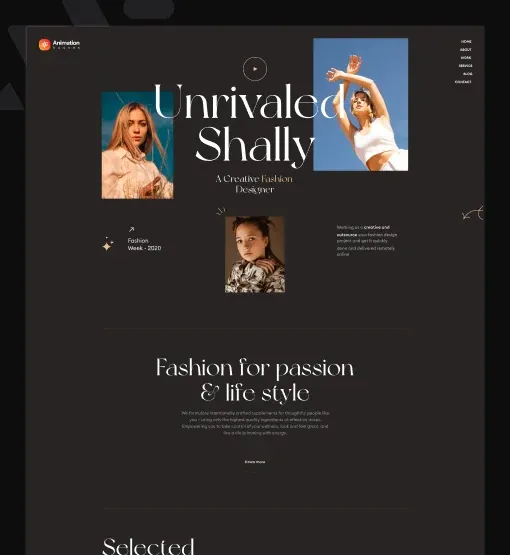
ShallyCollectionsStoriesShop
Stories

Inside the new season

A woman by the sea
Spring Edit

Lookbook

Linen sets and light knits for warm days by the sea.

A woman dancing on a balcony
Motion Shoot

Campaign

A short film for the new collection, shot on the coast.

A close-up beauty portrait
Studio Light

Beauty

Close portraits in the studio with soft light and bold colour.

A woman in a field at sunset
Field Notes

Editorial

Behind the scenes from a week of shoots in the south.

Lookbook cards

Elementor image hover text reveal

The stories page of a fashion label. The sub title sits at the top of each photo. On hover it fades away while the title, a line of text and a Read the story button rise in. The first two images slide in on scroll (Image Animation, Pro). The last two zoom in on hover.

Hover a box

In the panel, set Style to Style Three, Link Type to Button, Hover Effect to Zoom In and Image Animation to Reveal (Pro).

Film posters

Elementor image overlay text with an arrow

The films page of a production company. Each poster is bare until you point at it. Then an arrow, the genre, the title and a line of text rise into place and the image zooms in. The whole poster is one link.

Hover a poster

In the panel, set Style to Style Four, Link Type to Wrapper, Icon to Arrow and Hover Effect to Zoom In.

Halden ArchitectsProjectsPracticeContact
Recent projects

Rooms people like to stay in

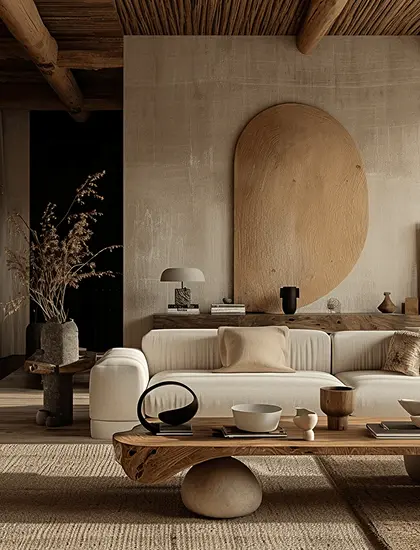
A living room with an arched wall
Residential

Clay House

A calm family home built around one curved wall.

A hotel lounge with timber walls
Hospitality

Oak Hall

A hotel lounge in warm timber and soft light.

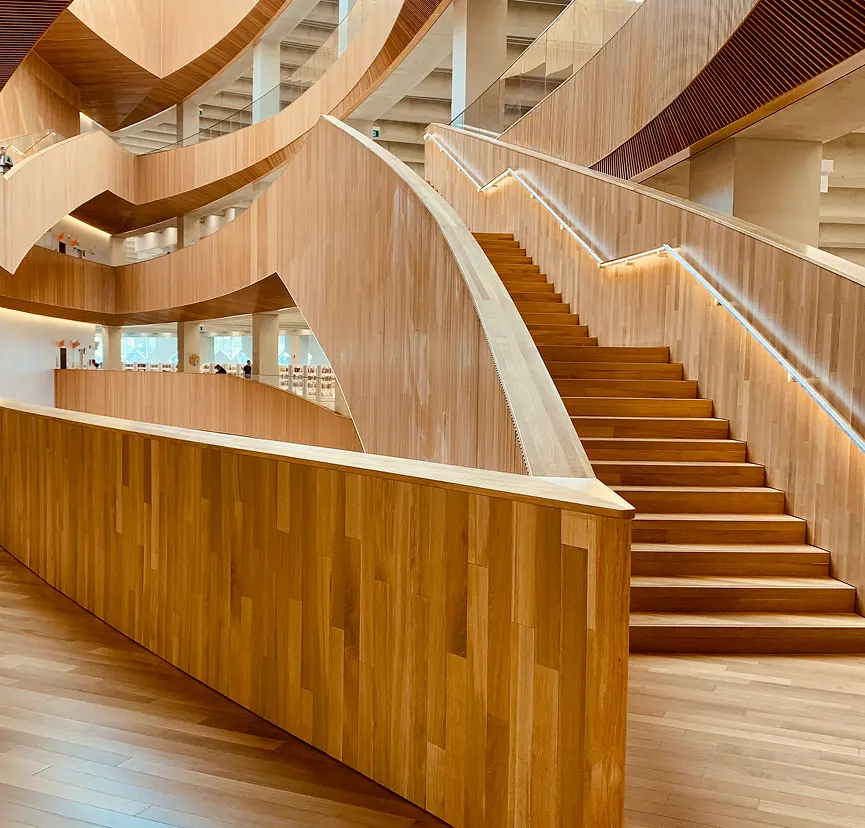
A bright room with an open stair
Interior

Sun Stair

A light-filled stair that joins three floors.

A yellow sofa in a white lounge
Workspace

Garden Room

An open studio with sofas, plants and long views.

Project list

Elementor image zoom on hover

The projects page of an architecture office. The type, name, a line of text and a button stay on the photo at all times, over a soft dark layer. The photo zooms to 110% on hover.

Hover a project

In the panel, set Style to Style Five, Link Type to Button, Style (Button) to Underline and Hover Effect to Zoom In.

Case study grid

White image cards in a grid

The work page of a product design studio. Four white cards in two columns: a wide screenshot, then the project name above a small grey line. Link Type is Wrapper, so the whole card is one Elementor image box link.

Click any card

In the panel, set Style to Style One, Link Type to Wrapper, Gap to 5 px and Alignment to Left.

Mixed card sizes

Large and narrow image boxes together

The case studies page of a marketing agency. Large cards with the title on the photo sit beside narrow cards with the title below. Each card fades up 40 px while its image slides in (Animation tab and Image Animation, both Pro).

Press Replay

In the panel, set Style to Style Four and Style One, Link Type to Wrapper, Sub Title Position to After Title and Image Animation to Reveal (Pro).

Features

Key features of Image Box

What the widget gives you, each tied to a setting in the Elementor panel.

Five Image Box styles

Pick a layout in Style: One and Two show the text with the image, Three, Four and Five lay it over the image.

Elementor image overlay text

Styles Three, Four and Five give you Elementor text over image: the text sits on a soft dark layer, so the box works as an image caption card.

Image hover text reveal

Style Three swaps the sub title for the title, text and button. Style Four raises every line into place. Both make an Elementor image hover text reveal.

Elementor image box hover effect

Set Hover Effect to Zoom In for an Elementor image zoom on hover, or to Zoom Out, Left Move or Right Move. It runs in half a second.

Image beside or above

On styles One and Two, Direction puts the image above, below, left or right of the text, with a Gap.

Button or whole-box link

Link Type adds a button, makes the whole box one link with Wrapper, or turns links off.

Image size control

Set the image Width, Height, Object Fit, Object Position and Border Radius per device.

Title, sub title, text and icon

Write a Title with its Title HTML Tag, a Sub Title before or after it (Sub Title Position), a Description and an optional Icon. Each has its own colour, typography and spacing, so one block works as an Elementor image box with title and description, a photo box or a picture with a caption.

Step by step

How to add an image box in Elementor

Five steps. The bold names are the labels in the Elementor panel.

  1. Install Animation Addons for Elementor, then turn on Image Box in Animation Addons → Elements.

  2. In Elementor, search the panel for the Image Box widget and drag it onto the page.

  3. Choose the Image and Image Resolution, then write the Title, Sub Title and Description.

  4. In Layout, pick a Style, set Link Type and Alignment, and fill in the Button section if you use one.

  5. In the Style tab, set the Hover Effect under Image Box, the image size under Image, and the text under Content.

Try it free Free on WordPress.org · Works with Elementor Free
FAQ

Questions about Image Box

How do I add an image box in Elementor?

Add the Image Box widget, choose an image, and write a title, a sub title and a description. Then pick a Style and a Link Type and style it in the Style tab. No code is needed.

Is the Image Box widget free?

Yes. It is a free Elementor image box addon: part of the free Animation Addons plugin on WordPress.org, and it works with Elementor Free and Elementor Pro.

What are the five Elementor image box styles?

One shows the text under the image. Two shows a button over the image on hover. Three and Four slide the text in on hover. Five keeps the text on the image.

How do I add Elementor text over image?

Use Image Box style Three, Four or Five. The title, sub title and text sit on the image over a soft dark layer, so the box works as Elementor image overlay text.

How do I make an Elementor image box with button?

Set Link Type to Button and fill in the Button section: text, style, icon and link. The button shows under the text, or over the image on style Two.

How do I make an Elementor image box link?

Set Link Type to Wrapper and add a Link, and the whole box becomes one link. Choose Button to link only the button, or None for no link.

Which hover effects does Image Box have?

Hover Effect has Zoom In (to 110%), Zoom Out (to 90%), Left Move and Right Move. Each runs in half a second, or you can choose None.

How do I make the image reveal on scroll?

Use the Image Animation extension of Animation Addons Pro and choose Reveal. The image slides in from a side as it scrolls into view, with the ease you pick.

How is it different from Elementor's Image Box?

Elementor's widget shows an image with a title and text. This one adds five styles, overlay text that slides in, a sub title, a button and a whole-box link.

Does it work in Elementor 4?

Yes. It is a classic widget, so Elementor 4 lists it with the legacy widgets and it works on the same page as atomic elements.

Animation Addons Pro · Elementor 4

Images, titles and text, in one box

Image cards with five styles and hover effects, built and styled in Elementor.

Halloween deal40% off every Pro planEnds 5 Nov

  • 15-day money-back guarantee
  • Rated 4.6 / 5 on WordPress.org
  • No Elementor Pro needed
  • Elementor 3 & 4 in one license