


 Login
Login

On the internet, you may have seen many ways to build a portfolio website. However, the method you will learn today is something you may not have seen before.
One of the easiest ways to create a portfolio website is by using Animation Addons.
This powerful WordPress plugin allows you to build beautiful portfolio websites using ready-made templates. It also provides simple drag-and-drop controls and smooth animations powered by GSAP.
In this guide, you will learn how to import a complete portfolio layout and customize it within minutes instead of designing everything from scratch.
Define Your Portfolio Goal
Every portfolio website needs one main objective.
Ask yourself what you want to achieve:
- Get hired for freelance work
- Get a full-time job
- Attract high-paying clients
- Showcase your creative projects
- Build personal authority
Choose one primary goal. That goal will shape your homepage, your projects, and your call to action.
If your goal is freelancing, your portfolio should highlight results and client work. Then, if your goal is employment, your portfolio should focus on skills and projects.
A clear goal helps visitors understand exactly why they should work with you.
💡
Pro Tip:
Many portfolios fail because they try to do everything at once. Choosing one clear goal helps your website stay focused and persuasive.
What Pages Should a Personal Portfolio Website Include
A professional portfolio website usually contains a few key pages. Each page plays a specific role in convincing visitors to trust your work.
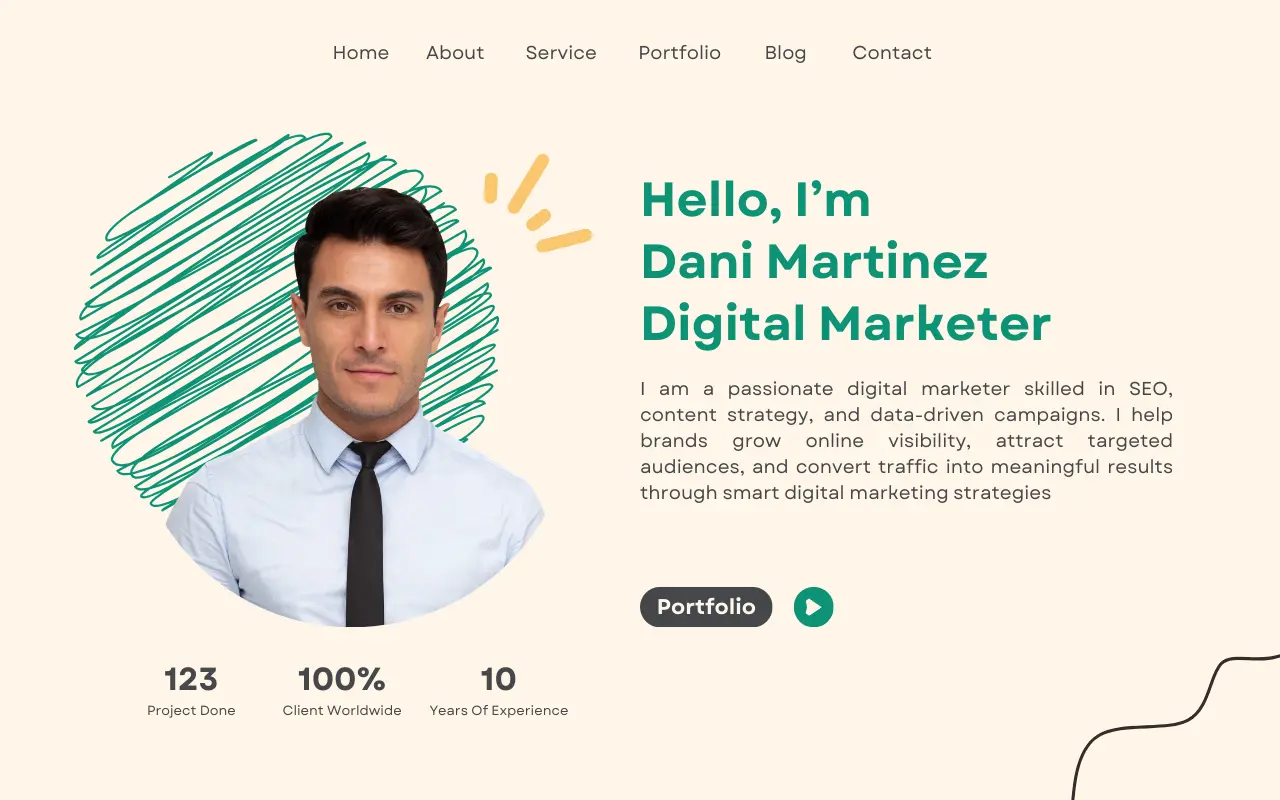
Key Pages
Homepage: The homepage is the first impression of your portfolio. It should clearly explain who you are, what you do, and who you help.
About Me: The About page builds trust. It tells your story, your experience, and what makes your approach unique.
Projects / Case Studies: This is the most important section of your portfolio. It shows the work you have completed and the results you achieved.
Services (For Freelancers): If you are offering services, clearly describe what you do and how clients can work with you.
Contact Page: Make it easy for people to reach you. Include a contact form, email address, or scheduling link.
Optional but Powerful Portfolio Pages
Testimonials: Build credibility through client feedback.
Blog: Demonstrates expertise and improves SEO.
Resume Page: Helpful for recruiters reviewing your background.
So far, you have seen what to consider before creating a portfolio website. In the next section, you will learn how to build a portfolio without starting from scratch.
- Note
- You do not need every optional page at the beginning. Start with the essential pages and expand your portfolio as your experience grows.
Build a Personal Portfolio Website Using Animation Addons
Creating a personal portfolio with Animation Addons is incredibly easy. In just a few seconds, you can build your portfolio website without any hassle.
The best part is that every prebuilt portfolio template already includes animations.
So, without wasting any time, let’s see how you can build a portfolio website using Animation Addons step by step.
1. Choose Domain and Hosting
The first step in building your portfolio website is choosing a domain name and a hosting provider.
Your domain name is the address people use to visit your website, so it should be simple, memorable, and professional.

Many people use their own name as the domain to build a personal brand, such as yourname.com, yourname. design, or yourname.dev.
After selecting a domain, the next step is choosing a reliable hosting provider. Hosting is the service that stores your website and makes it accessible online.
A good hosting provider should offer fast performance, WordPress support, and SSL security to keep your website safe.
Once your hosting is set up, you can install WordPress. Most hosting providers offer a one-click installation, allowing you to launch your digital agency website quickly and start building your portfolio.
💡
Pro Tip:
If your personal name domain is already taken, try adding a keyword related to your profession, such as johnsmithdesign.com or alexdev.com.
2. Choose WordPress to Manage Your Portfolio
WordPress is one of the most popular website platforms in the world and powers more than 40% of all websites on the internet.
It is widely used by freelancers, designers, and businesses because it provides a flexible and reliable way to build websites.
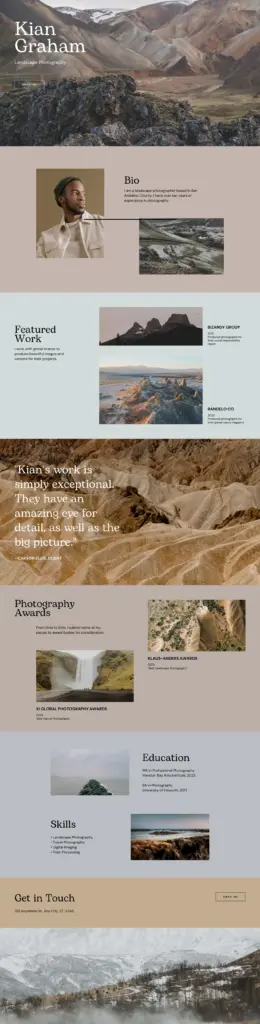
WordPress is ideal for portfolio websites because it makes managing content simple. You can easily add new projects, update pages, and publish blog posts without needing technical skills. It also allows you to fully customize your website design so your portfolio reflects your personal brand.
Another advantage is the large ecosystem of plugins that add extra features such as animations, contact forms, and SEO tools. On top of that, you can create a professional portfolio website with WordPress without needing any coding knowledge.
3. Install Animation Addons and Import a Template
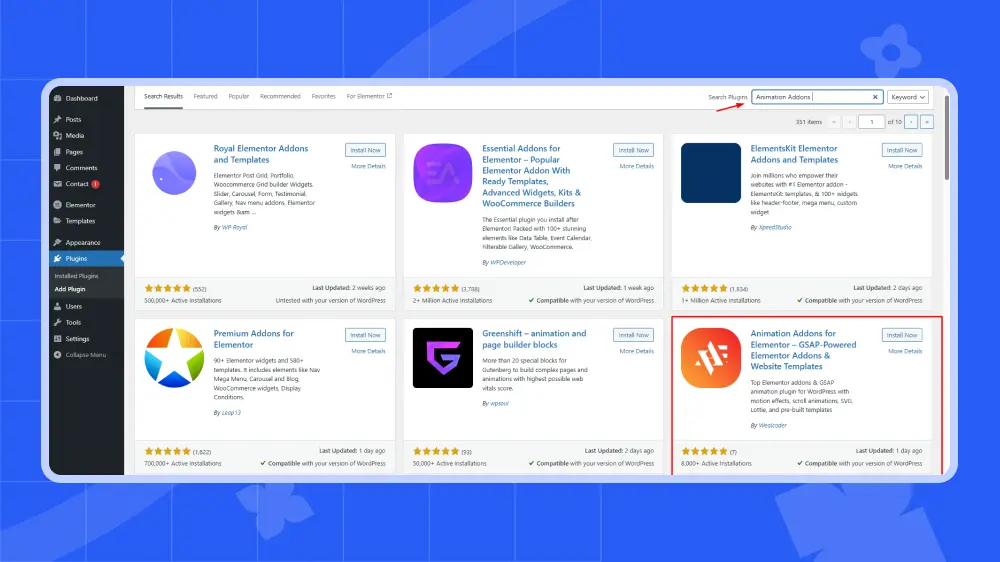
(i) Go to the WordPress Dashboard → Plugins → Add New. Search for Animation Addons in the search bar. Then click Install Now and Activate the plugin.
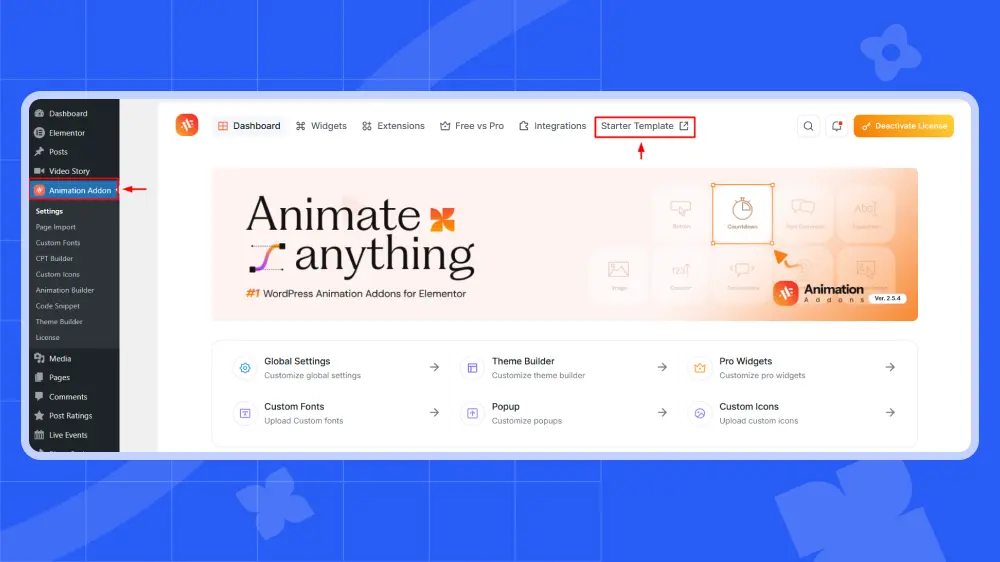
(ii) Next, navigate to Animation Addons → Starter Templates and click on it.
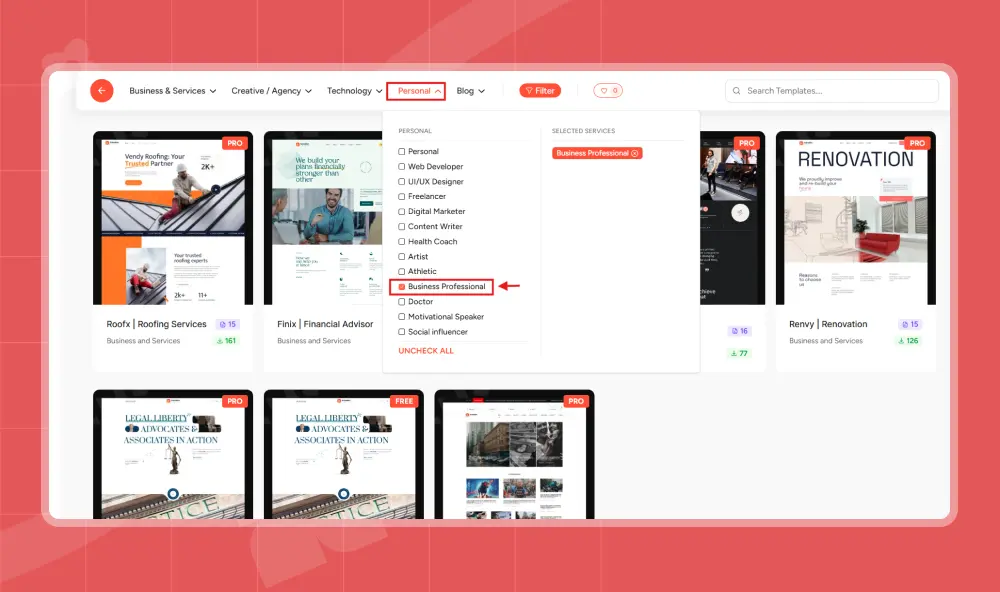
(iii) Then, hover your mouse over the Personal section. You will see several niche options appear to choose from. In this example, the Business Professional niche is selected, but you can choose any option based on your preference.
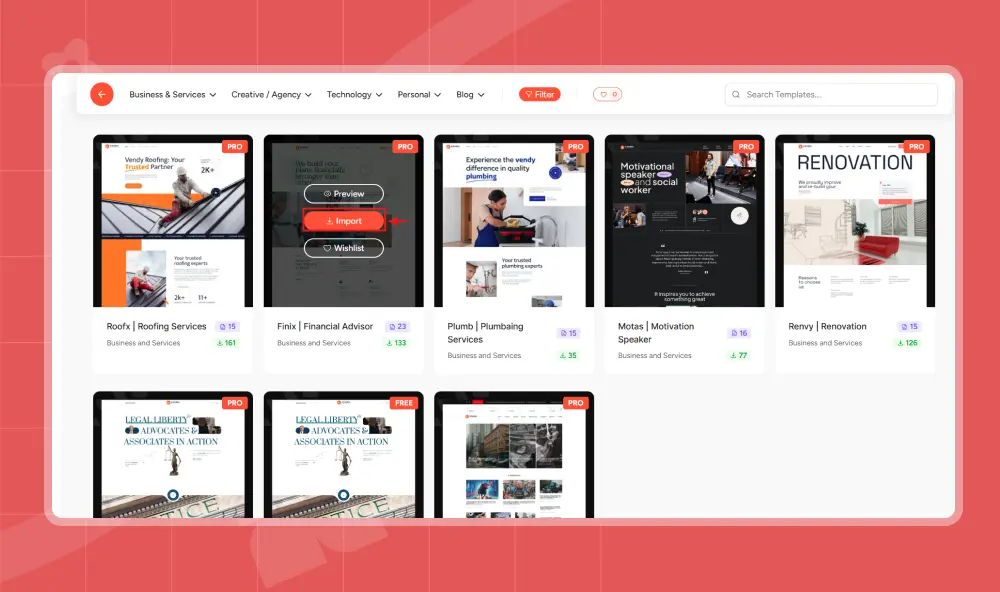
(iv) Afterward, hover your mouse over your preferred template and click Import.
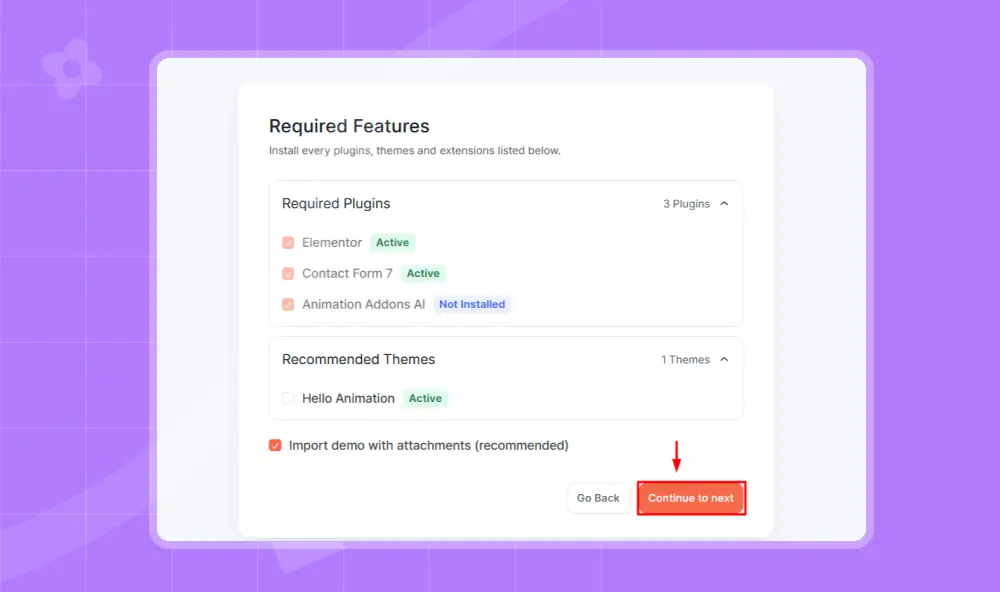
(v) To move forward, click “Continue to Next”.
💡
Pro Tip:
Choose a template that already matches your industry. This reduces the amount of customization you need later.
4. Launch your Portfolio Website
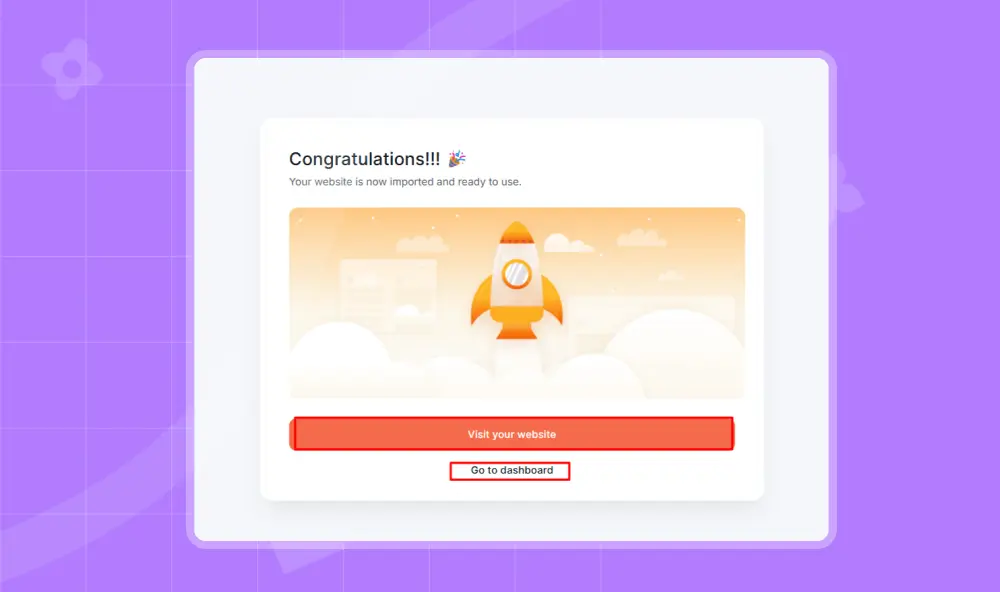
Right after clicking “Continue to Next,” your website will be ready to use. To customize it, click “Visit Your Website.”
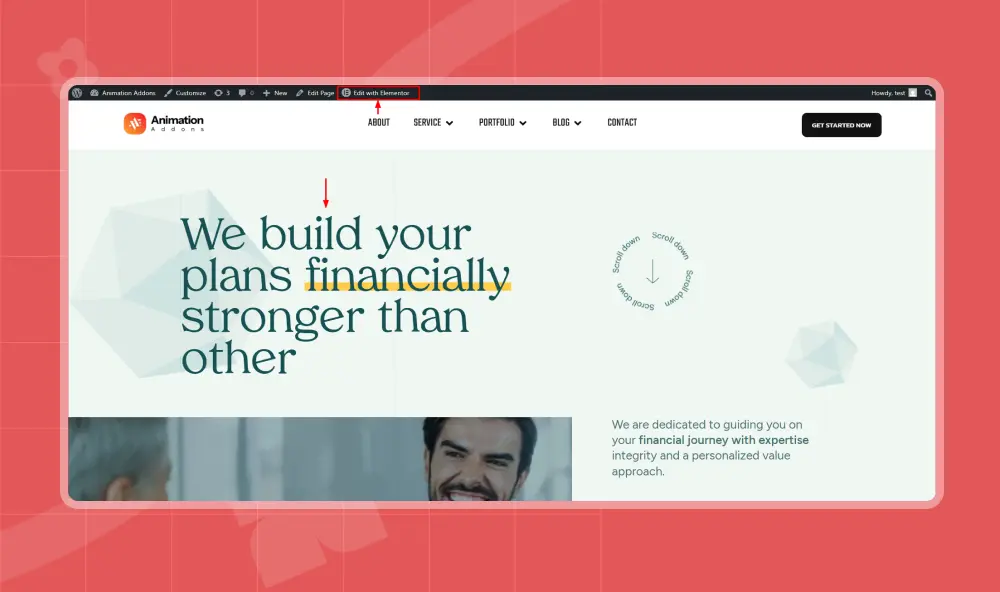
Next, select the specific page you want to modify and click “Edit with Elementor.” Then customize each section one by one according to your needs.
Congratulations! You have successfully created your personal portfolio website.
Creating Portfolio Pages That Convert
A portfolio website should not only display your work. It should also encourage visitors to take action and contact you. The most effective portfolios guide visitors from curiosity to trust and finally to a decision.
Three pages play the biggest role in this process: the homepage, the About page, and the case study section.
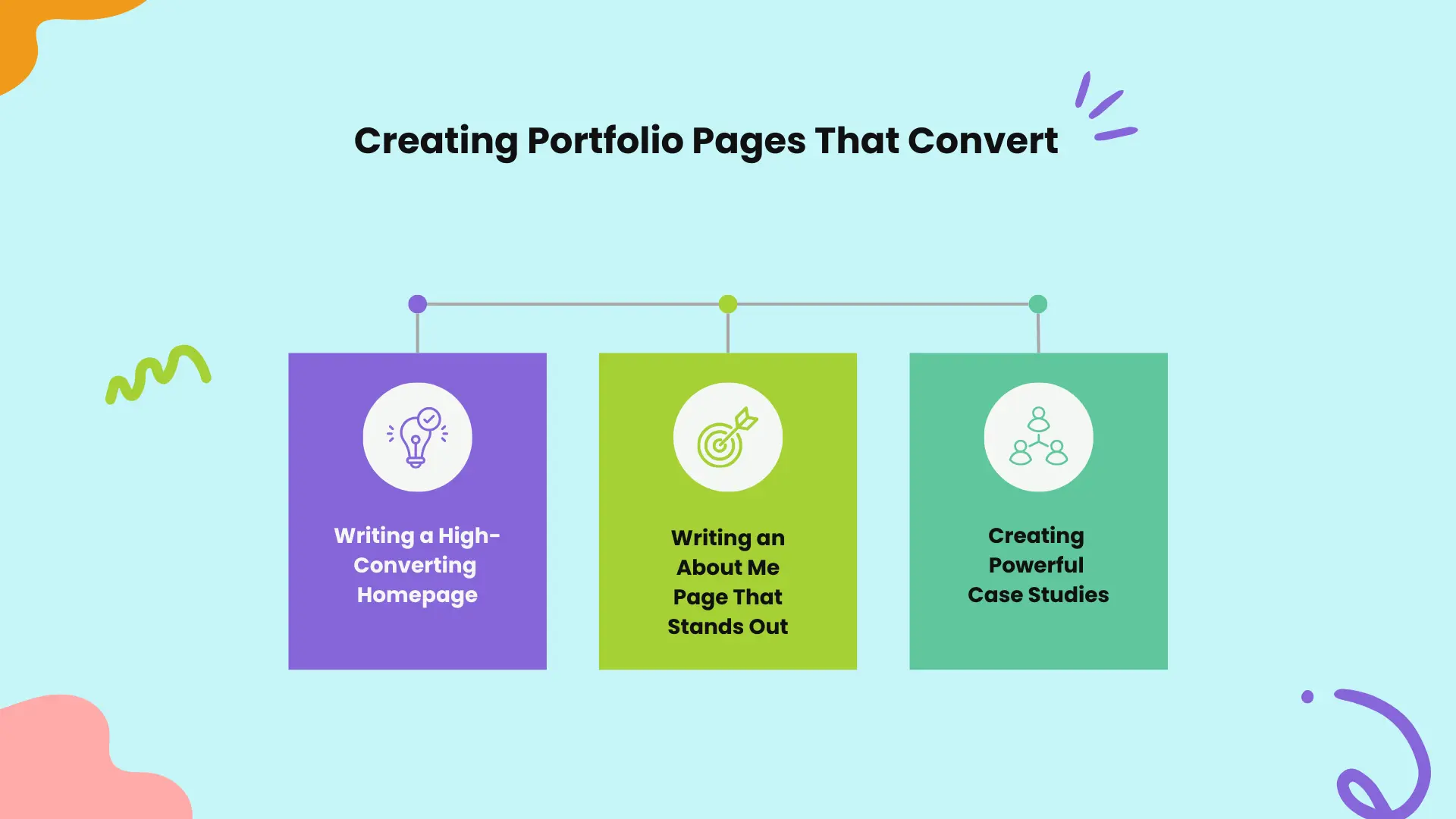
Writing a High-Converting Homepage
Your homepage creates the first impression of your portfolio, so it should clearly communicate your value. Visitors should quickly understand who you are, what you do, and who you help.
Start with a clear introduction, then showcase a few of your best projects. Adding testimonials can also help build trust.
Finally, include a clear call to action, such as contacting you or scheduling a call. Your homepage should quickly answer the question: “Why should I work with you?”
Writing an About Me Page That Stands Out
The About page helps visitors connect with the person behind your portfolio. Instead of only listing skills, briefly share your story and experience.
Explain how you started in your field and what motivates your work. You can also mention the type of problems you enjoy solving or the clients you like working with. Adding achievements, certifications, or a professional photo can make the page more credible and personal.
Creating Powerful Case Studies
Many portfolios only show screenshots of projects. Strong portfolios go further by explaining the thinking behind the work through case studies. Each project should describe the problem, the process used to solve it, and the results achieved. This helps visitors understand how you approach real challenges.
If available, include measurable outcomes such as higher traffic, improved conversions, or better user engagement. This helps demonstrate the real value of your work.
Showcasing Projects Like a Professional
The way you present your projects can greatly influence whether a client decides to work with you. A strong portfolio should do more than show images of finished work.
It should explain the story behind each project and the value you delivered. Instead of only displaying screenshots, describe the problem, your approach, and the final results.
This helps visitors understand your process and shows how you solve real challenges for clients.
The Case Study Framework
A professional portfolio presents projects as clear case studies so visitors can understand the value behind your work. A strong case study usually includes the following parts:
- Project Overview – Briefly introduce the project and the client or business. This helps readers understand the context of the work.
- The Problem – Explain the challenge that needed to be solved. This shows why the project was necessary.
- Your Approach – Describe the strategy, tools, or design process you used to solve the problem.
- The Solution – Present the final result using visuals such as screenshots or layouts.
- The Outcome – Highlight measurable results such as increased conversions, better user engagement, or improved performance. This shows the real impact of your work.
What To Do If You Have No Projects
Many beginners worry because they do not have client work to show. However, you can still build strong portfolio pieces by creating your own projects.
Some effective ways include:
- Redesign popular websites to show how you would improve their design or usability.
- Create conceptual projects for imaginary brands or startups.
- Build websites for friends or small businesses to gain real experience.
- Participate in design challenges to practice and create new portfolio work.
These types of projects demonstrate your creativity, skills, and problem-solving ability, even if they are not from paying clients.
💡
Pro Tip:
Always include a “Start a Project” or “Contact Me” button at the end of every important page.
Common Mistakes to Avoid
Many portfolio websites fail not because of poor skills, but because of a few common mistakes. Even a well-designed portfolio can lose potential clients if these issues are not addressed.
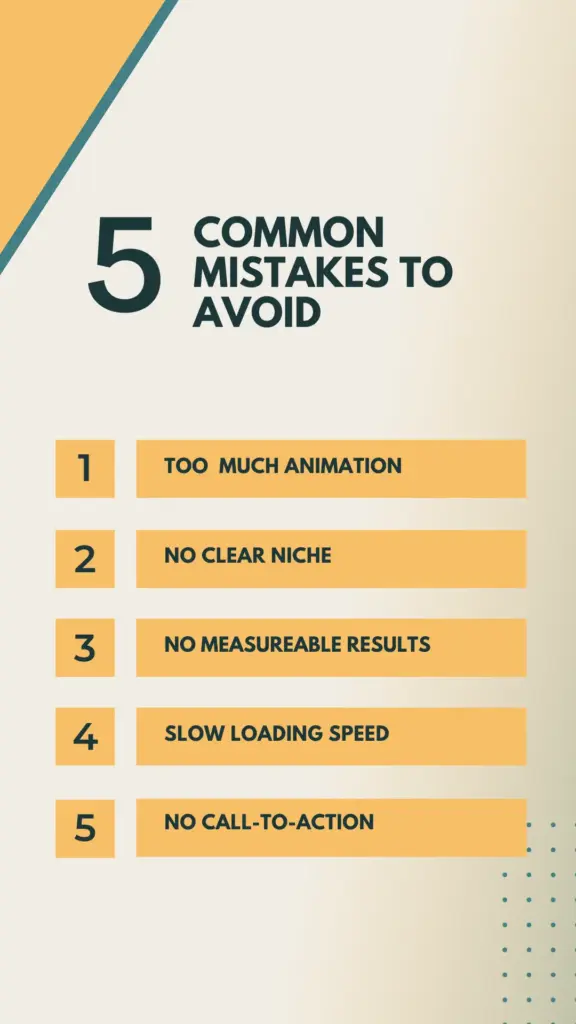
Understanding these mistakes can help you create a more effective and professional portfolio website. Some common examples include:
Too Much Animation
Animation can make a website more engaging and visually appealing, but too much animation can overwhelm visitors. When every section moves, spins, or loads with heavy effects, it can distract users from the actual content.
Animation should help users and guide their attention. It should not distract from the main content. Simple and light animations usually make a website look more professional.
No Clear Niche
Many portfolio websites try to appeal to everyone, which often weakens their message. If visitors cannot quickly understand what you specialize in, they may lose interest.
A strong portfolio clearly communicates the type of work you do and the audience you serve. Defining a niche helps you stand out and makes it easier for the right clients to find and trust your work.
No Measurable Results
Showing beautiful designs is important, but clients also want to know the impact of your work. Simply displaying images of projects does not explain how the work helped the client.
Whenever possible, include measurable results such as improved conversions, increased traffic, or better user engagement. These outcomes demonstrate that your work delivers real value.
Slow Loading Speed
A slow portfolio website can quickly frustrate visitors. If pages take too long to load, users may leave before exploring your work. Optimizing website performance plays a major role in user experience and even search engine rankings.
Optimizing images, using reliable hosting, and minimizing unnecessary elements can help keep your portfolio fast and responsive.
No Call-To-Action
Many portfolios forget to guide visitors toward the next step. After viewing your work, visitors should clearly know what action to take.
A strong portfolio includes clear calls to action such as contacting you, scheduling a meeting, or starting a project discussion. Without this guidance, potential clients may leave the website without reaching out.
Wrap Up
A personal portfolio website is more than a place to show your projects. It helps you find new opportunities. By setting a clear goal, showing your work as case studies, and creating clear pages, you can build a website that shows your skills.
Tools like WordPress and Animation Addons make it easy to build a professional portfolio website.
The most important step is to start. Your portfolio does not need to be perfect at first. You can improve it over time as you gain more experience.
FAQs
What should a personal portfolio website include?
A personal portfolio website should include a homepage, an about page, a projects or case studies section, a services page (for freelancers), and a contact page. These pages help visitors understand who you are, what you do, and how they can work with you. You can also add optional pages like testimonials and a blog to build more trust and credibility.
How many projects should a portfolio include?
Most portfolios work best with 3 to 6 strong projects. Each project should clearly show your skills, process, and the results you achieved. Quality is more important than quantity, so focus on showing your best work.
Do I need coding skills to create a portfolio website?
No, coding skills are not required to build a portfolio website today. Platforms like WordPress make it easy to create websites without technical knowledge. With tools like Animation Addons, you can design your portfolio using simple drag-and-drop features.
What makes a portfolio website attractive to clients?
Clients are attracted to portfolios that clearly explain what you do and how you help them. Strong case studies that show real results make your work more convincing. A clear contact option also makes it easier for clients to reach out and start a project.

Leave a Reply