


 Login
Login


Animated websites do not become expensive because of animation itself. They become expensive because animation decisions are made late, scaled without a system, and fixed repeatedly after launch.
In real projects, the biggest cost increases rarely come from adding animation. They come from revising animation logic, fixing performance issues, and maintaining one-off effects as the site grows. Cost reduction does not mean eliminating animation entirely; rather, it involves making smart, strategic choices about where and how interactive animation is used. By selecting appropriate tools and technologies and aligning design goals with budget constraints, developers can achieve a balance between visual appeal and affordability.
This guide explains how to reduce animation website development cost without removing quality. It focuses on how animation behaves in real animated websites over time, after launch, across devices, and through updates, so you can avoid mistakes that quietly increase budgets.
Easy Ways to Reduce Animation Website Cost
The most cost-effective animation websites do not animate everything. They use animation deliberately, reuse patterns, and choose the simplest tool that gets the job done. These approaches are commonly used in production websites to control cost, reduce revisions, and avoid performance-related rebuilds.
You may want to use these tips to reduce your animation website cost:
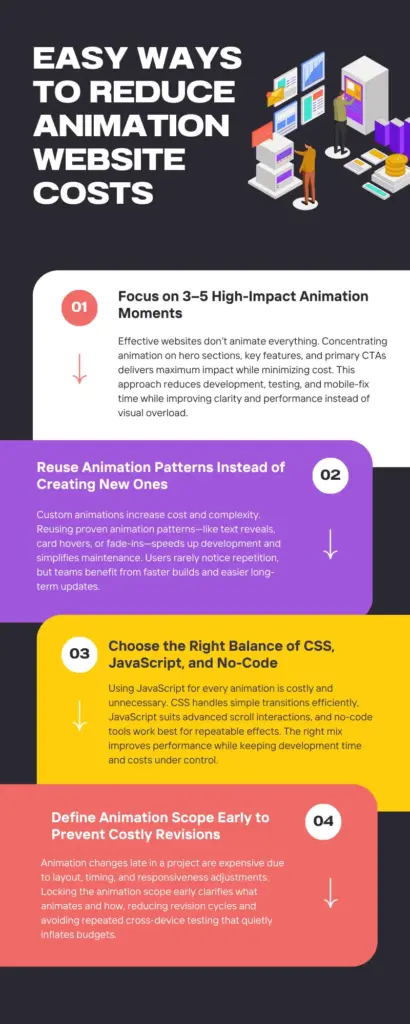
1. Keep only 3–5 “Hero Moment” Animations
Not every section needs motion. Most cost-effective websites focus animation on a few high-impact moments instead of animating every scroll. Hero sections, key feature highlights, and important CTAs are where animation delivers the most value. Limiting animation to 3–5 strong moments reduces design time, development time, and testing effort significantly.
In practice, animating every section increases development time without improving clarity. Teams often spend more time fixing timing, spacing, and mobile behavior than improving the user experience.
Large brands like Apple, Notion, Airbnb, and Stripe follow this approach because performance, consistency, and scalability matter more than novelty.
2. Reduce Uniqueness by Reusing Patterns
Custom animations are expensive because they require custom design, logic, and testing. Reusing animation patterns, such as the same reveal animation, card hover, or scroll fade, makes development faster and more predictable.
Most users do not notice repeated animation patterns, but maintenance costs rise quickly when every section behaves differently. Over time, reusable animation patterns reduce not only build time but also future update and maintenance costs.
3. Use the Right Tool Mix (CSS vs JS vs No-Code)
One of the biggest cost mistakes is using JavaScript for everything. Simple fades, transitions, and hover effects can be done with CSS at almost no cost. GSAP JavaScript animation libraries should be reserved for scroll-based storytelling or complex interactions.
No-code tools like Animation Addons and Elementor work best when the animation logic is common and repeatable.
4. Lock Scope Early to Avoid Revision Costs
Animation revisions are expensive because they affect timing, layout, triggers, and performance. Locking the animation scope early makes it clear what animates, when it animates, and how it animates. This helps prevent repeated revisions that slowly increase the budget.
In real projects, late animation changes often require multiple rounds of testing across different screen sizes, even when the visual change looks small.
Choose the Right Approach (Cost vs Control)
There’s no single “best” animation method. The real cost difference comes from choosing the wrong tool for the job. Here is a simple way to choose the right approach:
Start with CSS for Basic Motion
Best choice for simple motion with minimal cost. CSS works well when animations are predictable and don’t depend on scroll position or user logic.
Fade-ins, slide-ups, hover effects, and basic transitions can all be handled with CSS. These animations are fast to build, perform well on all devices, and rarely break during layout changes.
- Use CSS if: The animation has a clear start and end, and doesn’t need sequencing or interaction logic.
- Risk to avoid: Adding JavaScript for effects CSS already handles well.
Best for: Content sections, buttons, cards, UI feedback, basic entrance animations.
JavaScript-Driven Animations
Worth the cost when control matters. JavaScript becomes useful when animation must respond to scroll position, user actions, or complex timelines.
Scroll storytelling, pinned sections, and interactive feature explanations often require this level of control. When used intentionally, JavaScript adds clarity and engagement that simple transitions cannot.
- Where cost increases: Every extra condition, timeline, or interaction adds development time, testing effort, and performance risk especially on mobile.
- Key rule: Use JavaScript for impact, not decoration.
Best for: Hero sections, scroll-based storytelling, feature walkthroughs, key conversion moments.
No-Code Animation Tools
Fast results, with clear limits. No-code tools reduce development time for common, repeatable animation patterns. They save money when animations follow predefined behaviors and remain consistent across pages.
Problems start when teams push these tools into custom logic, unusual interactions, or performance-heavy effects.
This is where Animation Addons, a WordPress plugin, comes in. Even non-technical users can animate their websites using simple drag-and-drop tools. On top of that, you can also use custom logic to take your animations to the next level. It not only saves time but also reduces the cost of hiring a developer.
- Hidden cost: Workarounds, manual fixes, and hybrid solutions that erase the original time savings.
- Smart use: Stay within the tool’s strengths.
Best for: Reusable animations, marketing pages, fast-moving teams.
Pro Tip: Animation Addons lets you build GSAP-style animations visually, without manual coding. This saves development time and reduces overall cost.
Reduce Development Cost Without Killing Quality
Saving money on animation does not mean removing it. From a client’s perspective, the goal is to invest in motion that clearly supports business objectives such as engagement, clarity, and conversions. Careful planning ensures animations enhance the message without extending timelines or budgets. When animation like bounce animation, delay animation etc. are aligned with user needs and brand goals, clients get maximum value without unnecessary development expense.
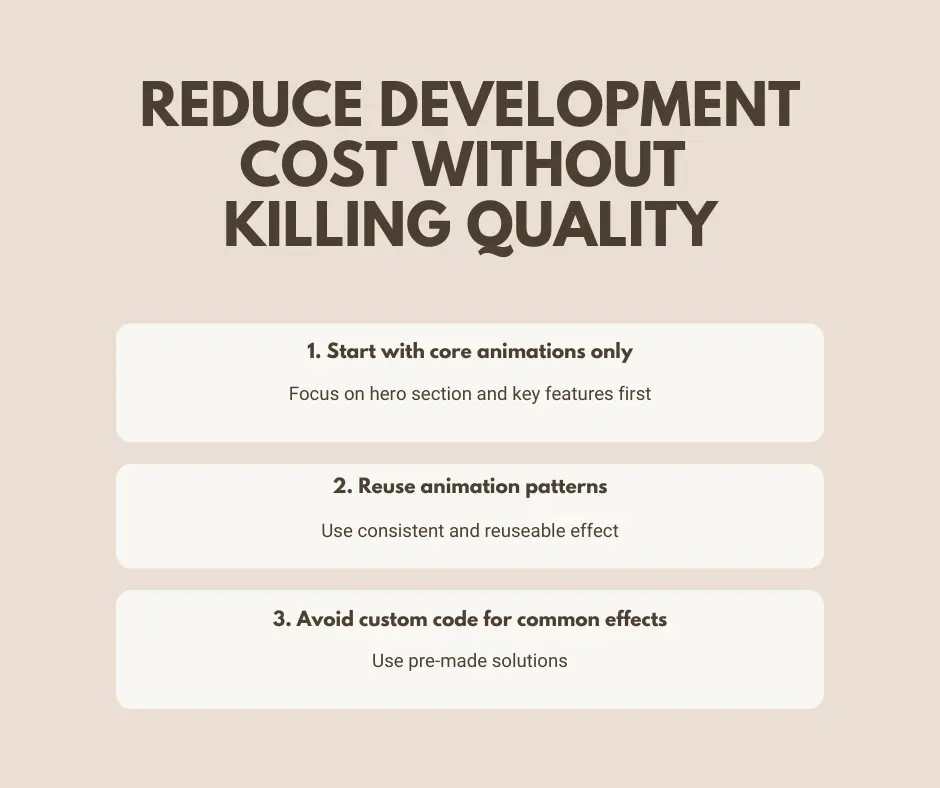
Start with Core Animations only
Focus first on the most important animations, such as the hero section and key feature areas. Make sure these animations work smoothly on all devices before adding anything extra. This approach helps to avoid costly rewrites. By validating these core animations across devices first, clients avoid expensive revisions later and gain confidence that their investment supports performance and usability.
Reuse Animation Patterns
Using the same animation style across the site is faster and cheaper than creating many unique effects. Reusable patterns also keep motion consistent and make future updates easier by saving clients time and money in the long run.
Avoid Custom Code for Common Effects
Text reveals, hover animations, and sticky sections are already well solved. Using existing solutions for these effects saves time, reduces testing effort, and lowers maintenance costs. Custom code should be reserved only for animations that clearly improve the user experience.
Why Animation Projects Go Over Budget and How to Avoid Costly Mistakes
Animation websites get expensive when motion becomes complex. Animations must handle multiple interactions and different devices. Simple-looking designs often require detailed custom animation logic. This extra work increases development time and cost.
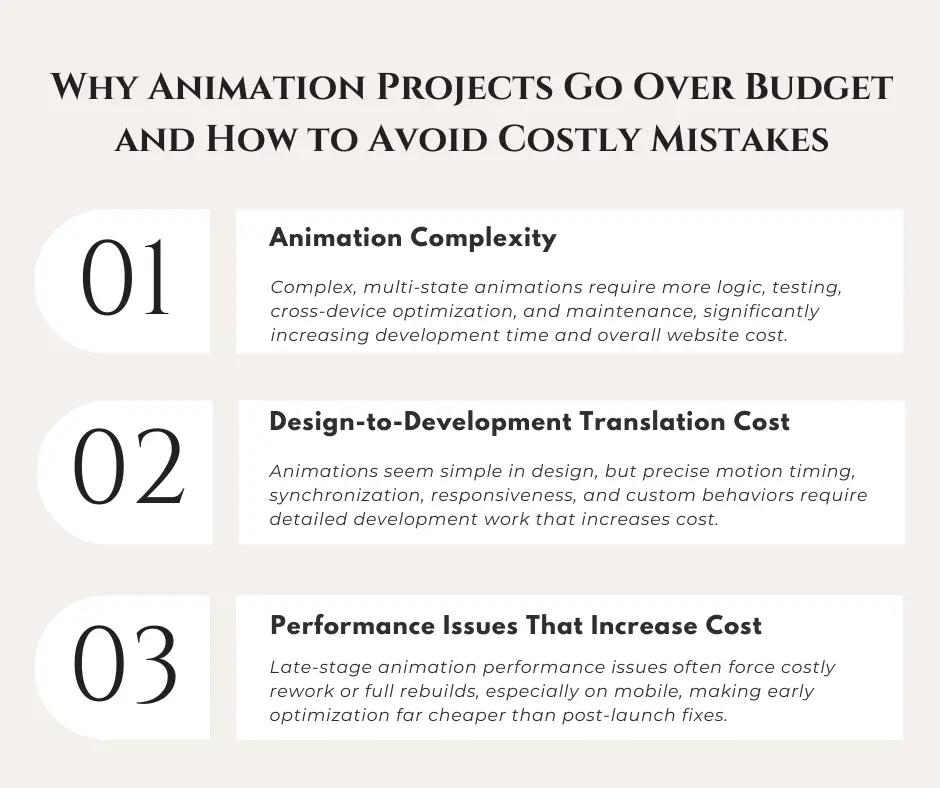
Animation Complexity
Simple animations cost less. As motion becomes more complex and interactive across devices, more development work is required, which raises the cost.
- Multiple animation states: Adding scroll, hover in and out, enter, exit, and reverse behavior increases logic, testing, and debugging time.
- Scroll behavior handling: Supporting fast scrolling, reverse scrolling, and partial progress requires extra control logic to prevent broken or jumpy motion.
- Cross-device performance: Ensuring smooth animation on mobile and lower-performance devices adds additional testing and optimization work.
- Ongoing maintenance: Even small layout or content changes can break complex animations and require repeated fixes later.
Design-to-Development Translation Cost
Animation designs often look simple in design tools, but translating visual ideas into smooth, real motion takes detailed implementation.
- Motion details: Developers must decide the exact timing, easing, cursor move effect, movement distance, and trigger points, even though these details are not visible in static designs.
- Animation Synchronization: Coordinating multiple elements so they move together naturally increases refinement time.
- Responsive behavior: Animations must be adjusted to feel correct across desktop, tablet, and mobile layouts.
- Custom motion styles: Highly unique animation designs are difficult to reuse and must be rebuilt or retuned for each section.
Performance Issues That Increase Cost
Performance problems are one of the most expensive mistakes in animation projects. They rarely show up early, but when they do, they often force partial or full rebuilds. Performance issues are not quick fixes. Once animations cause lag, junk, or mobile crashes, teams are often forced to redesign how motion is built.
- Performance bugs appear late: Many animation issues only show up after real content, real devices, and real user behavior are involved.
- Fixing performance breaks layouts: Optimizing animations often means changing structure, timing, or logic, not just tweaking values.
- Mobile issues are the most expensive: Animations that work on desktop may fail completely on mid or low-end mobile devices, requiring rework.
- Retroactive optimization costs more: Fixing poor animation performance after launch usually costs more than building it correctly from the start.
- In many cases, teams end up rebuilding animations instead of fixing them.
Cost Based on Animation Patterns (The Practical Estimator)
This section helps you understand animation costs using simple examples. It shows how easy or complex animations affect cost and performance.
By choosing the right type of animation, you can save money and still get good results.
To learn more about the cost of creating an animated website in detail, you may want to read the article here → Link of blog
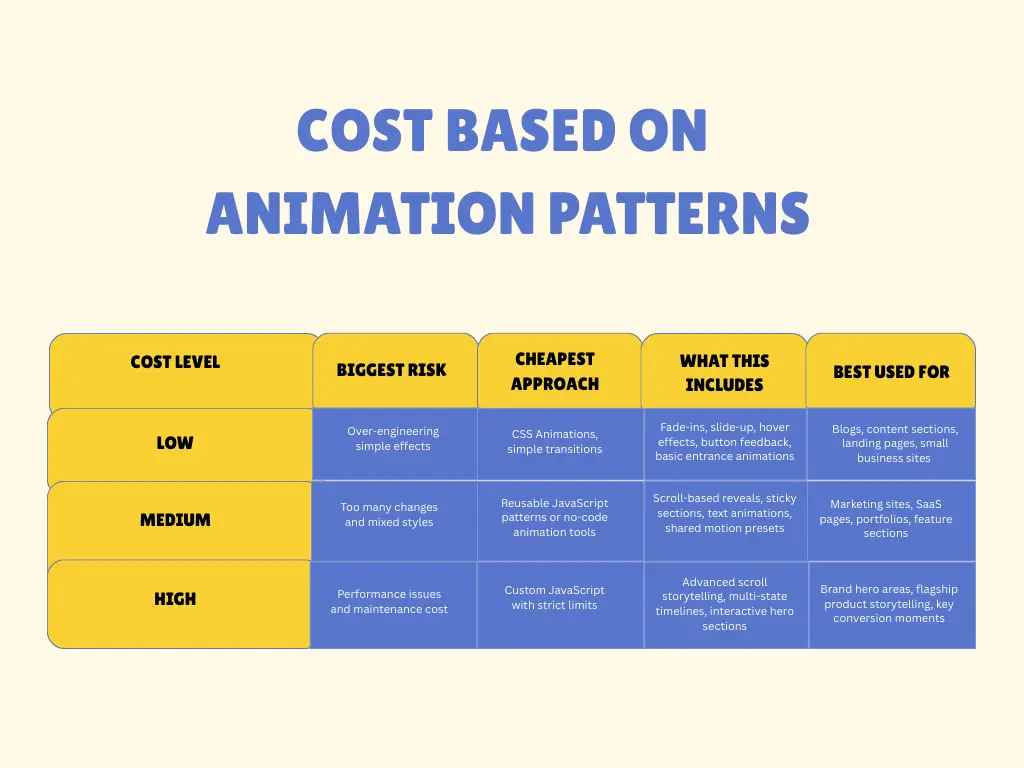
So far, you’ve learned why animation websites cost more and how to reduce those costs. The next section shows which method is right for your animation website.
DIY vs Hiring (Spend Money the Right Way)
Choosing between doing animation yourself or hiring help is not about skill level. It is about time, complexity, and long-term cost.
Sometimes, saving money at the beginning ends up costing more in the long run.
DIY Is Cheaper When
Doing it yourself makes sense when the scope is small and the animation needs are simple.
- The site is small: Landing pages, simple marketing sites, or early-stage projects usually do not need complex animation systems.
- Animations are standard: Fade-ins, hover effects, text reveals, and basic scroll animations are well-documented and easy to reuse.
- You have time to learn: If deadlines are flexible, learning tools and experimenting does not create pressure.
- Tools cover most needs: No-code or low-code animation tools handle common patterns without custom logic.
- Tool cost is predictable: Monthly or yearly tool fees are usually far lower than hiring a developer or agency.
DIY works best when mistakes are low-risk and easy to fix.
Hiring Is Cheaper When
Hiring becomes the smarter financial decision when animation is central to the project.
- The project is complex: Scroll storytelling, multi-state animations, and advanced interaction logic increase technical risk.
- Time matters: Tight deadlines make trial and error expensive.
- Performance is critical: Poor animation performance often leads to rebuilds and lost conversions.
- Brand quality matters: Inconsistent or broken motion damages trust.
- Fixing mistakes would cost more: Cleaning up DIY animation problems often costs more than doing it right once.
In these cases, paying once for clean execution is cheaper than paying repeatedly for fixes.
Hidden Costs Most People Miss
Animation budgets often look fine at launch. The real cost shows up later, during updates, new pages, and small design changes that slowly add up.
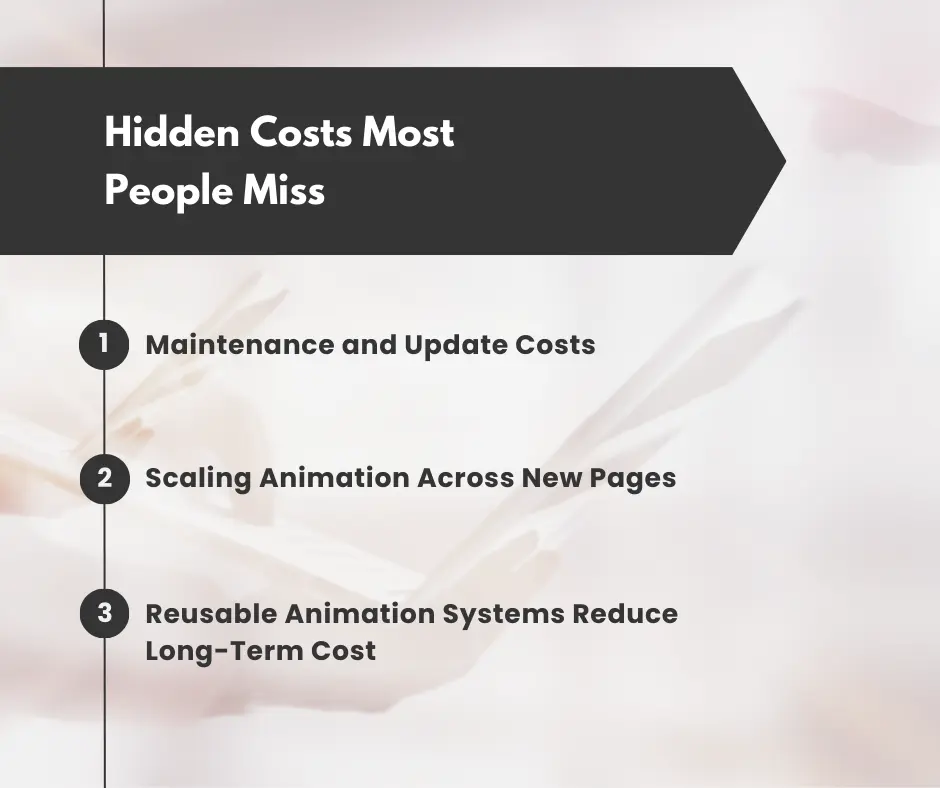
Maintenance and Update Costs
Animations are closely tied to layout and content. The cheaper option at the start often becomes more expensive later.
If animations are built as one-off effects, each update requires manual fixes. Over time, these small fixes turn into ongoing maintenance work that increases cost. Reusable animation patterns reduce this problem by keeping motion consistent and easier to update.
Scaling Animation Across New Pages
Copying animations from one page to another may seem fast, but it creates long-term cost. Each copied animation becomes another place that needs fixing later.
Updating timing or behavior can mean making the same change on many pages. As the site grows, this approach becomes slow and expensive. Using shared animation patterns allows changes to be made once and applied everywhere.
Reusable Animation Systems Reduce Long-Term Cost
A reusable animation system centralizes motion logic and patterns. Designers reuse the same styles, developers reuse the same setup, and testing is done once instead of repeatedly.
This reduces future design work, development time, and testing effort. Over time, systems always cost less than maintaining dozens of custom animations.
Final Thoughts
Saving money on animation does not mean removing animation. It means making smart choices early and avoiding costly mistakes later.
The most cost-effective animation websites focus on a few important animations. They reuse the same animation patterns and choose the right tools for each task.
Using animation as a system instead of one, effects helps teams save money on building, fixing, and updating the website. At the same time, the website stays smooth, clear, and enjoyable to use.
FAQs
Do no-code animation tools really save money?
Yes, when used correctly. No-code tools save money for common patterns and repeatable animations. Costs increase only when they are forced into custom logic or performance-heavy behavior they were not designed for.
What is the single best way to control animation cost?
Plan early. Limit animations to high-value sections. Reuse patterns. Test on low-end devices. Build systems instead of one-off effects.
Is animation always expensive to build?
No. Simple animations like fades, transitions, and hover effects are cheap when done with CSS or reusable tools. Animation becomes expensive when it involves complex logic, scroll behavior, and poor performance planning.
How many animations should a cost-effective website use?
Most cost-effective websites focus on 3–5 hero moment animations. These usually include the hero section, key feature highlights, and important CTAs. Animating everything increases cost without adding much value.

Leave a Reply