


 Login
Login


Image animations play an important role in improving how users experience a WordPress website. Subtle motion effects can guide attention, highlight key visuals, and make static pages feel more interactive without overwhelming visitors. Because WordPress does not include advanced animation controls by default, many site owners rely on dedicated image animation plugins to achieve these effects easily.
This review focuses on the best image animation plugins for WordPress, evaluated through a neutral and practical lens. Rather than promotional claims, the comparison is based on essential criteria such as animation capabilities, ease of use, performance impact, compatibility with page builders, and pricing structures. The goal is to help users understand which plugins offer the right balance of features and cost, so they can choose a solution that fits their website needs and technical comfort level.
Why Use Image Animation Plugins for Your Website
Image animation plugins help website owners add motion effects without needing custom code or advanced technical skills. They provide controlled, purposeful animations that improve both design quality and usability. Below are five important reasons why users choose image animation plugins for their websites.
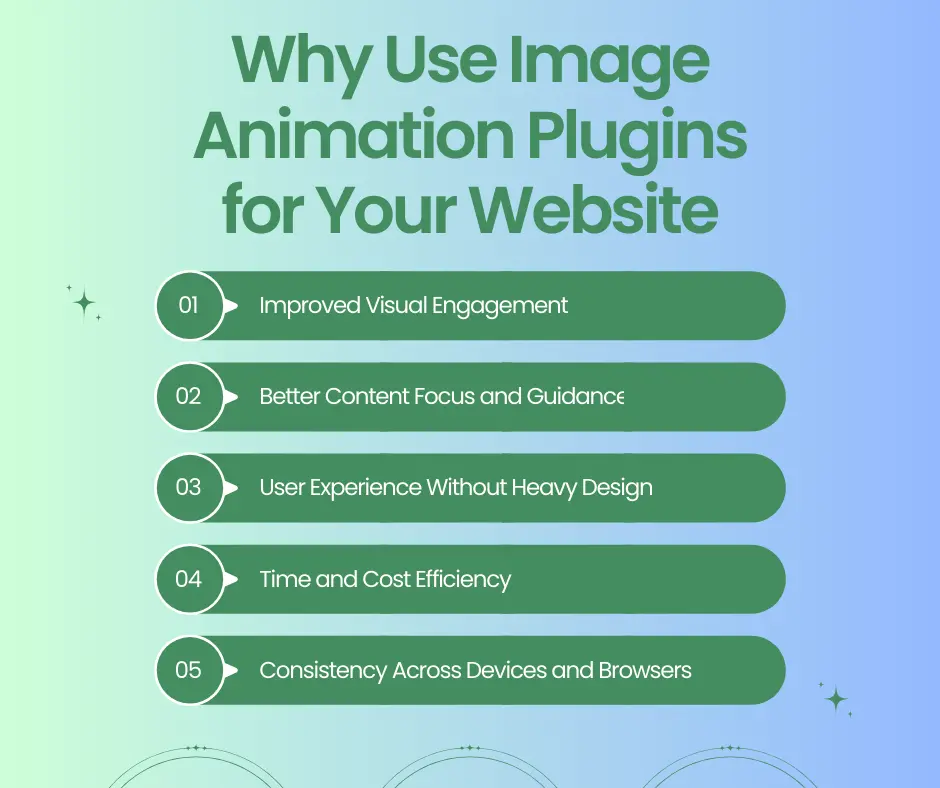
Improved Visual Engagement
Animated images naturally attract attention and make content feel more dynamic compared to static visuals. They help break visual monotony on long pages and encourage users to explore further. When used thoughtfully, animations can increase time spent on a page and overall engagement.
Better Content Focus and Guidance
Animations help guide users’ eyes toward important sections, images, or calls to action. Subtle motion can establish a visual flow that makes content easier to follow. This reduces confusion and helps users understand the page hierarchy more clearly.
Enhanced User Experience Without Heavy Design
Image animation plugins enable smooth transitions and effects without adding unnecessary visual clutter. They enhance interaction while keeping layouts clean and readable. This balance improves the browsing experience without overwhelming users with excessive motion.
Time and Cost Efficiency
Using a plugin saves time compared to building animations from scratch with custom code. Users can apply professional-looking effects quickly through ready-made controls. This reduces development costs while still delivering polished visual results.
Consistency Across Devices and Browsers
Most modern animation plugins are designed to work reliably across different browsers and screen sizes. They help maintain consistent animation behavior on desktop, tablet, and mobile devices. This ensures users experience the same smooth interactions regardless of how they access the website.
These benefits make image animation plugins a practical tool for creating engaging and user-friendly WordPress websites.
Key Features to Look for in an Image Animation Plugin
Choosing the right image animation plugin requires looking beyond visual effects and focusing on practical functionality. The following five key features help users select a plugin that delivers smooth animations while maintaining performance and usability.
Variety of Animation Effects
A good plugin should offer multiple animation types such as fade, zoom, slide, rotate, and reveal effects. This flexibility allows users to apply different motions based on content purpose without relying on external scripts or multiple plugins.
Ease of Use and Control Options
The plugin should provide simple controls for animation timing, direction, delay, and easing. A clean interface helps users fine-tune animations easily, even without design or development experience.
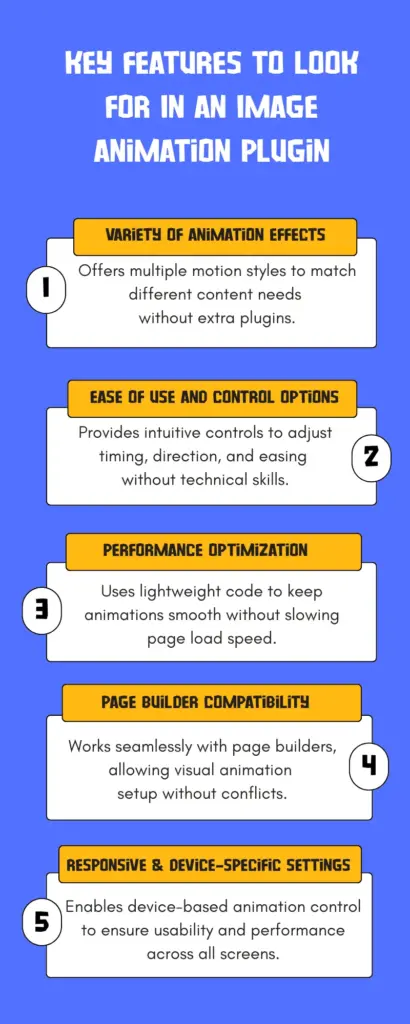
Performance Optimization
Efficient plugins use lightweight code and optimized rendering to ensure animations do not slow down page loading or affect website performance, especially on mobile devices.
Page Builder Compatibility
Strong compatibility with popular page builders like Elementor ensures animations can be applied visually, reducing setup time and avoiding layout or styling conflicts.
Responsive and Device-Specific Settings
Responsive animations like responsive image animation, responsive text animation on specific devices helps maintain usability across desktops, tablets, and mobile screens, preventing performance or accessibility issues.
Comparison of Popular WordPress Image Animation Plugins
Here’s a clear comparison table of popular WordPress image animation plugins based on available public data on key features, active installs, pricing, ratings, and typical use cases :
| Plugin | Key Features | Active Installs | Rating | Best For |
| Animation Addons | GSAP-powered animations with no coding required, scroll & hover effects, SVG/Lottie support, timeline controls. | 12,000+ | 4.7 | Advanced motion effects with Elementor |
| Greenshift | Gutenberg animation blocks, responsive controls, hover transitions, dynamic loading | 60,000+ | 4.8 | To build beautiful pages with Gutenberg editor |
| Scrollsequence | Scroll-controlled image sequence animations, drag-and-drop setup, canvas-based performance | 4,000+ | 4.6 | Cinematic scroll-based animations |
| Lottie Player | Embed Lottie .json animations, autoplay & interactive control | 5,000+ | 4.8 | Lightweight vector animation embeds |
| Smart Slider 3 | Responsive sliders, layer animations, templates, effects | 800,000+ | 4.9 | Animated sliders & storytelling |
| Image Hover Effects Ultimate | 500+ hover animations, galleries, lightbox, comparison effects | 20,000+ | 4.7 | Hover animation & showcase effects |
Best Image Animation Plugins for WordPress
Some of the best image animation plugin for WordPress is narrated below –
Animation Addons
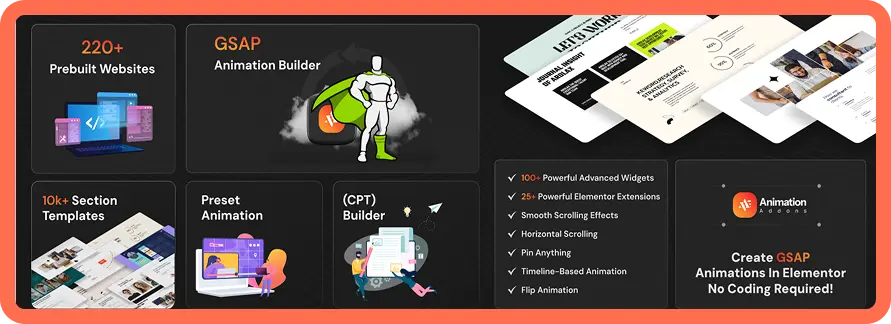
Animation Addons is an all-in-one animation plugin for WordPress and Elementor users. Designed to create stunning GSAP animations and interactive designs without any coding.
Key Features
- 200+ prebuilt sites, 2,000+ pages templates and 10,000+ section templates
- Custom Animation Builder with GSAP integration with no coding required
- 100+ widgets and 25+ extensions in one powerful plugin
- Lightweight design ensures fast website loading speed
- Works seamlessly with Elementor Free, Elementor Pro, and Astra Theme
- Boosts engagement, conversions, and overall website professionalism
Performance
- Animations are triggered based on user interaction, reducing unnecessary continuous rendering.
- Using an efficient animation engine helps maintain smooth motion without excessive memory usage.
- Scroll-based animations run only during user scrolling, minimizing background processing and performance overhead.
- Animations rely on transforms and opacity rather than layout-changing properties, helping avoid layout shifts.
- The ability to limit or disable animations on mobile devices helps preserve speed and responsiveness on smaller screens.
Accessibility
- Supports reduced-motion preferences to minimize animation for sensitive users
- Ensures content remains visible even when animations are disabled
- Does not interfere with keyboard navigation or focus order
- Avoids rapid flashing and aggressive motion effects
- Allows device-based animation control for better accessibility
Best for
Elementor users who want scroll-driven storytelling, text/image reveal sequences, and fine timing control (timelines/easing) while keeping setup inside the builder. Animation Addons is best for creating advanced, scroll-driven and timeline-based image animations directly inside Elementor without custom coding. It suits users who need precise control over motion, performance-friendly execution, and flexible animation workflows for modern WordPress websites.
Greenshift
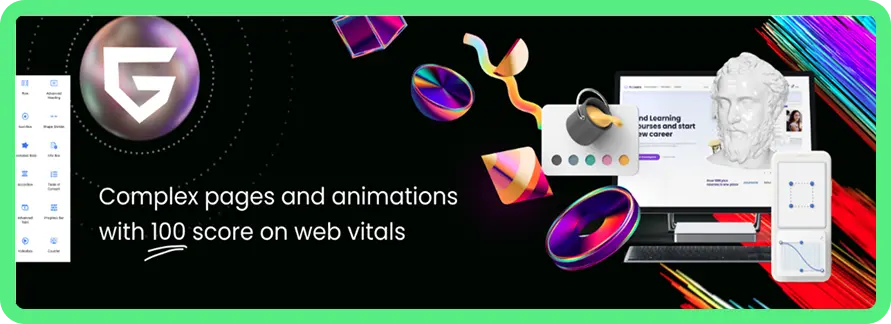
A Gutenberg-focused builder that includes animation and design controls directly inside the block editor.
Key Features
- Gutenberg block-based workflow for layouts, effects, and animation configuration.
- Built-in transforms, hover transitions, and preset effects for common motions.
- Custom CSS option for extending visuals beyond default controls.
- Emphasis on performance-friendly builds aligned with Web Vitals goals.
- Paid plans include advanced animations and interaction-style features.
Performance
- Uses conditional asset loading so only necessary scripts/styles load.
- Built without jQuery or external dependencies to reduce bloat and speed up pages.
- Offers dynamic loading of blocks when they enter the viewport to improve initial load times.
- Smart loaders delay heavier animation assets until interaction, reducing first-paint load.
- Supports optimized mobile layouts with multiple breakpoints for responsive performance.
Accessibility
- No reliance on external icon fonts or scripts improves predictability for assistive tools.
- Blocks and animations are visually designed without interfering with core content.
- Uses semantic Gutenberg blocks which generally support screen readers and structure.
- Custom animations can be limited per screen size, aiding usability on smaller devices.
- Supports responsive breakpoints so content remains readable across devices.
Best for
Users building in Gutenberg who want animation controls alongside layout blocks, especially if they want a “builder + motion” approach in one ecosystem.
Scrollsequence
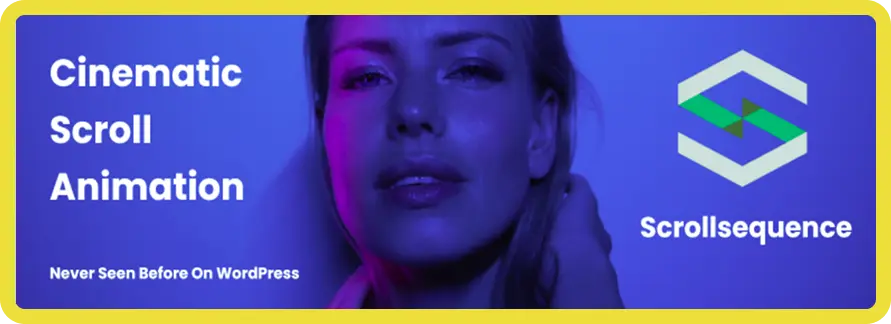
A plugin for scroll-controlled image sequence animations, the “frame-by-frame” cinematic effect driven by mousewheel or touch scrolling.
Key Features
- Scroll-synced image sequence playback for cinematic, frame-by-frame storytelling.
- Touch and mousewheel control to keep motion tied to user interaction.
- Works well for product reveals, walkthroughs, and interactive hero sections.
- Keeps sequences embeddable inside posts/pages rather than custom templates.
- Designed for “scroll through video-like” experiences without actual video files.
Performance
- Uses lightweight scripts loaded only when a scroll sequence exists on a page, minimizing overhead.
- Smart image loading fetches only a few frames initially, with others loading in the background.
- Uses HTML5 Canvas and optimized drawing tech for smooth scroll animation playback.
- Supports responsive animation across devices and browsers for consistent performance.
- Avoids unnecessary scripts on pages without sequences, reducing impact on general site speed.
Accessibility
- Image sequence text and overlay elements can be added independently of animation.
- Includes fallback content if JavaScript is disabled, preventing blank sections.
- Animations and interactive sequences are responsive across device types.
- Content remains indexable by search engines, supporting visibility and content access.
- Allows turning animations off on specific devices to reduce sensory load if needed.
Best for
Brands that need high-impact scroll storytelling (product tours, narratives, interactive hero sections) and can invest time in optimizing image sequences.
Lottie Player
Tools for embedding Lottie animations (JSON / dotLottie) into WordPress pages, often via blocks or shortcodes.
Key Features
- Embed Lottie animations (JSON/dotLottie) inside posts, pages, and widgets.
- Playback controls like autoplay, loop, speed, and direction (plugin dependent).
- Scales cleanly because Lottie is vector-based and resolution-independent.
- Good for icons, micro-interactions, and lightweight motion graphics.
- Pro tiers may add advanced controls and configuration options.
Performance
- Lightweight vector JSON files load faster than GIFs or video, improving speed.
- Optimized animation files can be reduced further to decrease load time and bandwidth.
- Responsive playback scales smoothly across screen sizes without extra assets.
- Minimal script overhead when embedding animations keeps page weight low.
- Interactive controls like autoplay/loop help defer animation until needed, saving resources.
Accessibility
- Use accessible controls (play/pause) so users can manage motion playback.
- Provide text alternatives or labels so screen readers get context.
- Respect reduced-motion preferences to avoid discomfort for sensitive users.
- Avoid rapid flashing that could trigger sensory issues in some visitors.
- Ensure animations don’t hide content so information is always reachable.
Best for
Anyone who wants clean, modern vector motion (icons, UI accents, small illustrations) without the weight of video assets.
Smart Slider 3
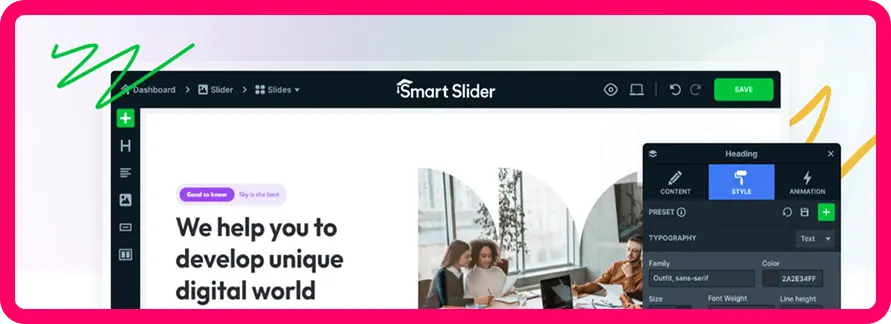
A slider builder focused on creating animated sliders, hero sections, carousels, and layered visual stories.
Key Features
- Layer animation builder and live timeline for entrance, exit, and loops.
- Large template library to speed up building sliders and hero visuals.
- Multiple slider types (free vs pro differences) for varied layouts.
- Background animations and effects to add depth without external libraries.
- Responsive controls to adapt slider content across desktop and mobile screens.
Performance
- Lazy loading support lets only visible slide images load first, improving load time.
- Image optimization options enable converting images to webp and resizing for smaller screens.
- Slider load type settings control when sliders and images load relative to page content.
- Responsive design adapts slider size to devices, reducing unnecessary large assets.
- Efficient script handling uses modern JavaScript without heavy dependencies.
Accessibility
- Responsive touch and swipe navigation supports users on mobile and touch devices.
- Navigation controls (arrows/bullets) offer clear interaction cues for users.
- Responsive text and layer settings help preserve readability across screens.
- Alt text practices for images help screen readers understand slider content.
- Pause/control options help users manage motion intensity and speed.
Best for
Sites that need animated hero sliders, campaign landing pages, and layered image + text stories with a visual timeline editor.
Image Hover Effects Ultimate
A hover-effects plugin aimed at image galleries, portfolios, and showcase grids with many preset hover animations.
Key Features
- Large hover-effect library for captions, overlays, reveals, and transitions.
- Gallery/showcase layouts suitable for portfolios and image-heavy landing sections.
- Visual editor-style configuration to reduce the need for custom CSS.
- Works via custom post structures for reusable image sets.
- Pro adds expanded effect sets and additional design options.
Performance
- Uses pure CSS3 hover effects, minimizing JavaScript overhead.
- Lightweight code base with minimal memory usage and low page speed impact.
- Responsive design ensures animations scale smoothly on different screen sizes.
- No major JavaScript errors or resource conflicts detected during automated tests.
- Designed to work without bulky libraries, reducing load on the site.
Accessibility
- Touch and hover support works across desktop and mobile devices.
- Responsive hover effects help maintain consistent user experience on all devices.
- Hover-only animations should be paired with visible text or labels for clarity.
- Because it relies on CSS, effects generally won’t break keyboard navigation.
- Ensure captions and overlays include alt text or descriptions for assistive tools.
Best for
Portfolios, team grids, and galleries where you want many hover styles quickly, without building custom hover animations from scratch.
How to Choose the Right Image Animation Plugin
Selecting the right image animation plugin is not only about visual appeal. It also affects website performance, accessibility, and long-term maintenance. The following factors can help you make a well-informed decision.
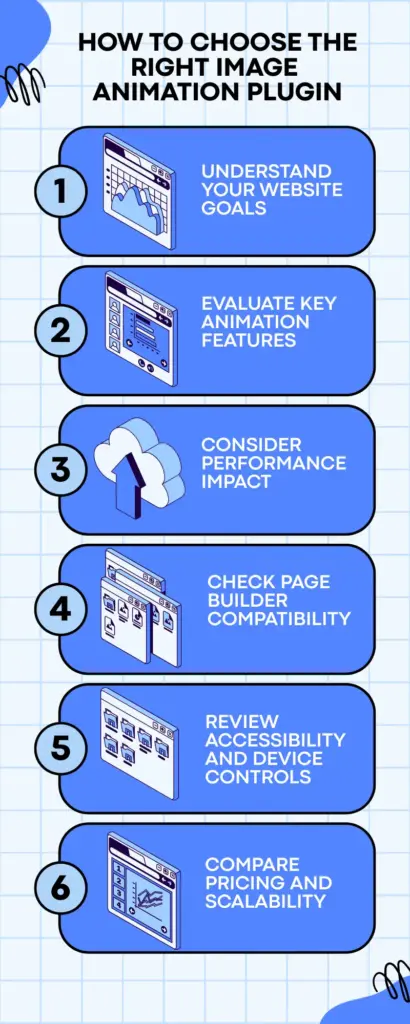
Understand Your Website Goals
Start by identifying why you need image animations. Some websites require subtle fade animation or hover effects to improve user engagement, while others need scroll-based storytelling or interactive product visuals. Choosing a plugin that matches your specific use case prevents unnecessary complexity and feature overload.
Evaluate Key Animation Features
Look for plugins that offer the animation types you actually need, such as reveal animation, hover, scroll-triggered, or sequence-based effects. Control over timing, delay, easing, and trigger behavior is important for creating smooth and intentional animations rather than distracting motion.
Consider Performance Impact
Animations can affect loading speed if not handled properly. Choose plugins that use optimized code, lazy loading, or trigger animations only when elements enter the viewport. Always test performance after implementation, especially on mobile devices and slower networks.
Check Page Builder Compatibility
Ensure the plugin integrates smoothly with your setup, whether you use Elementor, Gutenberg, or another page builder. Native integration reduces conflicts, improves workflow efficiency, and makes animation settings easier to manage visually.
Review Accessibility and Device Controls
Good animation plugins allow you to disable or simplify effects for users sensitive to motion and offer device-specific controls. Animations should enhance content without hiding essential information or interfering with navigation.
Compare Pricing and Scalability
Finally, review pricing models carefully. Some plugins offer free versions with limited features, while others use annual or lifetime licenses. Consider how many sites you plan to use the plugin on and whether the feature set justifies the cost.
Choosing the right image animation plugin ensures your website remains engaging, usable, and performant over time.
Common Mistakes to Avoid When Using Image Animations
Image animations can greatly enhance a website when used thoughtfully. However, poor implementation often leads to usability, performance, and accessibility problems. Understanding the most common mistakes helps ensure animations add value rather than distractions.
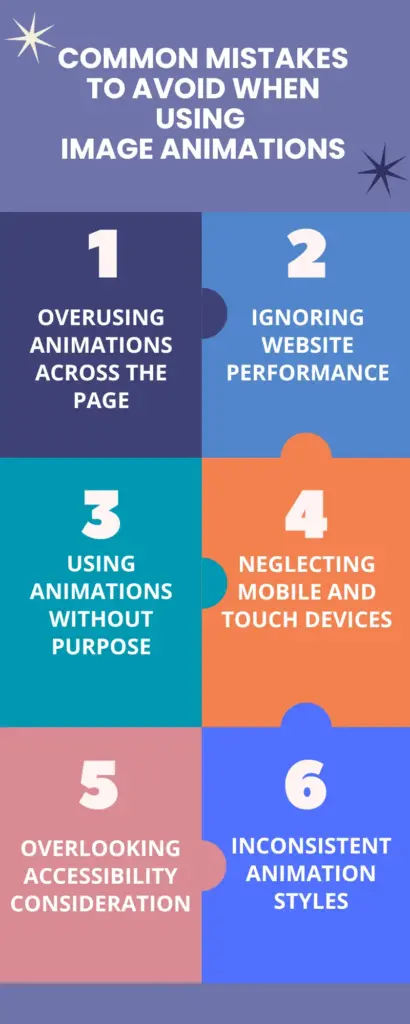
Overusing Animations Across the Page
One of the most frequent mistakes is applying animations to too many images at once. When everything moves, nothing stands out. Excessive motion can overwhelm users, reduce focus, and make the website feel unprofessional. Animations should highlight key elements, not compete for attention.
Ignoring Website Performance
Heavy animations, large image files, and continuous motion effects can significantly slow down page loading. Many users abandon sites that load slowly, especially on mobile. Always optimize images, limit simultaneous animations, and test performance after adding animation effects.
Using Animations Without Purpose
Animations should serve a clear function, such as guiding attention, explaining content flow, or improving interaction feedback. Adding motion purely for decoration often distracts users and weakens the overall message of the page.
Neglecting Mobile and Touch Devices
Hover-based and complex scroll animations may not translate well on touch screens. Failing to adjust or disable certain animations on mobile devices can lead to broken layouts or confusing interactions. Always review animations across different screen sizes.
Overlooking Accessibility Considerations
Fast, looping, or scroll-jacking animations can cause discomfort for motion-sensitive users. Important content should never rely solely on animation to appear. Provide reduced-motion options and ensure content remains accessible via keyboard and screen readers.
Inconsistent Animation Styles
Using different animation styles, speeds, and directions across pages creates a disjointed user experience. Maintaining consistency in animation behavior helps establish a smooth and predictable visual rhythm throughout the website.
Avoiding these common mistakes helps ensure image animations improve usability, engagement, and overall website quality.
Conclusion
Image animation plugins can significantly enhance the visual appeal and user experience of a WordPress website when used with care. The right plugin helps guide attention, improve engagement, and support storytelling without compromising performance or accessibility.
Rather than choosing based on popularity alone, it is important to evaluate animation features, performance impact, accessibility controls, compatibility, and pricing. Thoughtful selection and responsible implementation ensure animations remain purposeful and user-friendly. When used strategically, image animations become a powerful design tool that complements content instead of distracting from it, helping websites feel more interactive, modern, and well-structured.
FAQs
Do image animation plugins affect website loading speed?
Yes, image animation plugins can impact loading speed if animations are heavy or poorly optimized. However, well-built plugins use lightweight code and trigger animations only when needed, minimizing performance issues when used responsibly.
Are image animation plugins suitable for mobile devices?
Most modern plugins include responsive controls, but not all animations work well on mobile. It is important to test effects on touch devices and disable complex hover or scroll-based animations where they may reduce usability.
Can image animations harm website accessibility?
They can if used incorrectly. Fast, continuous, or scroll-jacking animations may cause discomfort for motion-sensitive users. Good plugins allow reduced-motion options and ensure important content remains accessible without relying solely on animation.
Do I need coding knowledge to use image animation plugins?
In most cases, no. Many plugins provide visual controls through page builders like Elementor or Gutenberg. However, basic understanding of timing and layout helps in creating cleaner, more purposeful animations.
How do I choose the best image animation plugin for my website?
Start by defining your animation needs, then compare plugins based on features, performance, accessibility, compatibility, and pricing. Choosing a plugin that aligns with your website goals prevents unnecessary complexity and long-term issues.

Leave a Reply