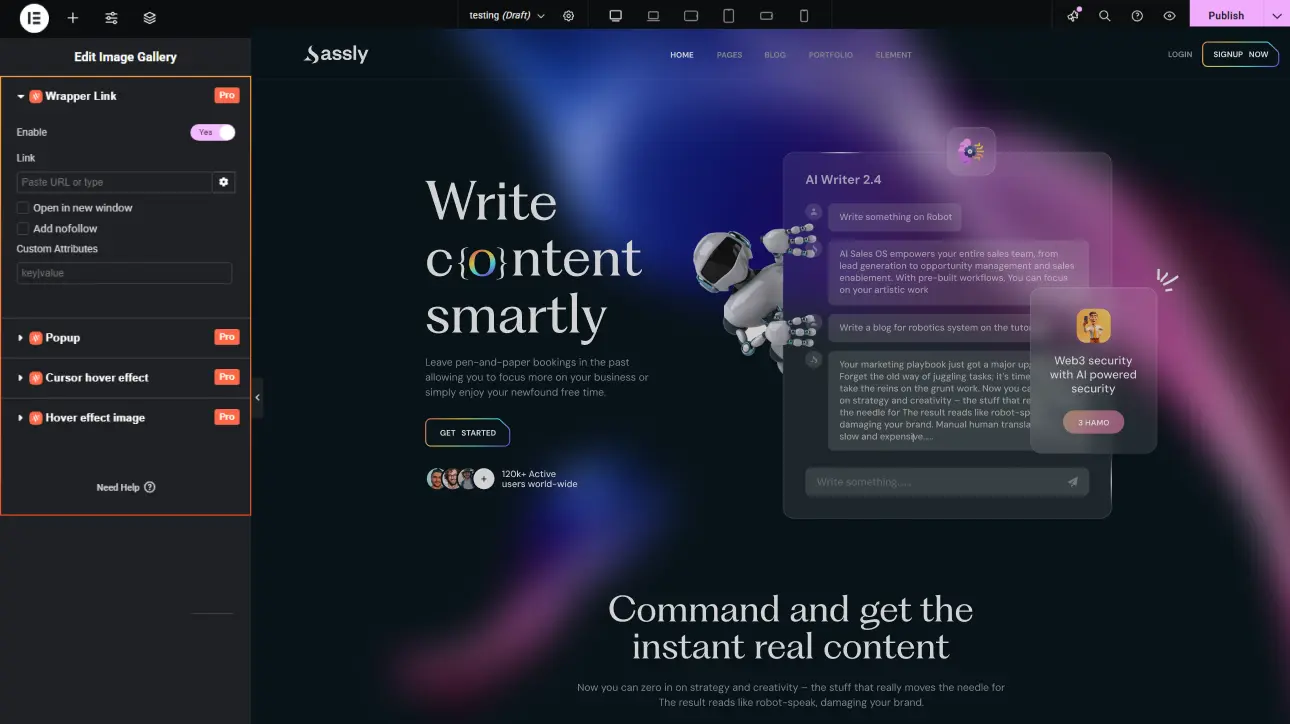
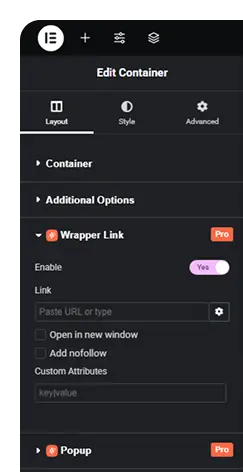
Explore the features that transform smooth scrolling and stunning animations into reality, enhancing your Elementor designs.
What is Wrapper Link extension?
The Wrapper Link extension allows you to make an entire section, column, or container clickable with a single link. Instead of linking individual elements, you can turn the whole area into an interactive link.
What makes this extension essential?
This extension makes entire sections clickable, improving navigation and user interaction. It simplifies linking elements while creating a smoother, more intuitive browsing experience.
Key features of Wrapper Link extension
Turn sections, columns, or containers into a single clickable area with one link.
Add links without modifying your design structure or wrapping multiple elements manually.
Apply wrapper links instantly with simple settings, saving time during website design and development.
How It Works
Explore the below documentation to get a clear idea of how to use the animation.
Choose the section, column, or container where you want to apply the Wrapper Link. Open the element settings in the editor and locate the Wrapper Link option provided by Animation Addons.
Step 2: Add Your Destination Link
Enter the URL you want the entire section to link to. This can be an internal page, external website, or specific landing page depending on your navigation goal.
Step 3: Save and Make the Section Clickable
After adding the link, save or update the page. The selected section instantly becomes fully clickable, allowing visitors to navigate simply by clicking anywhere within that area.
25% Off
Limited Time Offer
Get 25% off any lifetime license, plus 2x the sites on every tier. Pay
once. Keep it for life.



 Login
Login