


 Login
Login

If you have a WordPress site for e-commerce, blogging, or managing services, you know how hard it can be to do a lot of things at once. That’s where WordPress automation plugins come in. They save you time and make your site work better. It’s like having an assistant who works behind the scenes to get things done while you work on growing.
This article will show you the best WordPress automation plugins that can help you get things done faster, be more productive, and make things better for users. We’ll talk about the most important features and benefits of each plugin, with a focus on how they automate certain tasks to make using WordPress easier.
Why You Need WordPress Automation Plugins
Running a WordPress site manually is like trying to fill a swimming pool with a teaspoon. It is possible, but why would you? You don’t have to do anything manually to automate tasks like backing up your site, running an e-commerce site, optimizing images, sharing content, managing SEO, and many more.
They get rid of mistakes made by people, save you a lot of time every week, and let you focus on making great content and getting more people to read it. Plus, when you’re sleeping or on vacation, your site keeps running smoothly because everything’s automated. It’s not about being lazy; it’s about using your time wisely.
Top Benefits of Using Automation Plugins on Your WordPress Site
- Save Time: Automating things like sending newsletters, managing SEO, or posting articles can help you get a lot more done in less time each week.
- Better Consistency: Automation makes sure that your processes, like publishing content or optimizing for search engines, are done the same way on every page of your site.
- Increases Productivity: Automation lets you focus on the most important tasks while the plugins do the rest. This makes you more productive.
- Increases Engagement: You can keep your audience interested by automating things like sharing on social media, sending out emails, and more.
- Increases Revenue: Many automation plugins can help with marketing, getting leads, and making sales, contributing to overall business growth.
Understanding WordPress Automation: What Can Actually Be Automated?
To be honest, almost everything. AI can help you do everything from writing and publishing content to planning social media posts weeks in advance, running SEO audits, and making meta descriptions without you having to do anything. You can also automatically back up your site before updates to make sure you never lose data.
You can even make complicated multi-step workflows that link different tools. The most important thing is to begin with small steps. Pick one or two things that take up most of your time and automate those first. You will naturally want to automate more once you see the results.
6 Top WordPress Automation Plugins: Quick Comparison Table
| Plugins | Free Version | Starting Price | Best For |
| Bit Flows | Yes | Starts at $119/year | Multi-step workflow automation using AI Agent |
| Rank Math | Yes | Starts at $7.99/month | SEO optimization, schema, site analytics |
| Smush | Yes | Starts at $30/year | Automate Image Optimization |
| UpdraftPlus | Yes | Starts at $70/year | Automate WordPress Backups |
| Bit Social | Yes | Starts at $99/One Time | AI powered Social Media auto‑posting and scheduling |
| Jetpack | Yes | Starts at $119.4/year | Automate site security |
Let’s take a closer look at each plugin to find out what makes it special and how it can make using WordPress easier. Get ready to learn about the things that can make your site work better, faster, and smarter.
1. Bit Flows: Automate Your WordPress with Multistep Workflows
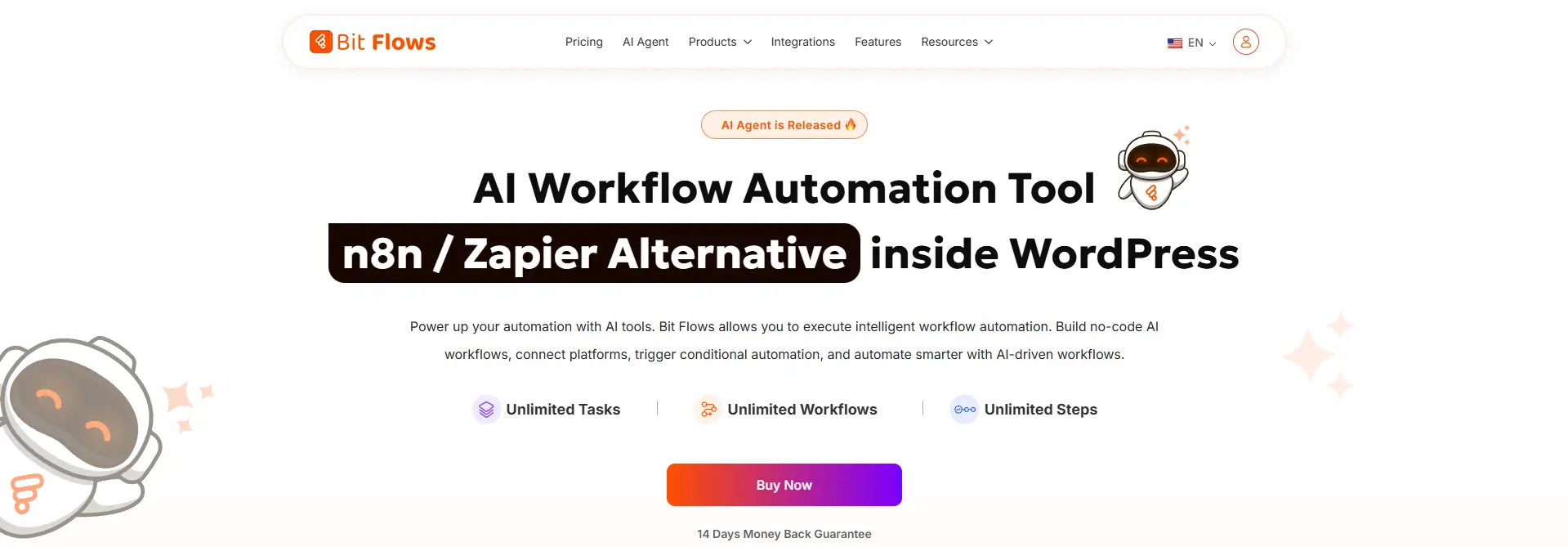
Bit Flows is the most advanced and multi-step workflow automation tool for WordPress users. This plugin is designed for people who want to automate entire workflows, not just single tasks, and it does this beautifully by connecting different apps, AI models, and WordPress features together.
What makes Bit Flows stand out is its ability to handle multi-step workflows using AI agents. You can build free agentic workflows that handle support, analyze data, content, leads, and more. No more manual tasks or playing with multiple tools with fixed rules. Everything happens automatically and intelligently.
Key Features:
- Drag‑and‑drop visual workflow builder with unlimited workflows, tasks, and steps.
- AI Agent for automated decision-making.
- Integrates with over 252+ platforms, including Google Sheets, Shopify, and Mailchimp.
- Custom triggers and actions to tailor workflows to specific business needs.
- Supports multi-step workflows with tools like Router, Iterator, Delay, Repeater, Json Parser, and more.
- Multiple AI model integration, allowing you to choose the best AI for each specific task
- With the advanced conditional logic feature, you can create more complex workflows.
- Powerful logging system to track real-time workflow steps and performance.
Best For: Site owners, marketers, agencies, and developers who want to automate real WordPress tasks and integrate them with tools like CRMs, spreadsheets, or popular platforms.
Pricing: Free version available, and paid plans start at $119/year.
2. Rank Math: Automate WordPress SEO for Better Visibility

SEO is very important for WordPress success, but it can be tough to do it by hand. Rank Math takes care of SEO tasks like keyword tracking, on-page optimization, and sitemap generation automatically.
This way, you can make sure your content is SEO-friendly without spending hours doing it by hand. It also gives you smart suggestions for how to improve your rankings, all based on AI-powered information.
Key Features:
- Automated on-page SEO optimization.
- Real-time keyword ranking tracking.
- Integration with Google Search Console for insights.
- Built-in 404 monitor and redirection tools.
- Automated sitemap generation for better indexing.
- AI-powered suggestions for improving SEO.
Best for: WordPress website owners who want an easy and automated way to optimize their site for search engines without dealing with manual tasks
Price: Free version available, and paid plans start at $6.59/month.
3. Smush: Automate Image Optimization for Faster Site Speed

Smush is an image optimization plugin for WordPress that automatically compresses and resizes images to enhance site speed without sacrificing image quality. This is essential for improving page load times, which directly impacts SEO and user experience.
Smush handles image optimization on the fly, so you don’t have to worry about manually resizing or compressing images.
Key Features:
- Automatically compresses and resizes images.
- Supports both lossless and lossy image compression.
- Bulk smushing for optimizing multiple images at once.
- Lazy load feature for faster image loading.
- Integrates with popular page builders.
- Automatically resizes images for better display on different devices.
Best For: Smush is ideal for websites with heavy image content, such as e-commerce stores and photography blogs, where site speed is a priority.
Price: Free version available, and paid plans start at $30/year.
4. UpdraftPlus: Automate WordPress Backups

UpdraftPlus is a backup plugin for WordPress that automates the backup process, ensuring that your website’s data is always safe. What sets UpdraftPlus apart is its ability to back up your site automatically before any plugin or theme updates are made, preventing data loss during updates.
Key Features:
- Automates scheduled backups of your WordPress site.
- Allows automatic backups before updates.
- Supports cloud storage integration (Google Drive, Dropbox, etc.).
- Restores backups with one click.
- Provides encryption for sensitive data.
- Supports incremental backups to save storage space.
Best For: UpdraftPlus is a must-have for WordPress users who want peace of mind knowing that their site’s data is backed up and easily recoverable.
Price: Free version available, and paid plans start at $70/year.
5. Bit Social: Automate Social Media Sharing

Bit Social is a great WordPress plugin that helps you plan and manage posts on a number of social media sites. You can automatically write captions and summaries for social media posts when you connect with AI. It makes it easier to share content by automatically posting to Facebook, Instagram, Twitter, and other sites from your WordPress dashboard.
Key Features:
- Automatically shares WordPress posts on social media.
- Schedules posts for future publication.
- Summarize posts & write captions for different social platforms with AI easily.
- Supports over 12 platforms, including Facebook, Twitter, LinkedIn, and Instagram.
- Filter your WordPress posts to target the right audience.
- Access built-in logs to see whether your posts were successfully shared.
Best For: Bit Social is perfect for bloggers, marketers, and e-commerce businesses looking to simplify their social media efforts and keep their audience engaged.
Price: Free version available, and paid plans start at $99/One Time.
6. Jetpack: Enhance WordPress Security, Performance, and Growth

Jetpack is a comprehensive plugin that offers a suite of features for improving your WordPress site’s performance, security, and growth. With automatic backups, site stats, security scanning, and more, Jetpack is a versatile tool for managing multiple aspects of your site.
Key Features:
- Provides automatic daily and real-time backups.
- Offers site stats and performance insights.
- Scans your site for security vulnerabilities.
- Protects against brute force attacks.
- Increases site speed with content delivery network (CDN).
- Automates social media sharing and post scheduling.
Best For: Jetpack is great for WordPress users who need an all-in-one solution for security, real-time backups, and performance optimization.
Price: Free version available, and paid plans start at $119.4/year.
How to Pick the Right WordPress Automation Plugin
Start by identifying your biggest time-drains. Is it social media posting, image optimization, content generation, or maybe SEO tasks? Pick plugins that solve those specific problems rather than installing everything at once. Check compatibility with your current WordPress setup and other plugins you’re using, because conflicts can break your site.
Check out real user reviews on WordPress.org and look for plugins that get regular updates and have good customer service. This proves that the people who made it care.
Also, it’s important to consider the pricing and feature access. Some plugins offer free versions with basic features, while others require a subscription to unlock advanced automation options. And don’t forget to test any new plugins on a staging site first, just to be safe. It’s better to experiment there than risk messing with your live site.
Conclusion: Automate Wisely, Grow Confidently
You’re wasting hours of your life if you still do everything by hand. WordPress automation plugins help you get more done without working harder.
By adding these powerful WordPress automation plugins to your site, you can eliminate repetitive tasks, save time, reduce mistakes, improve your site’s performance, and enhance the user experience. All of these things will help your business grow.
FAQ’s
Do I need coding skills to use WordPress automation plugins?
No coding is required! Plugins like Bit Flows, Smush, and UpdraftPlus offer simple, user-friendly interfaces perfect for beginners.
Can I integrate with external tools or platforms?
Yes, plugins like Bit Flows integrate with over 250 platforms like Google Sheets, Shopify, and Mailchimp. Using Bit Flows’ AI agent, you can automate understanding context, making decisions, and taking actions on your behalf.
Can I automate my social media posts on WordPress?
Yes, plugins like Bit Social allow you to automate social media posting and scheduling directly from your WordPress dashboard.
Can I create custom workflows with Bit Flows?
Yes, Bit Flows allows you to create fully customized multi-step workflows with triggers, actions, webhooks, and AI-powered decision-making.
Do automation plugins offer detailed error tracking or notifications?
Yes, plugins like Bit Flows come with logging and real-time error tracking, so you can identify issues in your workflows quickly.
Can I automate product updates in my WooCommerce store?
Yes, Bit Flows and other automation plugins can help you update product details, stock levels, and pricing automatically in WooCommerce.
Can I back up my entire website with UpdraftPlus?
Yes, UpdraftPlus allows you to back up everything on your WordPress site, including files, themes, plugins, and the database.




Leave a Reply