


 Login
Login


Webflow is a popular website builder, especially for designers who want visual control and built-in animations. However, it is not always the best choice for long-term projects. As websites grow, many users face higher costs, limited flexibility, and restrictions around ownership and advanced animation workflows.
This guide compares the best Webflow alternatives based on animation control, scalability, ownership, and cost.
It explains which platforms work best for animation-focused websites, business sites, landing pages, and online stores, so you can choose a solution that supports your website as it grows over time.
Quick Comparison: Webflow vs Top Alternatives
Before diving deeper, take a quick look at this table. It compares Webflow with other popular tools and shows how they differ in animation, ownership, and cost.
| Platform | Best For | Animation Control | Ownership & Flexibility | Cost Control |
|---|---|---|---|---|
| WordPress Animation Addons | Advanced animation in WordPress | Very High | Full ownership | High control / Budget Friendly |
| WordPress Elementor | Custom sites & Long-term growth | High | Full Ownership | Very Flexible |
| Framer | Interecive Landing Pages | High (Design-Focus) | Limited | Mid High |
| Shopify | Online Stores | Low | Limited | Transection-Based |
| Wix | Beginner & Small sites | Low-Medium | Limited | Affordable |
Best Webflow Alternatives Compared
Webflow works well for simple projects, but its limits become clear as sites grow, especially around cost, flexibility, and animation control.
“The problem usually isn’t the tool. It’s what happens when the site outgrows the tool.”
Common feedback from Webflow users on Reddit
The alternatives below focus on solving those issues, whether you need advanced animation, full ownership, easier scaling, or a simpler setup.
Let’s go through them one by one:
1. Animation Addons
Websites with heavy animation need structure, not just visual effects. Without the right tools, animations quickly become hard to manage.
This is where Animation Addons comes in. It is built for motion-driven websites and lets you create scroll animations, timelines, text reveals, and advanced effects without writing custom JavaScript.
💡
Pro Tip :
Animation Addons lets you reuse same animations. This helps you avoid rebuilding and fixing animations on every page.
Why it’s better than Webflow for animation:
- No animation limits tied to pricing plans
- Works inside WordPress, so you own everything
- Uses reusable animation systems instead of one-off effects
- Easier to scale large animated sites
- Note
- This tool focuses only on animation. Layout and content are handled by WordPress and Elementor.
Best for:
Animation-heavy websites, landing pages, and performance-focused marketing sites. No coding knowledge required.
2. WordPress with Elementor
This combination is one of the most popular Webflow alternatives for a reason.
WordPress gives you full control over content, hosting, and data. Elementor adds a visual builder that feels familiar to Webflow users, without locking you into a single platform.
Why people switch from Webflow:
- No forced hosting
- Unlimited pages and CMS content
- Easier long-term maintenance
- Better plugin ecosystem
Best for:
Business websites, content-driven platforms, and scalable projects.
3. Framer
Framer is often compared to Webflow, but it targets a different type of user.
It is great for design and smooth animations, but you are limited by what the platform allows
- Beautiful interactions out of the box
- Fast setup for landing pages
- Strong design experience
Limitations
- Less flexible CMS
- Limited backend extensibility
- Platform lock-in
Best for:
Startups, designers, and one-page marketing sites.
4. Shopify
Shopify is usually not a direct replacement for Webflow, but it often comes up when selling products is the main goal. In short, for online stores.
Shopify is built for one main purpose, and it does that job well. It handles hosting, security, payments, and checkout. You don’t have to worry about the technical side of running an online store.
Most sites are built using themes and extended with apps rather than a heavy custom design.
💡
Pro Tip:
Choose Shopify for selling, not for design freedom or animation control.
Strengths
- Stable and secure store setup without manual configuration
- Huge app marketplace for marketing, payments, and shipping
- A checkout system that is proven and trusted by customers
Limitations
- Design freedom is limited compared to WordPress or Webflow
- Animation options are very basic
- Monthly fees and transaction costs increase as sales grow
Best for:
Online stores where selling products is more important than advanced layout control or animation.
5. Wix
Wix is the easiest option on this list. People often choose it when they want to get a website online fast and don’t want to deal with technical stuff. Wix is made to be easy to use. Its drag-and-drop editor, ready-made sections, and built-in hosting help beginners launch a site quickly.
But this simplicity has limits. As a site grows or needs more advanced features, Wix can feel restrictive.
Strengths
- Very beginner-friendly with an easy visual editor
- Fast setup using ready-made templates
- Little to no learning curve for non-technical users
Limitations
- Customization options are limited compared to WordPress or Webflow
- Performance can suffer as pages become larger or more complex
- Animation and interaction control is basic and not suited for advanced motion work
Best for:
Personal websites and small businesses that need a simple online presence and do not require complex layouts or advanced animation.
The next section includes tools that either replace Webflow’s animation system or cover specific animation use cases where Webflow is commonly used.
Webflow Alternatives for Animation
If you are using WordPress and thinking about switching to Webflow just for animation, pause for a moment.
“You don’t need a new platform to improve animation. You need a better animation system.”
Webflow is a full website platform, but most people consider it because of its animation features. The options below show simple ways to replace Webflow’s animation and interaction features without changing your platform.
Animation Addons
It lets you create GSAP-powered scroll animations, timelines, and text effects using simple drag-and-drop controls in WordPress.
It is best for animation-focused websites where you want Webflow-style control without writing custom JavaScript and need reusable, scalable motion systems.
Elementor
Elementor is a visual page builder with basic animations that work well for most business sites. It is best when you want a clean design and simple motion, with the option to add advanced animations later.
Framer
Framer is a design-first platform built for interactive landing pages and prototypes. It offers smooth animations and interactions, especially for designers who want fast visual results without deep development work.
Lottie Animations
Lottie Animation is ideal for small, looped animations such as icons and illustrations that add visual polish. It is best when motion is decorative and file size and performance are important.
- Note
- Lottie is visual polish, not a replacement for interaction logic.
How to Choose the Right Webflow Alternative
Choosing a Webflow alternative should be based on how the website will operate over time, not how quickly it can be launched.
Long-term control, scalability, and cost matter far more than surface-level features.
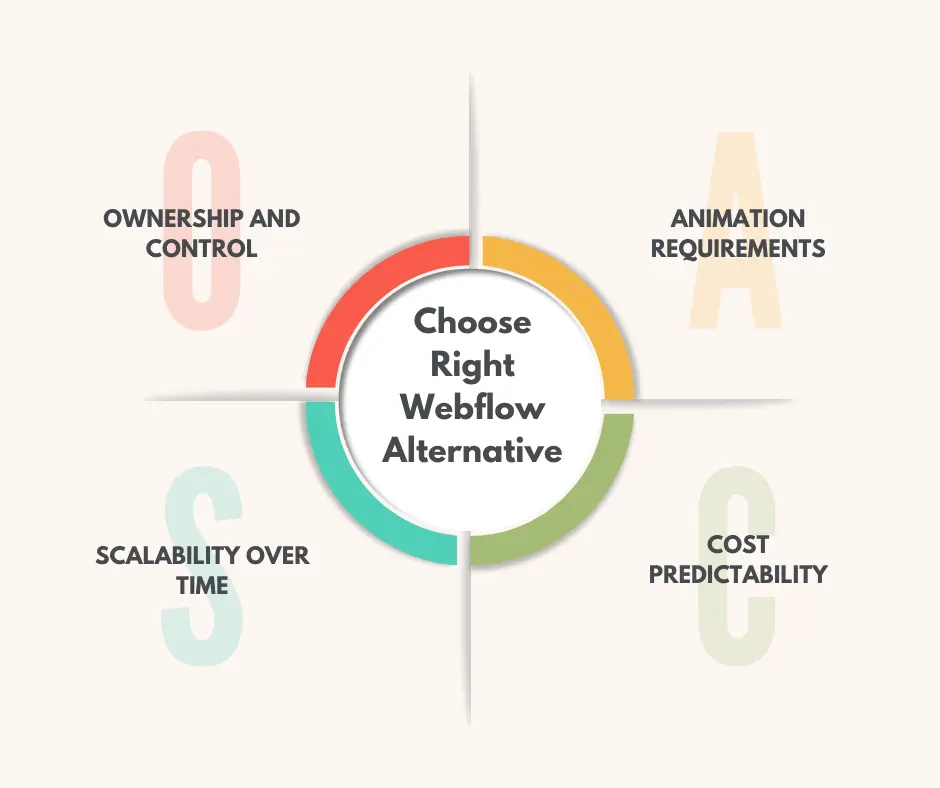
Ownership and Control
Full ownership gives you control over hosting, files, content, and performance. WordPress-based solutions allow you to move, scale, and customize freely. On the other hand, platforms like Webflow operate inside a closed hosting environment, which limits flexibility as requirements grow.
Animation Requirements
Animation needs vary widely. Basic page effects are easy to handle in most builders, but advanced scroll animations, timelines, and reusable motion systems require tools built specifically for animation. Choosing an animation-focused setup early avoids performance issues and costly rebuilds later.
Scalability Over Time
Most websites expand after launch. More pages, more content, and more integrations increase pressure on the platform. Systems that appear simple at the start can become restrictive as complexity increases, especially when customization or performance tuning is required.
Cost Predictability
Pricing based on pages, content, editors, or traffic usually goes up as a site grows. Platforms that offer fixed pricing and full ownership provide better long-term cost control and reduce unexpected expenses.
When Webflow Is Still the Right Choice
Webflow works well in some cases, but it’s not the best fit for every project.
Webflow works well if:
- You want everything handled in one hosted system
- Your site is small and unlikely to grow
- You only need basic interactions
- You prefer convenience over control
For simple marketing sites, landing pages, and short-term campaigns, Webflow remains a solid option.
Is Switching From Webflow Worth It?
Switching away from Webflow usually makes sense when one or more of these happen:
- Costs increase as the site grows
- Animation requirements become more advanced
- You need deeper control over performance and SEO
- Platform lock-in starts to feel risky
Many teams stay on Webflow longer than they should because switching feels hard. In reality, switching earlier is often cheaper and cleaner than waiting until the site becomes too complex.
To sum up, if your site is a long-term asset, flexibility and ownership usually win.
💡
Pro Tip:
Without switching from WordPress, you can install Animation Addons. It reduces development costs and lets you add GSAP animations to both new and existing websites with full control.
Final Thoughts
Choosing a Webflow alternative is not about matching the interface. It’s about planning how your site will work over time. Webflow can work for small projects. But it often feels limiting as animation needs grow, costs rise, and flexibility becomes important.
For long term websites, ownership, scalability, and control usually matter more than convenience. WordPress-based solutions offer more freedom, predictable costs, and better options for advanced animation when paired with the right tools.
If animation is a core part of your website, use a dedicated animation system. It often gives better performance and is easier to maintain. The right choice depends on your goals. Simple sites can stay simple. Growing sites need room to grow.
FAQs
Do I need to switch platforms to get better animations
No. If you are already using WordPress, you can add animation-focused tools without changing platforms. This is often cheaper and easier than rebuilding a site on Webflow.
What is the best Webflow alternative for animation
For WordPress users, Animation Addons is the strongest alternative for animation. It allows GSAP-powered scroll animations, timelines, and reusable motion systems without custom JavaScript.
When does switching away from Webflow make sense
Switching usually makes sense when costs increase, animation requirements become more advanced, performance control matters more, or platform lock-in feels risky.
Is Webflow a bad website builder
No. Webflow is a solid tool for small websites, landing pages, and short-term projects. It becomes less ideal when a site needs advanced animation systems, full ownership, or long term scalability.

Leave a Reply